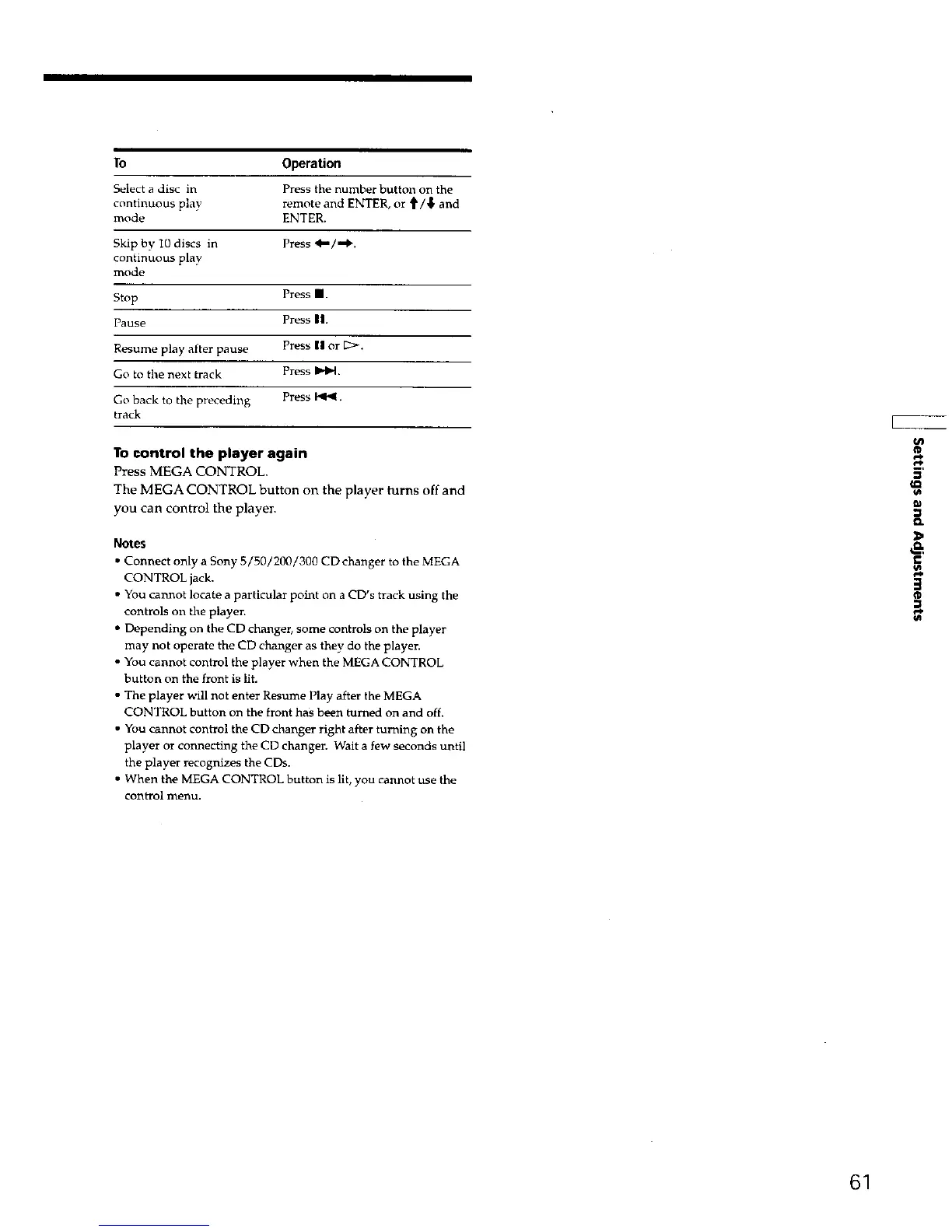
To Operation
Select a disc in Press the number buttun on the
continuous play remote and ENTER, or t/'_ and
mode ENTER.
Skip by 10 discs in Press _/,,.1_.
continuous play
mode
Stop Press m.
Pause Press ||.
Resume play after pause Press 1| or [2>.
Go to the next track Press Im*l_.
Go back to the preceding Press 141_.
track
To control the player again
Press MEGA CONTROL.
The MEGA CONTROL button on the player turns off and
you can control the player.
Notes
Connect only a Sony 5/50/200/300 CD changer to the MEGA
CONTROL jack.
You cannot locate a particular point on a CD's track using the
controls on the playen
Depending on the CD changer, some controls on the player
may not operate the CD changer as they do the playen
You cannot control the player when the MEGA CONTROL
button on the front is lit.
The player will not enter Resume Play after the MEGA
CONTROL button on the front has been turned on and off.
You cannot control the CD changer right after turning on the
player or connecting the CD changen Wait a few seconds until
the player recognizes the CDs.
• When the MEGA CONTROL button is lit, you cannot use the
control menu.
Q.
&
€
3
®
61











 To Next Page