10
GB
*
2
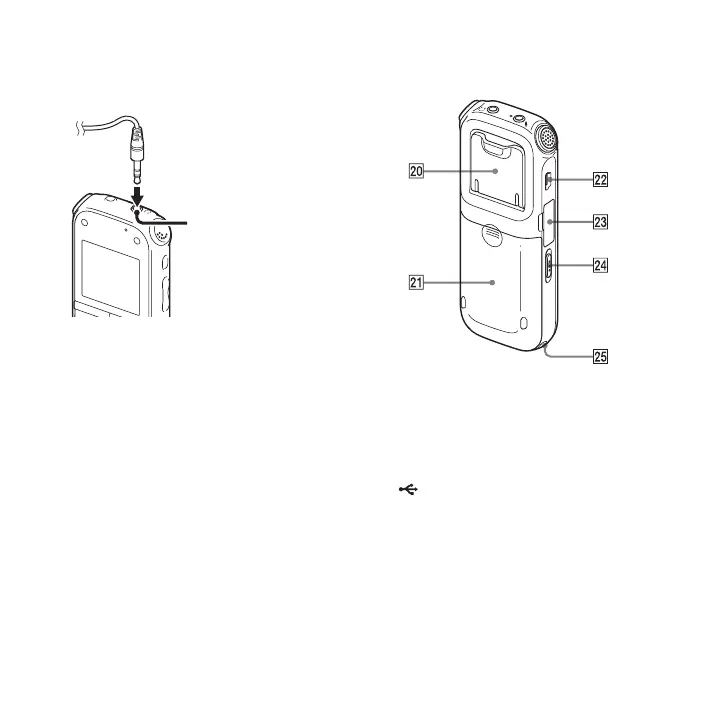
Connect the supplied stereo headphones to
the i (headphone) jack. When noise is
heard, clean the plug of the headphones.
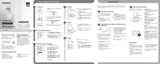
Rear
T Stand
You can open the stand and set the IC
recorder at a more upright angle when
recording on a table.
U Battery compartment
V (USB) connector
W M2™/microSD memory card slot
X HOLD•POWER ON/OFF switch
Y Strap hole (A strap is not supplied.)
i (headphone)
jack


 To Next Page