33
GB
Other Recording Operations
Other Recording Operations
Changing the Recording Settings
Selecting a recording scene
for each situation
According to various recording scene, you
can change the items for recording, such as
REC Mode (page 89), Mic Sensitivity
(page 89), etc., to the recommended
settings in bulk.
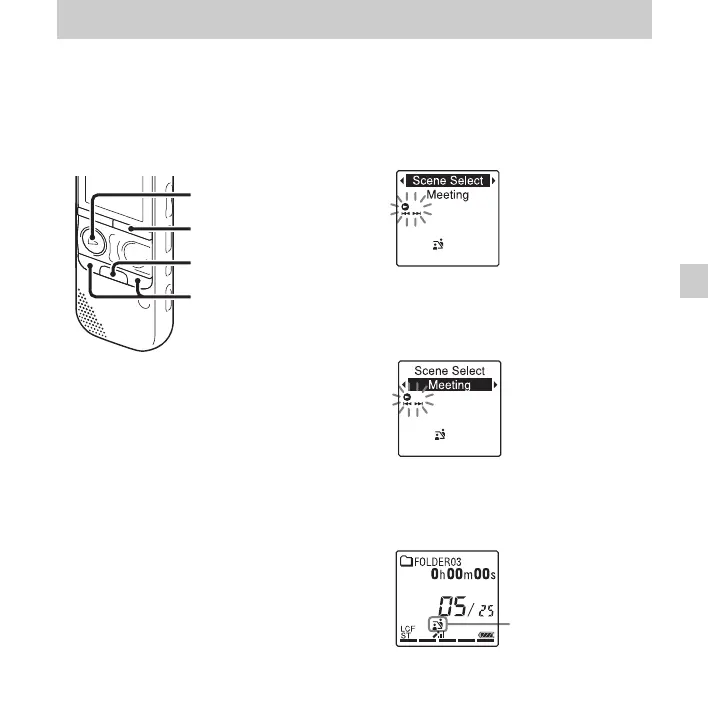
1 Press and hold •DISP
–
MENU in the stop
mode to enter the menu mode.
The menu mode window will be
displayed.
2 Press –. or >+ to select “Scene
Select,” and then press
N PLAY/
STOP•ENTER.
The Scene Select window will be
displayed.
3 Press –. or >+ to select a scene
you want, and then press
N PLAY/
STOP•ENTER.
The indicator corresponding to the
selected scene is displayed.
4 Press x (stop) to exit the menu mode.
•DISP
–
MENU
x
–., >+
N PLAY/
STOP•ENTER
Selected scene



 To Next Page