14
GB
When using rechargeable
batteries
You can use NH-AAA-B2KN rechargeable
batteries (not supplied). You can recharge
the batteries by connecting the IC recorder
to your computer or using an AC-U50AG
USB AC adaptor (not supplied). For
recharging the rechargeable batteries, see
the following:
• “Recharging the Batteries Using a
Computer” on page 111
• “Using a USB AC Adaptor” on page 114
When to replace/charge the
batteries
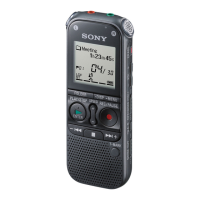
The battery indicator in the display window
shows the battery condition.
Battery remain indicator
: “Low Battery Level” appears.
Replace the old batteries with new
ones. Or charge rechargeable
batteries.
m
: “Low Battery” appears and the IC
recorder will stop operation.


 To Next Page