34
GB
P Notes
• You cannot set a scene during recording.
• When 60 seconds have passed without any
operation after the Scene Select window
appeared, the stop mode window will be
displayed.
Tips for better recording
There are ways of making better recordings
other than using scene selection.
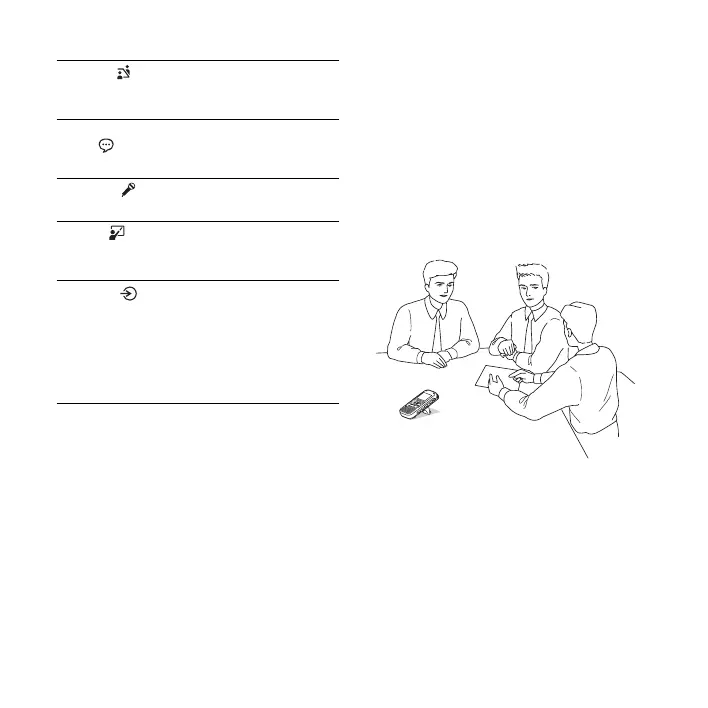
Recording at a meeting
By opening the stand on the rear and
placing the IC recorder at a more upright
position on a table, you can record with
clear, low-noise sound, without vibration
noise from the desk.
Meeting ( ) To record in a variety of
situations, such as recording
in a conference room.
Voice
Notes( )
To record dictation with a
microphone in front of your
mouth.
Interview( ) To record human voice at a
distance of 1 to 2 meters.
Lecture( ) To record a wide range of
sound, such as a lecture in a
classroom or a chorus lesson.
Audio IN( ) To record from external
equipment, such as a portable
CD/MD player or a tape
recorder, connected to the IC
recorder via an audio output
connector (stereo mini-jack).
Also used for dubbing.



 To Next Page