141
GB
Troubleshooting
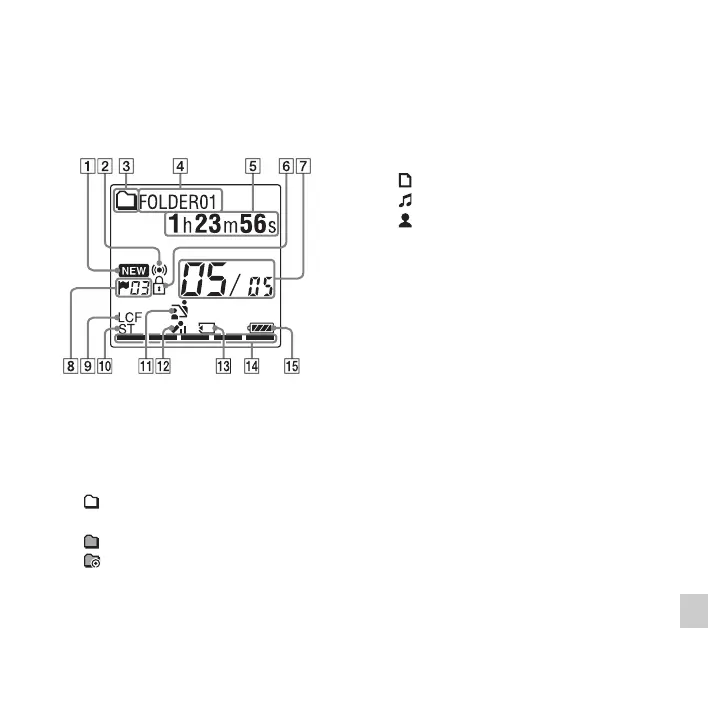
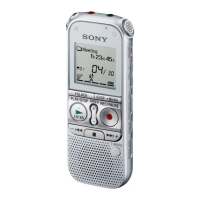
Display Window Guide
Display when stopped
A Newly arriving podcast indicator
B Alarm indicator
Appears when the alarm is set in a file.
C Folder information indicator
: A folder where you can record a
file
: A folder for playback only
: A folder for podcast files
D Folder name indicator
E File information indicator
You can switch the file information
display in order by pressing •DISP
–
MENU briefly: Elapsed time c
Remaining time c Recording date and
time c File name c Title c Artist name
: File name
: Title
: Artist name (during playback only)
F Protect indicator
Appears when the protection is set for a
file.
G File location indicator
The selected file number is displayed in
the numerator and the total number of
files in the folder is displayed in the
denominator.
H Track mark indicator
Displays the track mark number just
before the current position. Appears
when a track mark is set for a file.
I LCF (Low Cut Filter) indicator
Appears when “LCF(Low Cut)” is set
to “ON” in the menu.
J Recording mode indicator
Displays the recording mode set in the
menu when the IC recorder is in the
stop mode, and displays the current


 To Next Page