26
GB
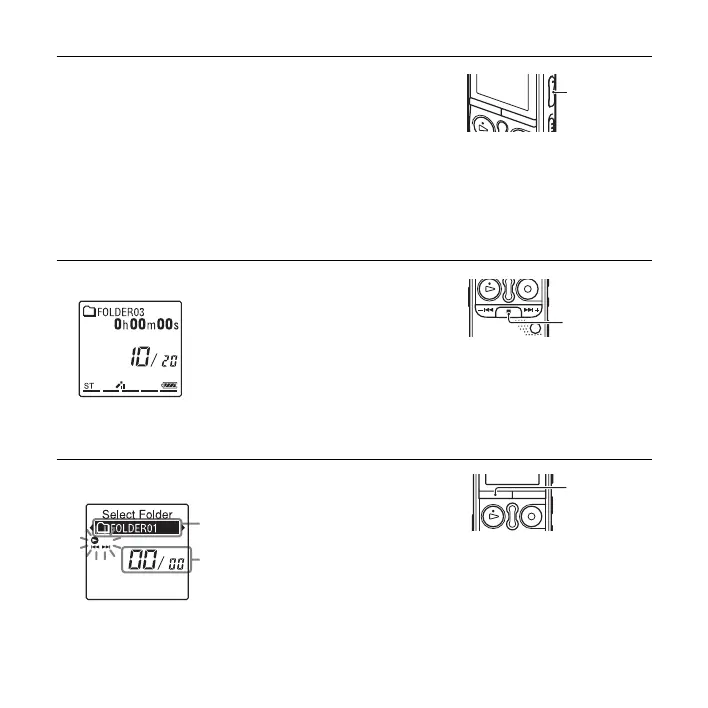
To stop playback
To select a folder and a file
4 Press VOL –/+ to adjust the volume.
P Note
When “AVLS” is set to “ON” in the menu (page 85) and
the “AVLS” indicator lights, you cannot adjust the volume
to a level that exceeds the AVLS-specified level. If you
want to turn off the function and play back files at the
original volume, use the menu to set “AVLS” to “OFF.”
1 Press x (stop).
1 Press FOLDER to display the folder selection window.
VOL –/+
x
Current folder
Current file number/the total
number of files in the folder
FOLDER



 To Next Page