63
GB
Editing Files
P Note
If the selected folder contains a protected file
(page 70), you cannot erase the protected file
in that folder.
1 Select the folder containing the files you
want to erase when the IC recorder is in
the stop mode.
2 Press and hold •DISP
–
MENU to enter
the menu mode.
The menu mode window will be
displayed.
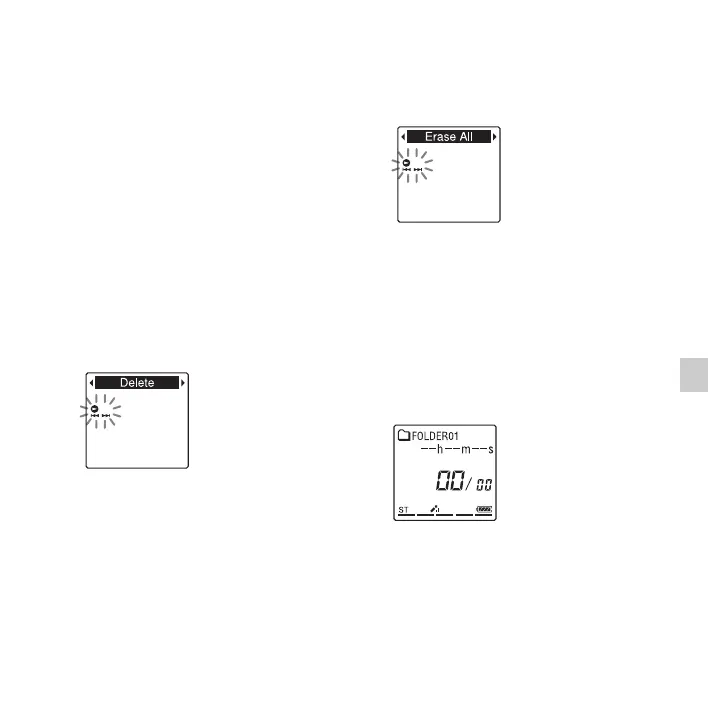
3 Press –. or >+ to select “
Delete
,”
and then press
N
PLAY/STOP•ENTER
.
4 Press –. or >+ to select “Erase
All,” and then press
N PLAY/
STOP•ENTER.
“Erase All?” will be displayed.
5 Press –. or >+ to select “
YES
,”
and then press
N
PLAY/STOP•ENTER
.
The “Erasing...” animation appears in the
display window and all files in the
selected folder will be erased.
6 Press x (stop) to exit the menu mode.
To cancel erasing
Select “NO” in step 5, and then press
N PLAY/STOP•ENTER.



 To Next Page