– 47 –
KP-44PS2/44PS2U/51PS2
RM-903
6-9. TEST-TEST MODE
Is available by pressing “OSD”, “5”, “Volume minus”, “TV” button in the standby mode, OSD “TT--” appears. The functions de-
scribed below are available by pressing the two numbers. To release the Test-Test mode, Press “-” twice or switch the TV set into
standby mode. Pressing the two PROGR (+ and –) buttons during Power ON will also switch into “TT” mode.
In “TT” mode, it is possible to remove the Menu from the screen by pressing the Speaker OFF button once. Pressing the Speaker OFF
button a second time will cause the menu to reappear. The Function is kept even when the menu is not displayed !!.
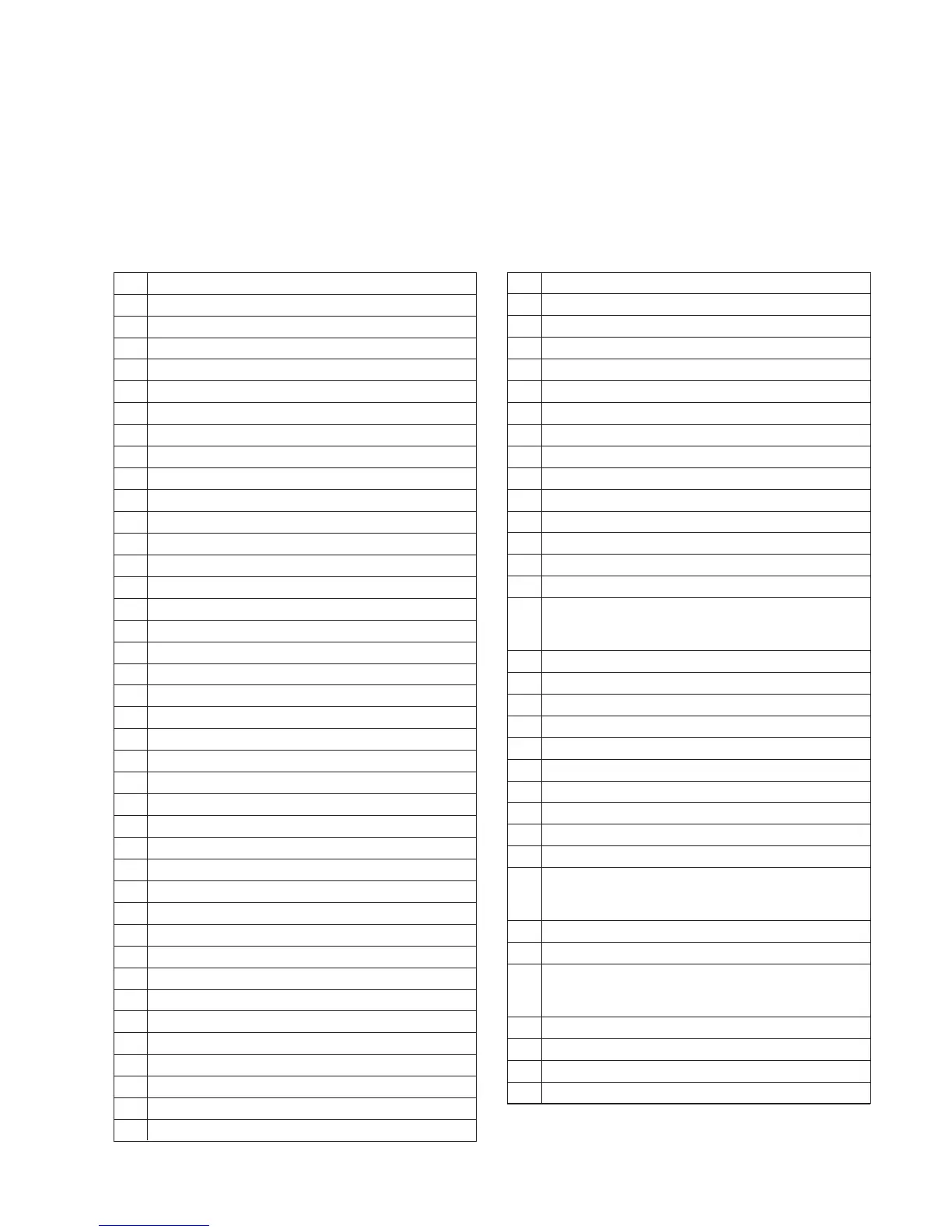
00 Switch back to normal mode - “TT” mode off
01 Set picture maximum
02 Set picture minimum
03 Set speaker/headphone Volume to 30%
04 Set speaker/headphone Volume to 50%
05 Set speaker/headphone Volume to 65%
06 Set speaker/headphone Volume to 80%
07 Ageing Mode
08 Shipping Condition
09 Enter PJ Engine service mode
10 No function
11 Sub picture adjustment
12 Sub colour adjustment
13 Displayed software version and TV set configuration
14 Production Info Display
15 Picture Rotation
16 Picture level 50%
17 Audio mute on
18 No function
19 Sub brightness adjustment
20 No function
21 Destination A includes text settings, display TV status
22 Destination L includes text settings, display TV status
23 Destination E includes text settings, display TV status
24 Destination U includes text settings, display TV status
25 Destination D includes text settings, display TV status
26 Destination B includes text settings, display TV status
27 Destination K includes text settings, display TV status
28 Destination R includes text settings, display TV status
30 No function
31 Geometry adjustment 1
32 Geometry adjustment 2
33 Error monitor
34 No function
35 CRT 4:3 <–> 16:9 ; Display TV status
36 Line 23 detection switch
37 Velocity Modulation (VM) test
38 No function
39 No function
40 No function
41 Screen mode check
42 Reinitialize geometry
43 No function
44 Screen mode DRC100
45 Screen mode DRC50
46 Reserved for dealer commander
47 Reinitialize NVM with program 99
48 Set NVM as non virgin
49 Set NVM as virgin
50 No function
51 Set Dolby volume to 90%
52 Dolby on left speaker only
53 Dolby on right speaker only
54 Dolby on left centre only
55 Dolby surround speaker only
56
ı No function
59
60 No function
61 Service mode
62 Production mode
65 Reset error codes
68 Ignore errors on
69 Ignore errors off
70 No function
71 No function
72 No function
73 Clear programs
74
ı No function
79
80 No function
82 PAP H adjustment left image
83
ı No function
86
87 Personal ID reset with program 99
88 Parental Lock off
89 No function
90 No function



 To Next Page