EasyManua.ls Logo

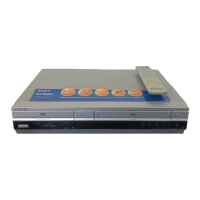
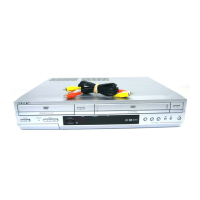
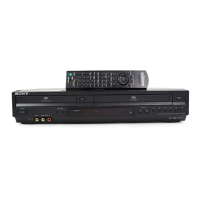
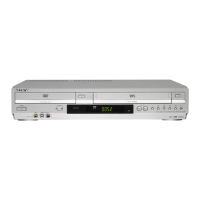
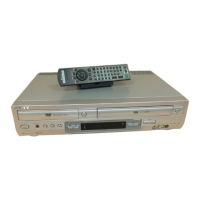
Sony SLV-D910AZ - User Manual

Sony SLV-D910AZ
135 pages
Print Icon
To Next Page IconTo Next Page
Loading...
AEP Model
SLV-D910B/D910E/D910N/D950B/D950E
UK Model
SLV-D950GI
E Model
SLV-D910AZ
Russian Model
SLV-D910R
SERVICE MANUAL
DVD PLAYER/
VIDEO CASSETTE RECORDER
SPECIFICATIONS
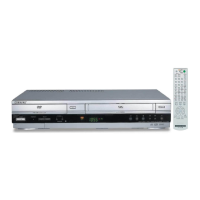
RMT-V503A/V503B
TS-10 MECHANISM
Refer to the SERVICE MANUAL of VHS MECHANI-
CAL ADJUSTMENT MANUAL VII for MECHANICAL
ADJUSTMENTS. (9-921-790-11)
PA L
System
Laser
Semiconductor laser
Signal format system
PAL/(NTSC)
SLV-D910B/D950B:
SECAM
SLV-D910B/D910N/D910R/D950B:
MESECAM
Channel coverage
SLV-D910B/D910E/D950B/D950E:
PAL (B/G):
VHF E2 to E12
VHF Italian channel A to H
UHF E21 to E69
CATV S01 to S05, S1 to S20
HYPER S21 to S41
SLV-D950GI:
PAL (I):
VHF IA to IJ, SA10 to SA13
UHF B21 to B69
CATV S01 to S05, S1 to S20
HYPER S21 to S41
SLV-D910B/D950B:
SECAM (L):
VHF F2 to F10
UHF F21 to F69
CATV B to Q
HYPER S21 to S41
SLV-D910N/D910R:
PAL (B/G, D/K):
VHF E2 to E12, R1–R12
UHF E21 to E69, R21–R69
CATV S01 to S05, S1 to S41
SLV-D910AZ:
B/G: VHF E2 to E12/UHF E21 to E69/
CATV S01 to S05, S1 to S41
B/B: VHF R1 to R12/UHF R21 to R69
RF output signal
SLV-D910E/D910N/D910R/D950E/D950GI:
UHF channels 21 to 69
SLV-D910AZ:
UHF channels 21 to 69 (B/G)
UHF channels 28 to 69 (B/B)
Aerial out
75-ohm asymmetrical aerial socket
Tape speed
SP: PAL 23.39 mm/s
(recording/playback)
NTSC 33.35 mm/s
(playback only)
SLV-D910B/D950B:
SECAM 23.39 mm/s
(recording/playback)
MESECAM 23.39 mm/s
(playback only)
SLV-D910N/D910R:
MESECAM 23.39 mm/s
(recording/playback)
— Continued on next page —
SLV-D910AZ/D910B/D910E/D910N/D910R/
D950B/D950E/D950GI
RMT-V503B SLV-D950B

Table of Contents

Questions and Answers

  • K
    kbrownSep 7, 2025
    Why my Sony SLV-D910AZ DVD VCR Combo tape starts playing immediately?
    • W
      William ReidSep 7, 2025
      If your Sony DVD VCR Combo tape starts playing as soon as it's inserted, or if the tape is ejected when you press z REC, it's likely that the safety tab has been removed. To record on this tape, cover the tab hole.
  • M
    Morgan HolmesAug 22, 2025
    How to fix Sony DVD VCR Combo remote commander that is not working?
    • E
      emooreAug 22, 2025
      If the remote commander for your Sony DVD VCR Combo isn't working, first make sure you're pointing it directly at the remote sensor on the DVD-VCR. If that doesn't work, replace all the batteries with new ones. Also, check that the TV / DVD·VIDEO switch is set correctly and that you've selected either VIDEO or DVD using the SELECT DVD/ VIDEO button.
  • J
    jeremy09Sep 4, 2025
    How to fix Sony SLV-D910AZ picture that rolls vertically?
    • J
      Jamie LaraSep 4, 2025
      If the picture rolls vertically during picture search on your Sony DVD VCR Combo, adjust the vertical hold control on the TV or monitor.
  • R
    robert59Sep 3, 2025
    Why is my Sony SLV-D910AZ making a noisy sound?
    • T
      Tonya GreenSep 3, 2025
      If your Sony DVD VCR Combo is making noisy sounds, and you're playing a CD with DTS sound tracks, this noise may come from the OUT AUDIO L/R jacks or DIGITAL OUT jack.
  • D
    Douglas GardnerSep 2, 2025
    Why is the timer not working on my Sony DVD VCR Combo?
    • J
      Jeffrey HarveySep 2, 2025
      If your Sony DVD VCR Combo's timer isn't working, verify that the clock is set. Make sure a tape has been inserted and that the safety tab hasn't been removed. Ensure the tape isn't at its end. Confirm a program has been set for timer recording and that your timer settings are past the current time. Check that the decoder and satellite tuner are turned on. If the DVD-VCR was disconnected from the mains for more than one minute, reset the clock and timer. You may also try turning the power off and unplugging the mains lead.
  • S
    Stephanie BurkeAug 31, 2025
    How to fix Sony DVD VCR Combo picture that is not clear?
    • S
      spearsvictoriaAug 31, 2025
      To improve a picture that is not clear on your Sony DVD VCR Combo, try adjusting the tracking with the TRACKING +/– buttons. If the video heads are dirty, clean them using a Sony video head cleaning cassette. If a Sony cleaning cassette is not available, have the heads cleaned at your nearest Sony service facility.
  • J
    Jonathan RobinsonAug 30, 2025
    Why is there no sound from my Sony SLV-D910AZ DVD VCR Combo?
    • E
      Elizabeth Miller MDAug 30, 2025
      If there is no sound coming from your Sony DVD VCR Combo, make sure the connecting cords are securely reconnected. Damaged connecting cords can cause sound issues. Check that the player is connected to the correct input jack on the amplifier (receiver) and that the amplifier input is correctly set. Also, ensure the player isn't in pause mode, Slow-motion Play mode, fast forward, or fast reverse mode. If using the DIGITAL AUDIO OUT jack, verify the audio settings.
  • D
    Deanna ShawAug 29, 2025
    Why is there no picture or picture noise on my Sony DVD VCR Combo?
    • L
      lmartinezAug 29, 2025
      If your Sony DVD VCR Combo shows no picture or picture noise, try these steps: First, securely reconnect the connecting cord. If the connecting cords are damaged, this may also cause picture issues. Check the connection to your TV and ensure the input selector is switched to the correct source. If you're using a VCR between the DVD player and TV, copy-protection signals on some DVDs might affect the picture. Try connecting your player directly to your TV, and if problems persist, use the S VIDEO input.
  • C
    Catherine MooreAug 27, 2025
    Why VPS/PDC function does not operate properly on my Sony SLV-D910AZ?
    • K
      Kelsey ThomasAug 27, 2025
      Check that the clock and the date are set correctly. Check that the VPS/PDC time you set is the correct one (there might be a mistake in the TV programme guide). If the broadcast you wanted to record did not send the good VPS/PDC information, the VCR will not start recording. If the reception is poor, the VPS/PDC signal might be altered and the VCR might not start recording.
  • H
    Heather RobertsAug 26, 2025
    Why is the sound from a tape recorded with my Sony SLV-D910AZ DVD VCR Combo not in stereo?
    • S
      Sharon WallAug 27, 2025
      If the sound from a tape recorded with your Sony DVD VCR is not in stereo, or the STEREO indicator is flashing, try adjusting the tracking. If the video heads are dirty, clean them using a Sony video head cleaning cassette.

Sony SLV-D910AZ Specifications

General IconGeneral
BrandSony
ModelSLV-D910AZ
CategoryDVD VCR Combo
LanguageEnglish

Related product manuals