For details on the connections and settings
of
zone 2, see "Listening to the sound in another
zone (ZONE 2 operations)" (page 101).
The following operations are described for
connecting an IR repeater and operating the
receiver
in
zone 2. When an IR repeater
is
not
connected, use this receiver in the main zone.
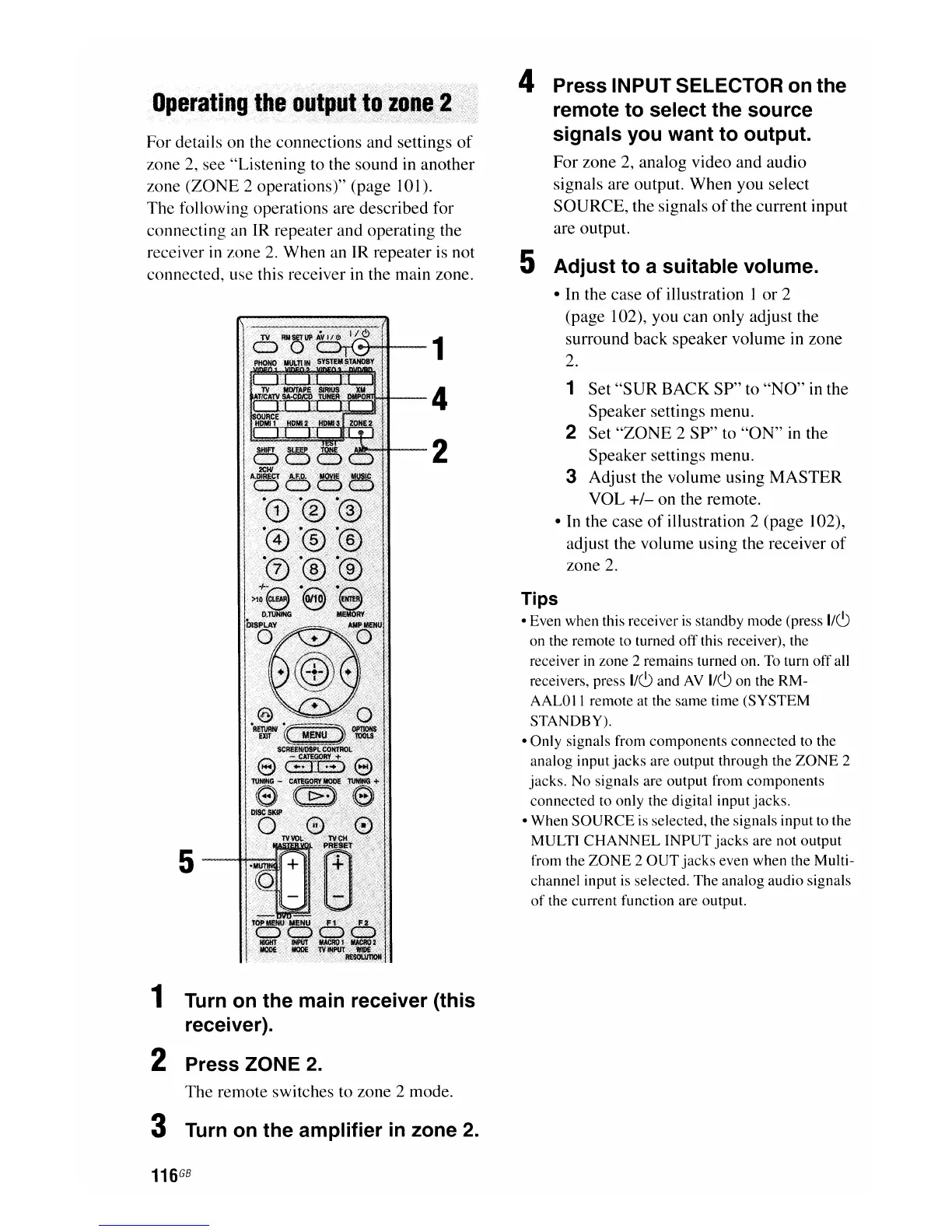
1
4
2
1 Turn on the main receiver (this
receiver).
2 Press ZONE
2.
The remote switches to zone 2 mode.
3 Turn on the amplifier
in
zone 2.
116
GB
4 Press INPUT SELECTOR on the
remote to select the source
signals you want to output.
For zone 2, analog video and audio
signals are output. When you select
SOURCE, the signals
of
the current input
are output.
5 Adjust to a suitable volume.
• In the case
of
illustration 1 or 2
(page 102), you can only adjust the
surround back speaker volume in zone
2.
1 Set
"SUR
BACK SP" to
"NO"
in the
Speaker settings menu.
2 Set
"ZONE
2 SP" to
"ON"
in the
Speaker settings menu.
3 Adjust the volume using
MASTER
VOL
+/-
on the remote.
• In the case
of
illustration 2 (page 102),
adjust the volume using the receiver
of
zone
2.
Tips
• Even when this receiver
is
standby mode (press
I/CJ
on the remote to turned
off
this receiver), the
receiver in zone 2 remains turned on. To turn off all
receivers, press
I/CJ
and
AV
I/CJ
on the RM-
AALOII remote at the same time (SYSTEM
STANDBY).
• Only signals from
components
connected to the
analog input
jacks
are output through the
ZONE
2
jacks. No signals are output from components
connected to only the digital input jacks.
•
When
SOURCE
is selected, the signals input to the
MULTI
CHANNEL
INPUT
jacks
are not output
from the
ZONE
2
OUT
jacks
even when the Multi-
channel input is selected.
The
analog audio signals
of
the current function are output.

















 To Next Page