TUNER
Built-in radio tuner.
SAT/CATV Satellite tuner, etc., connected
to the SAT/CATV jack.
SIRIUS Satellite Radio
connected to the SIRIUS jack.
TV connected to the
TV
jack.
MD
or
tape deck, etc.,
connected to the MD/TAPE
jack.
Components that can be
played back
MD/TAPE
SIRIUS
TV
XM XM Radio connected to the
XMjack.
PHONO
Turntable, etc., connected to
the
PHONO
jack.
SA-CD/CD Super Audio
CD
or
CD
player, etc., connected to the
SA-CD/CD jack.
DVD/BD DVD player, Blu-ray Disc
Player, etc., connected to the
DVD/BD jack.
VIDEO I, 2 VCR, etc., connected to the
VIDEO
I
or
VIDEO
2 jack.
DMPORT
Portable audio, etc.,
connected to the DIGITAL
MEDIA PORT adapter
connected to the receiver.
MULTI IN Component connected to the
MULTI
CHANNEL
INPUT
jack.
VIDEO
3 Video camera and TV game,
etc., connected to the VIDEO
3 jack.
HDMI
I, 2, 3 HDMI components connected
to the HDMI
I,
HDMI
2
or
HDMI 3 jack.
Selected
input
Tips
•
You
can adjust the volume differently depending
on the speed with which you turn the
MASTER
2 Turn on the component and
start playback.
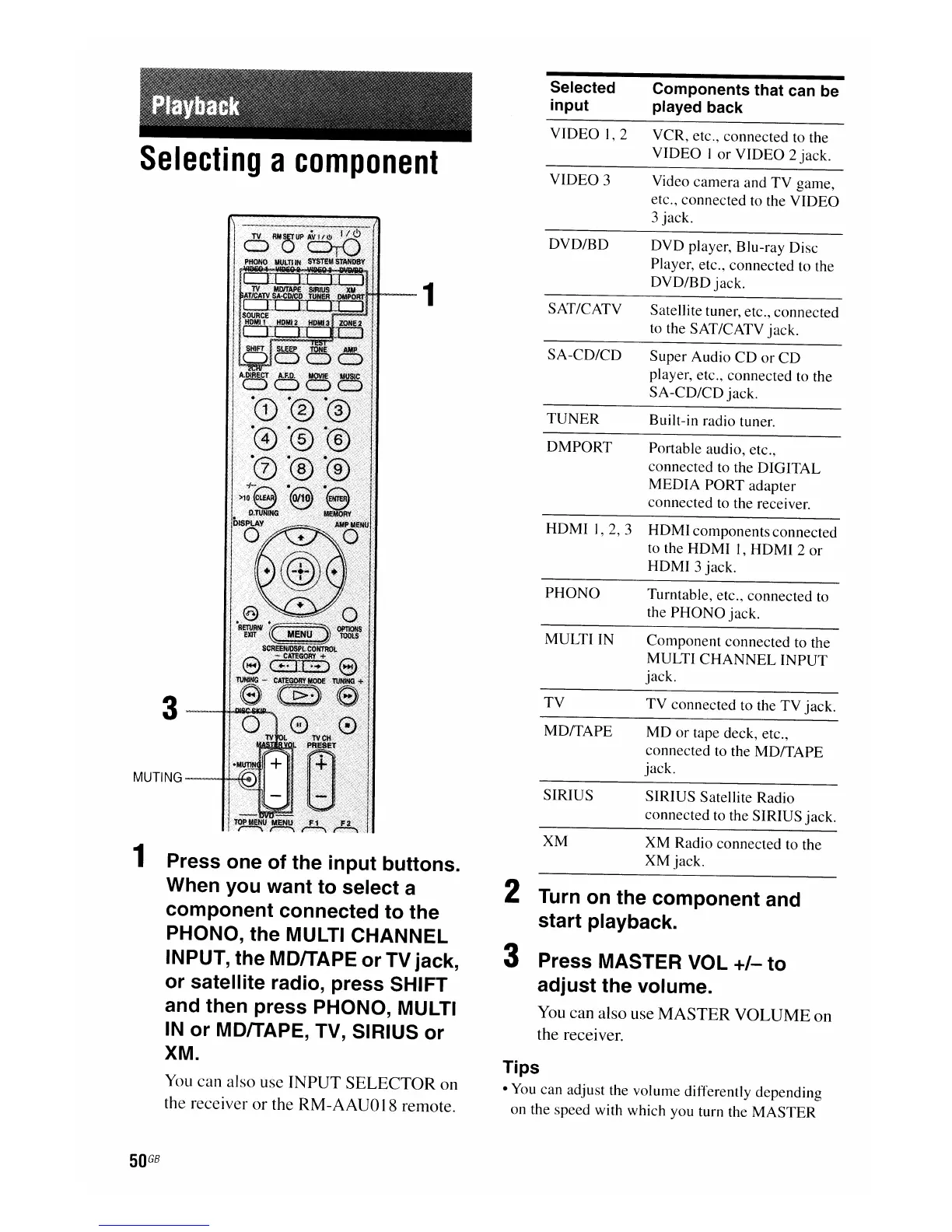
3 Press MASTER VOL
+/-
to
adjust the volume.
You can also use
MASTER
VOLUME
on
the receiver.
1
3~
MUTING-~
1 Press one of the input buttons.
When you want to select a
component connected to the
PHONO, the MULTI CHANNEL
INPUT, the MDITAPE or TV jack,
or satellite radio, press SHIFT
and then press PHONO, MULTI
IN
or MDITAPE, TV, SIRIUS or
XM.
You
can also use INPUT SELECTOR on
the receiver
or
the RM-AAU018 remote.
Selecting
a
component
50
GB

















 To Next Page