6:
Preparing
the
receiver
and
the
remote
Before using the receiver for the first time,
initialize the receiver by performing the
following procedure. This procedure can also
be used to return settings you have made to
their factory defaults.
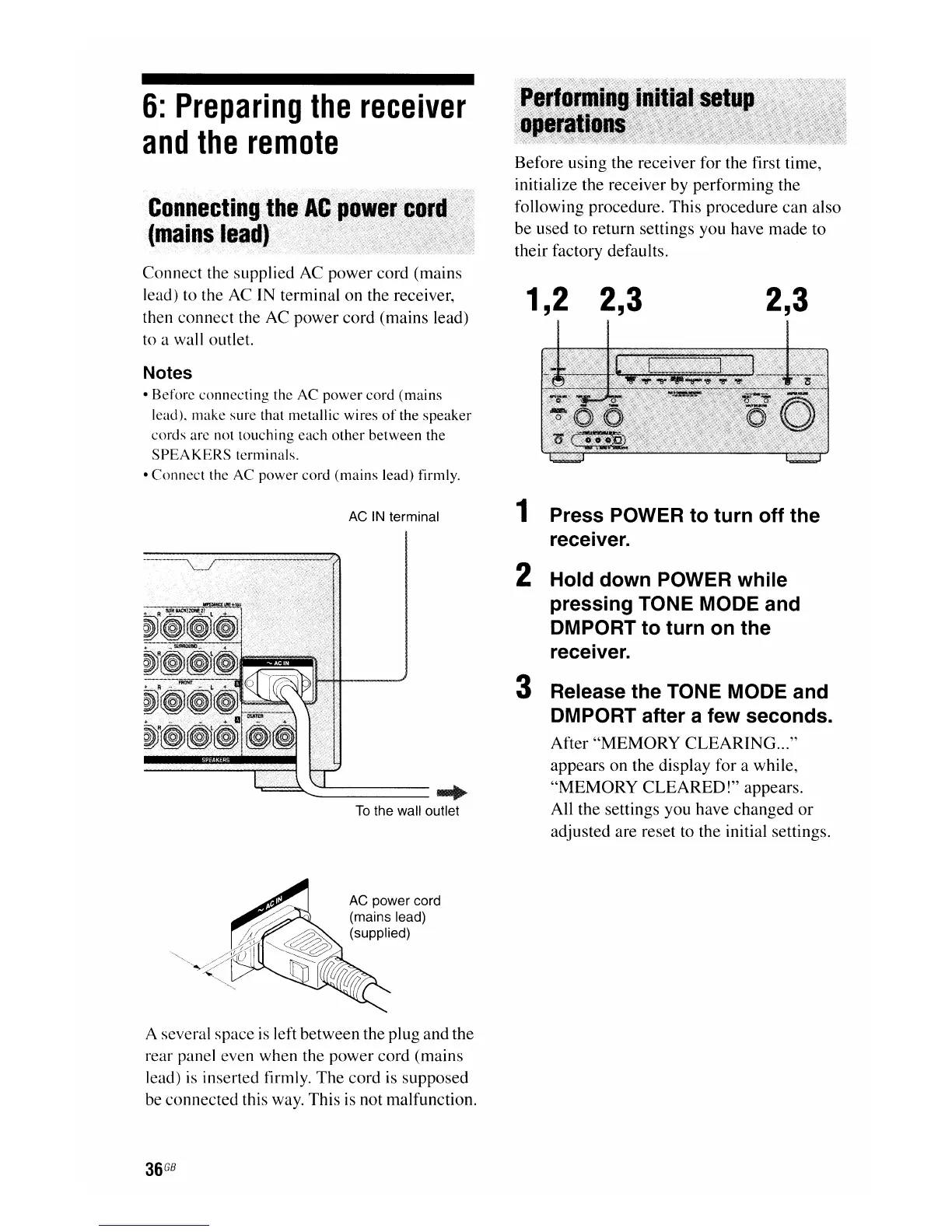
Connect the supplied AC power cord (mains
lead) to the AC IN terminal on the receiver,
then connect the AC power cord (mains lead)
to a wall outlet.
Notes
•
Before
connecting
the
AC
power
cord
(mains
lead), make
sure
that metallic wires
of
the
speaker
cords
are not
touching
each
other
between
the
SPEAKERS
terminals.
•
Connect
the AC
power
cord
(mains
lead) firmly.
1,2
2,3
2,3
AC
IN
terminal
~~-----...,.
To
the wall outlet
AC
power cord
(mains lead)
(supplied)
A several space
is
left between the plug and the
rear panel even when the power cord (mains
lead)
is
inserted firmly. The cord is supposed
be connected this way. This
is
not malfunction.
36
GB
1 Press POWER to turn off the
receiver.
2 Hold down POWER while
pressing TONE MODE and
DMPORT to turn on the
receiver.
3 Release the TONE MODE and
DMPORT after a few seconds.
After
"MEMORY
CLEARING
..."
appears on the display for a while,
"MEMORY
CLEARED!"
appears.
All the settings you have changed
or
adjusted are reset to the initial settings.

















 To Next Page