"-
"11111111111.alll1l1l
Converting
analog
video
input
signals
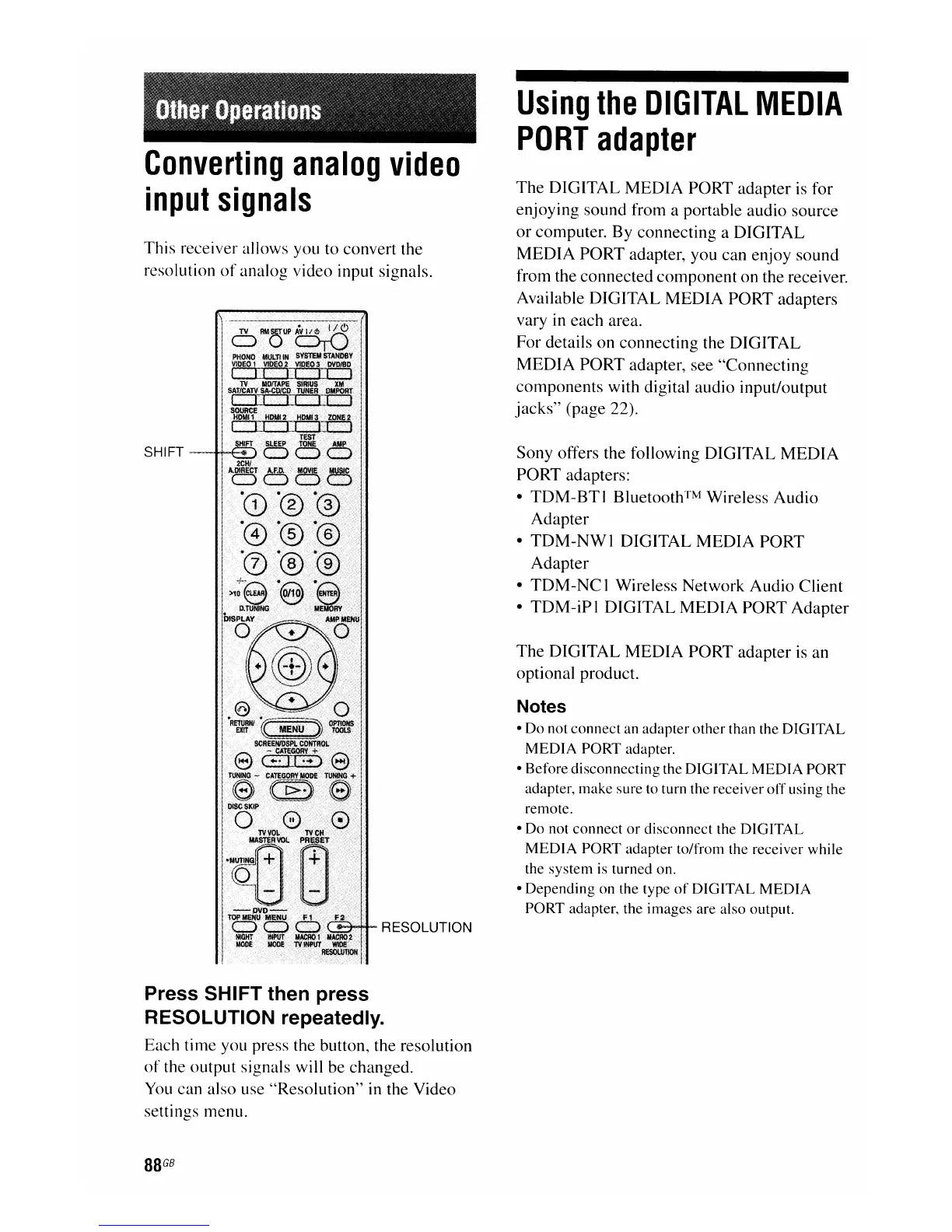
This receiver allows you to convert the
resolution
of
analog video input signals.
SHIFT-~-ifII,
RESOLUTION
Press SHIFT then press
RESOLUTION repeatedly.
Each time you press the button, the resolution
of
the output signals will be changed.
You
can also use "Resolution" in the Video
settings menu.
88
GB
Using
the
DIGITAL
MEDIA
PORT
adapter
The
DIGITAL
MEDIA
PORT adapter is for
enjoying sound from a portable audio source
or
computer. By connecting a DIGITAL
MEDIA
PORT adapter, you can enjoy sound
from the connected
component
on the receiver.
Available DIGITAL MEDIA PORT adapters
vary in each area.
For details on connecting the DIGITAL
MEDIA
PORT adapter, see "Connecting
components with digital audio input/output
jacks"
(page 22).
Sony offers the following DIGITAL
MEDIA
PORT adapters:
•
TDM-BTI
Bluetooth™ Wireless Audio
Adapter
•
TDM-NWI
DIGITAL
MEDIA
PORT
Adapter
•
TDM-NC
I Wireless Network Audio Client
•
TDM-iPI
DIGITAL
MEDIA
PORT Adapter
The
DIGITAL
MEDIA
PORT adapter is an
optional product.
Notes
• Do not connect an adapter other than the DIGITAL
MED
IA PORT adapter.
• Before disconnecting the DIGITAL
MEDIA
PORT
adapter, make sure to turn the receiver
off
using the
remote.
•
Do
not connect
or
disconnect the DIGITAL
MEDIA
PORT adapter to/from the receiver while
the system is turned on.
• Depending on the type
of
DIGITAL
MEDIA
PORT adapter, the images are also output.

















 To Next Page