3:
Connecting
the
monitor
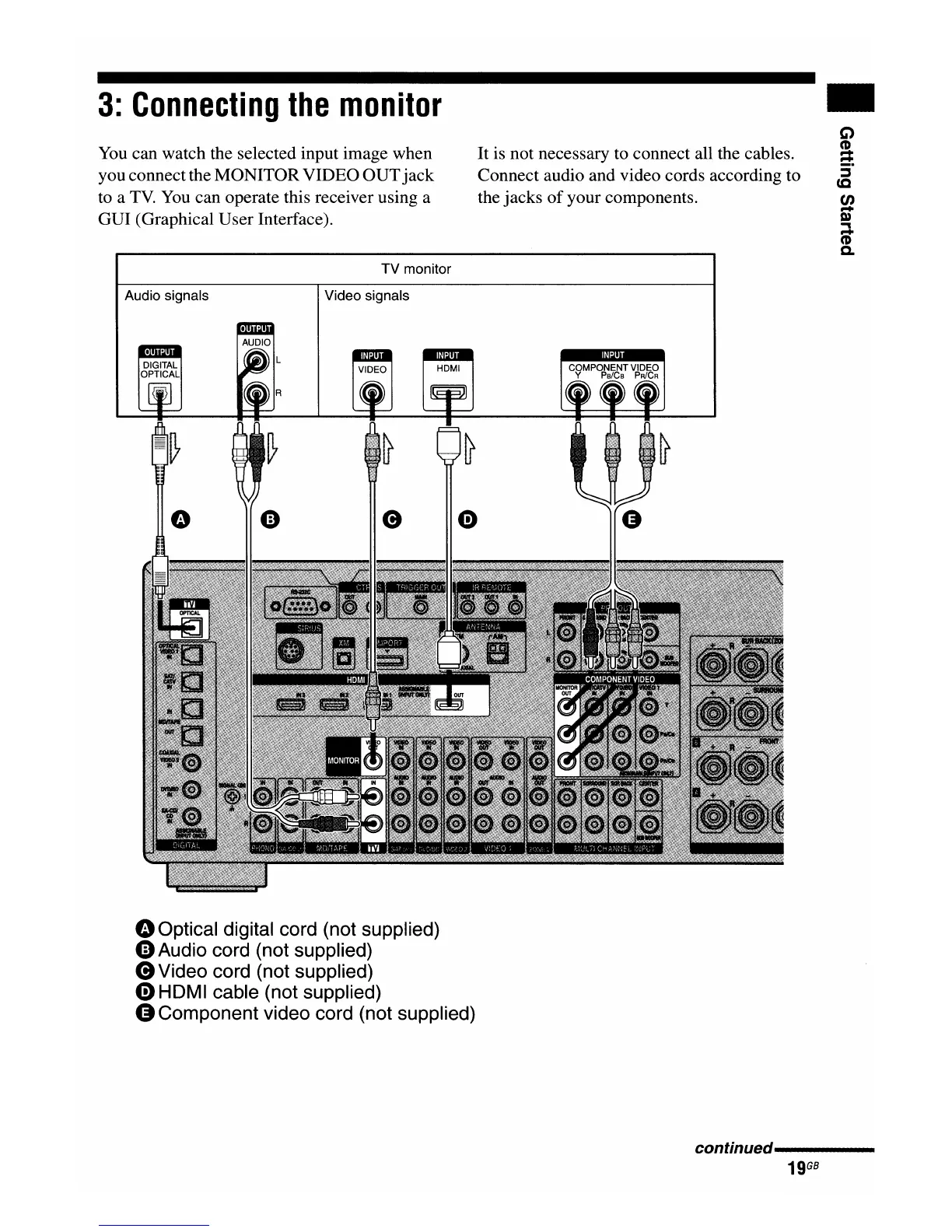
You can watch the selected input image when
you connectthe MONITORVIDEO
OUT
jack
to a
TV.
You can operate this receiver using a
GUI (Graphical User Interface).
TV monitor
It is not necessary to connect all the cables.
Connect audio and video cords according to
the jacks
of
your components.
..
C)
CD
~
:::s
cc
en
...
m
~
...
CD
Q.
Audio signals Video signals
oOptical digital cord (not supplied)
GAudio
cord (not supplied)
e Video cord (not supplied)
0HDMI
cable (not supplied)
G Component video cord (not supplied)
continued-----
19
GB

















 To Next Page