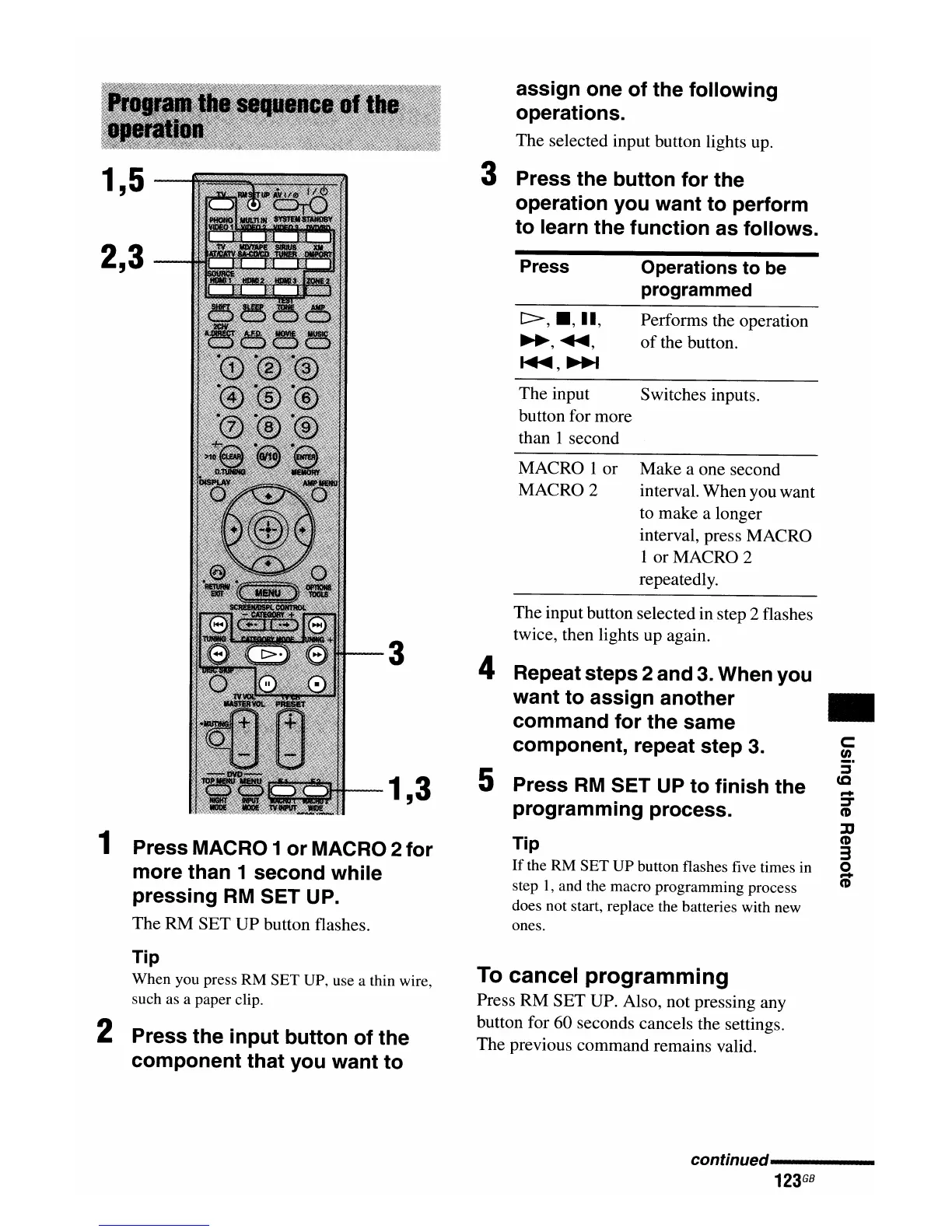
Press MACRO 1 or MACRO 2 for
more than 1 second while
pressing
RM
SET UP.
The RM SET UP button flashes.
assign one of the following
operations.
The selected input button lights up.
3 Press the button for the
operation you want to perform
to learn the function as follows.
c:
tn
:::::s
CQ
...
:::::s-
(I)
~
(I)
3
o
...
(I)
..
Make a one second
interval. When you want
to make a longer
interval, press MACRO
1 or MACRO 2
repeatedly.
Switches inputs.
Performs the operation
of
the button.
Operations to be
programmed
t::>,
_,
II,
~,
...
,
~,~
MACRO 1 or
MACRO 2
The input
button for more
than 1 second
Press
The input button selected in step 2 flashes
twice, then lights up again.
4 Repeat steps 2 and 3. When you
want to assign another
command for the same
component, repeat step 3.
5 Press
RM
SET UP to finish the
programming process.
Tip
If
the RM SET
UP
button flashes five times in
step
1,
and the macro programming process
does not start, replace the batteries with new
ones.
3
1,3
1
2,3
1,5
Tip
When you press RM SET UP, use a thin wire,
such as a paper clip.
2 Press the input button of the
component that you want to
To
cancel programming
Press RM SET UP. Also, not pressing any
button for 60 seconds cancels the settings.
The previous command remains valid.
con
tin
ued-----
123
GB

















 To Next Page