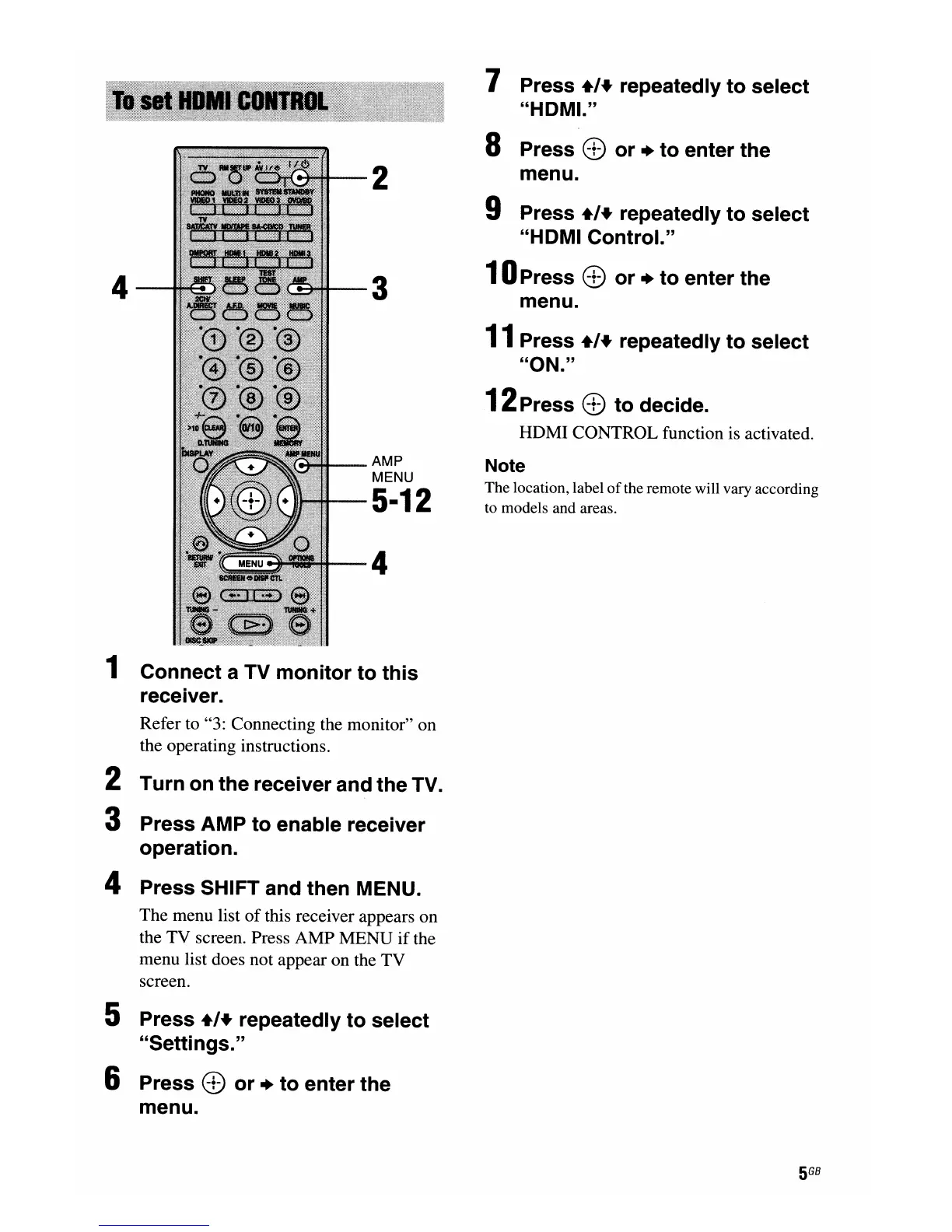
4
2
3
AMP
MENU
5·12
4
7 Press +,+ repeatedly to select
"HDMI."
8 Press
8)
or + to enter the
menu.
9 Press +,+ repeatedly to select
"HDMI Control."
10Press
8)
or + to enter the
menu.
11
Press +,+ repeatedly to select
"ON."
12Press
8)
to decide.
HDMI CONTROL function is activated.
Note
The location, label
of
the remote will vary according
to models and areas.
1
Connect a TV monitor to this
receiver.
Refer to "3: Connecting the monitor" on
the operating instructions.
2
Turn on the receiver and the TV.
3
Press AMP to enable receiver
operation.
4
Press SHIFT and then MENU.
The menu list
of
this receiver appears on
the TV screen. Press AMP MENU
if
the
menu list does not appear on the TV
screen.
5
Press +,+ repeatedly to select
"Settings."
6
Press
8)
or + to enter the
menu.
5
GB

















 To Next Page