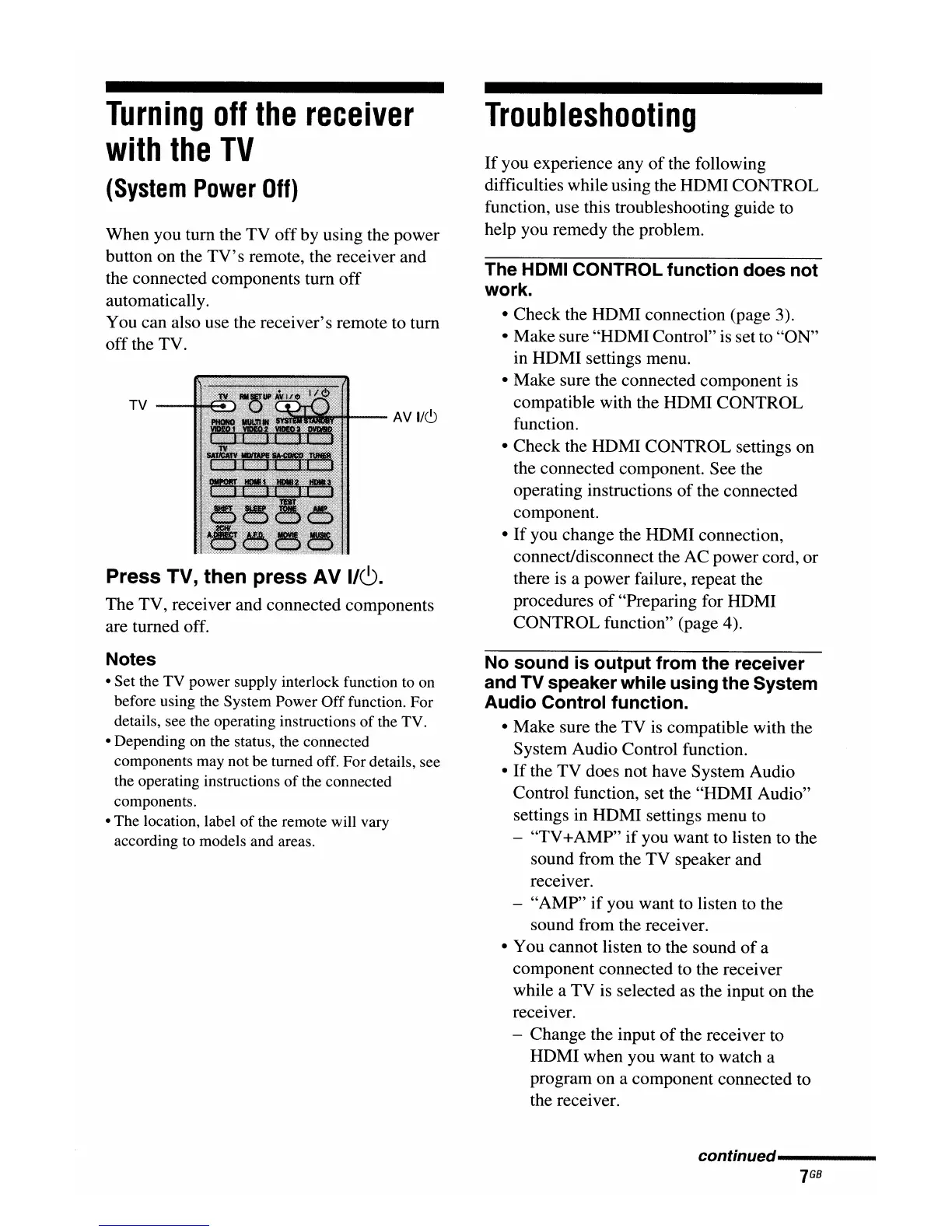
Press TV, then press AV
I/~.
The TV, receiver and connected components
are turned off.
Turning
off
the
receiver
with
the
TV
(System
Power
Off)
When you turn the TV offby using the power
button on the
TV's
remote, the receiver and
the connected components turn off
automatically.
You can also use the receiver's remote to turn
off the TV.
The HDMI CONTROL function does not
work.
• Check the HDMI connection (page 3).
• Make sure "HDMI Control" is set to "ON"
in HDMI settings menu.
• Make sure the connected component is
compatible with the HDMI CONTROL
function.
• Check the HDMI CONTROL settings on
the connected component. See the
operating instructions
of
the connected
component.
•
If
you change the HDMI connection,
connect/disconnect the AC power cord, or
there is a power failure, repeat the
procedures
of
"Preparing for HDMI
CONTROL function" (page 4).
If
you experience any
of
the following
difficulties while using the HDMI CONTROL
function, use this troubleshooting guide
to
help you remedy the problem.
Troubleshooting
AV
1/(9
TV
Notes
• Set the TV power supply interlock function to on
before using the System Power
Off
function. For
details, see the operating instructions
of
the TV.
• Depending on the status, the connected
components may not be turned off. For details, see
the operating instructions
of
the connected
components.
• The location, label
of
the remote will vary
according to models and areas.
No sound is output from the receiver
and TV speaker while using the System
Audio Control function.
• Make sure the TV
is
compatible with the
System Audio Control function.
•
If
the TV does not have System Audio
Control function, set the "HDMI Audio"
settings in HDMI settings menu to
- "TV
+AMP"
if
you want to listen to the
sound from the TV speaker and
receiver.
- "AMP"
if
you want to listen to the
sound from the receiver.
• You cannot listen to the sound
of
a
component connected to the receiver
while a TV is selected as the input on the
receiver.
- Change the input
of
the receiver to
HDMI when you want to watch a
program on a component connected to
the receiver.
continued-----

















 To Next Page