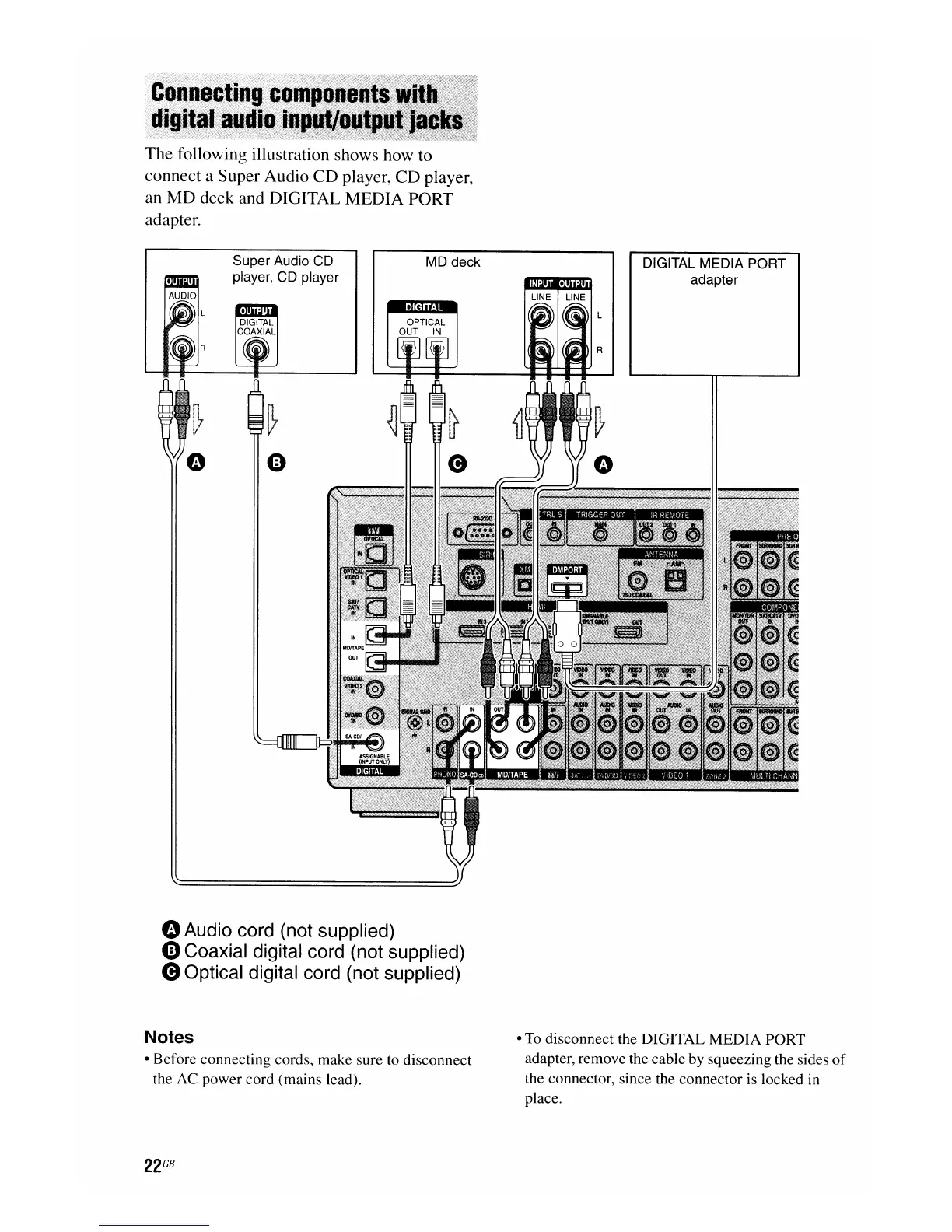
The following illustration shows how to
connect a Super Audio CD player, CD player,
an
MD
deck and DIGITAL MEDIA PORT
adapter.
Super Audio CD
player, CD player
MD deck
..
DIGITAL MEDIA PORT
adapter
"Audio
cord (not supplied)
4)
Coaxial digital cord (not supplied)
eOptical digital cord (not supplied)
Notes
• Before connecting cords, make sure
to
disconnect
the AC power cord (mains lead).
•
To
disconnect the DIGITAL MEDIA PORT
adapter, remove the cable by squeezing the sides
of
the connector, since the connector is locked in
place.

















 To Next Page