-e
Auto
Cltl/bf;~lilln
•
1-2'3
.,g,.
~':l!J
C
...
.
s.a
Speaker Impedance
S;JtlltlS~
(;)
Q
Speaker
Pattern
»&(c
Surround
(;)
Q
Sur Bock Assign
JU
EO
Q
Manuel
setuP
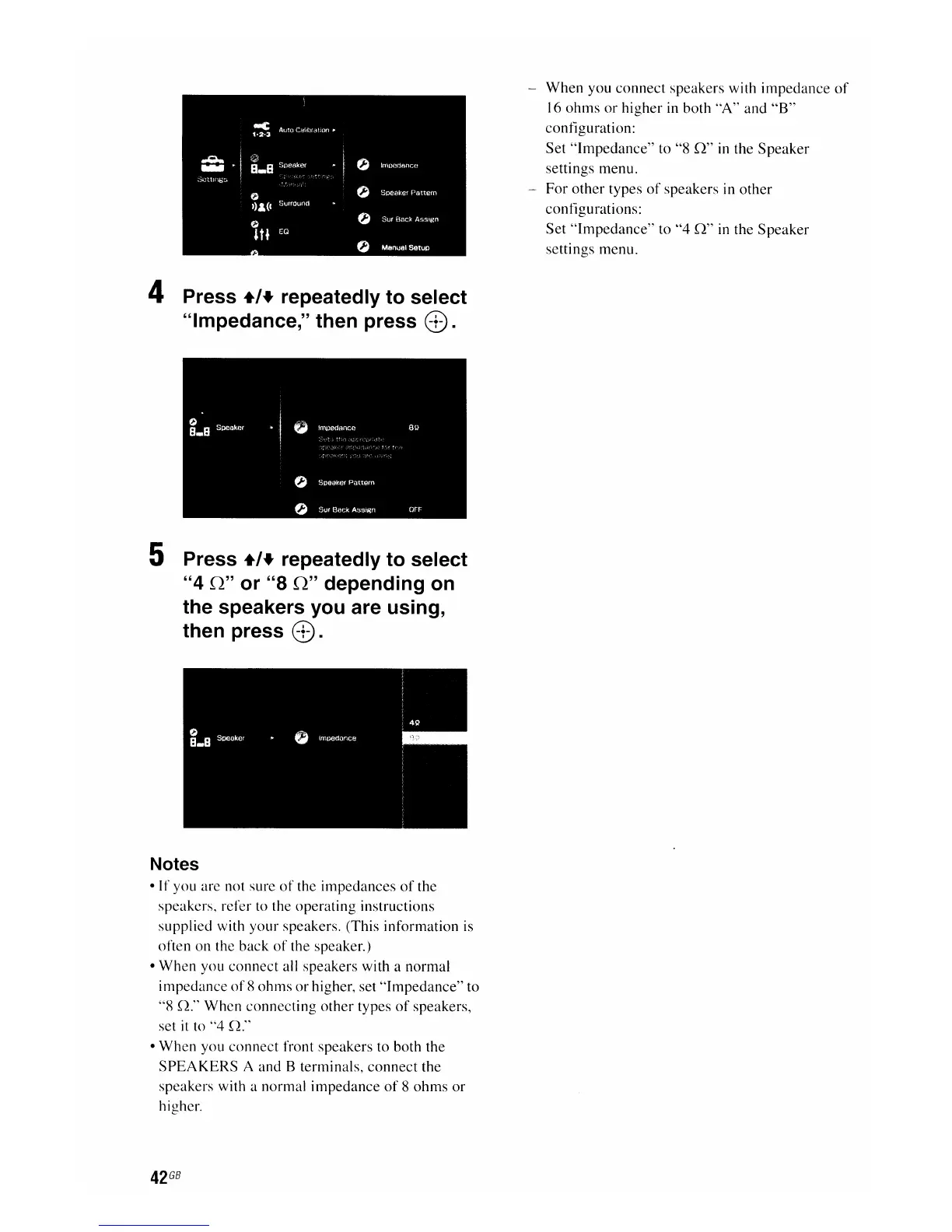
4 Press +,+ repeatedly to select
"Impedance," then press
e.
5 Press +,+ repeatedly to select
"4
0"
or "8
0"
depending on
the speakers you are using,
then press
e.
Notes
•
If
you are not sure
of
the
impedances
of
the
speakers, refer to the
operating
instructions
supplied with
your
speakers. (This information is
often
on
the
back
of
the speaker.)
•
When
you
connect
all speakers with a normal
impedance
of
8
ohms
or
higher, set
"Impedance"
to
"8
n."
When
connecting
other
types
of
speakers,
set
it
to
"4
n."
•
When
you
connect
front speakers to both the
SPEAKERS
A and B terminals,
connect
the
speakers with a normal
impedance
of
8
ohms
or
higher.
42
GB
-
When
you
connect
speakers with
impedance
of
16
ohms
or
higher
in both
"A"
and
"B"
configuration:
Set
"Impedance"
to "8
n"
in the
Speaker
settings menu.
-
For
other
types
of
speakers in
other
configurations:
Set
"Impedance"
to
"4
n"
in the
Speaker
settings menu.

















 To Next Page