38 (GB) Before adjustment
Before adjustment
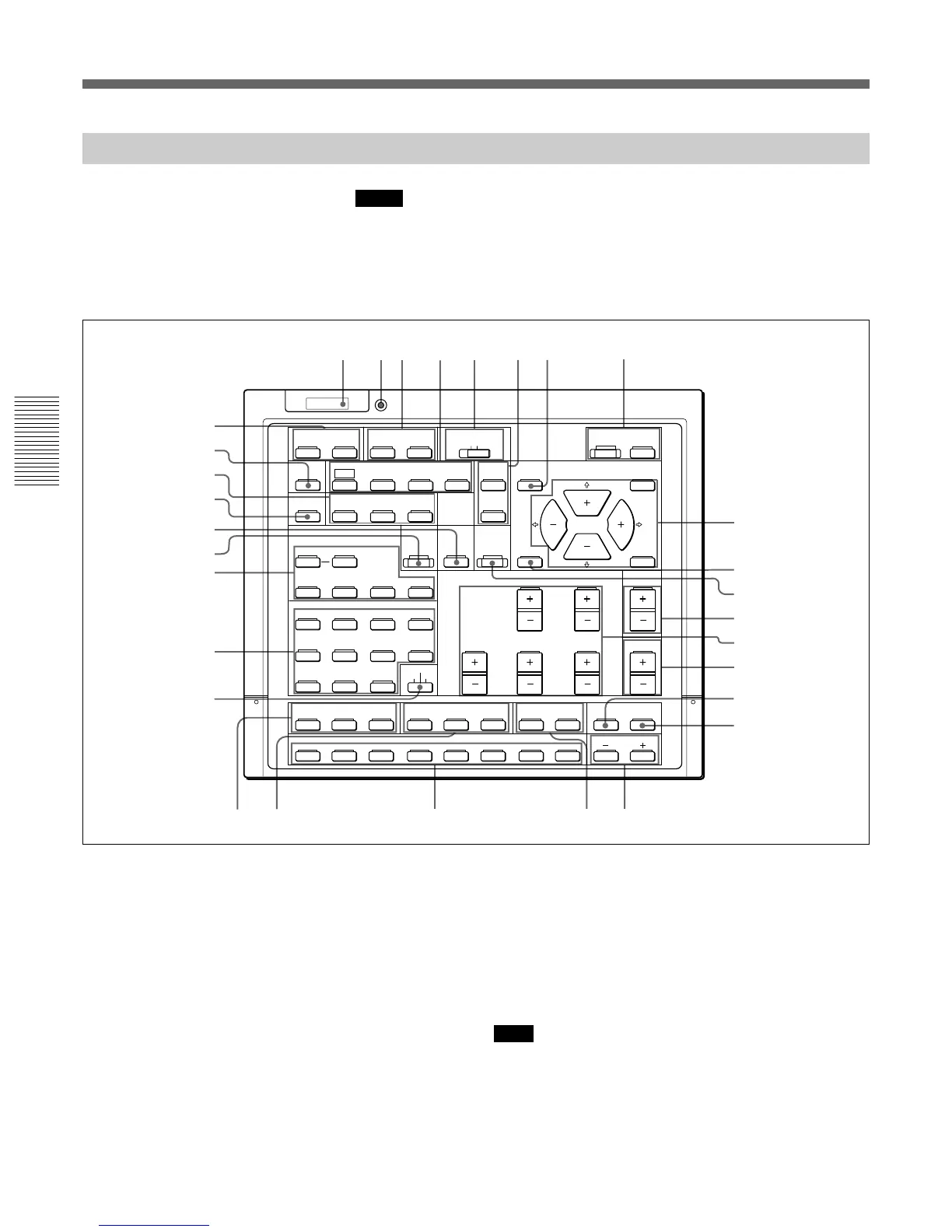
Keys on the Remote Control
Notes
• The VOL +/– !¢, MG FOCUS !∞, FOCUS LENS !§, INPUT SELECT C and D
@¢, LCD LENS CONTROL @• and AUDIO MUTING #º keys do not function
with this projector.
• The W/B BIAS/GAIN !•, REGISTRATION !ª, ADJ R/G/B @º and CUT OFF
R/G/B @¡ keys function only in service adjustment mode.
2 Transmission indicator
Lights each time you press a key. If it does not light,
replace the batteries with new ones.
3 STATUS ON/OFF keys
Press OFF to eliminate the on-screen display.
Press ON to restore the on-screen display.
Note
The menus and warning messages appear even if the OFF
key is pressed.
For Remote Control RM-PJ1001
SELECT
VIDEO MEMORY
SWITCHER
INDEX
PIC ONAUDIO OFF
PATTERN
FOCUS
ZOOM
SHIFT
NORMAL
MUTING
STATUS
LCD LENS CONTROL
ON
COMMAND
OFF
SIZE
DOT PHASE
APA
SHIFT
RGB
R
B
CENT
ONSTANDBY
MEMORY
MENU
VIDEO
INPUT SELECT
ADBC
BLKG
SYS SET
RESET
FUNCTION
1423
5867
9
10/0(ALL)
SW NO/
OFF/GROUP
SWITCHER/VIDEO MEMORY/INDEX
ENTER
POSITION
BRIGHT
CONTR
PICTURE CONTROL
HUE
COLOR
SHARP
VOL
VIDEO/S VIDEO
LIGHT
9
43215
6
7
8
0
!¢
@∞
@§
@¶
@£
@™
!ª
!•
R
G
CENT SIZE
CUT OFF
B
LIN
RG
ADJ
B
BIAS GAIN
W/B
MG FOCUS
LENS
FOCUS
SKEW BOW
REGISTRATION
KEY PIN ZONE
POSITION
!¡
!™
!£
!∞
!§
!¶
@º@¡
@¢
@•
@ª
#º
1 LIGHT button
Illuminates the key indicators when the COMMAND
switch 5 is set to ON. If the COMMAND switch is
set to OFF, only the COMMAND switch is
illuminated.
The key indicators turn off if you press the LIGHT
button again.
If you do not press any key for more than 30 seconds,
the indicators also turn off automatically.
When the remote control is connected to the
CONTROL S IN/PLUG IN POWER jack of the
projector via the remote control cable, the power is
supplied to the remote control from the projector.



 To Next Page