30 (GB) Connections
Connections
TRIGGER
PLUG IN POWER
CONTROL S
IN OUT
REMOTE
RS-422A
ABL LINK
IN OUT
VIDEO
S VIDEO
Y IN
C IN
INPUT A
R G B SYNC/HD
VD
C
R
/R-Y/P
R
YC
B
/B-Y/P
B
OUTOUT
IN
IN
G
Y
Y
B
C
B
/B-Y/P
B
C
SYNC/HD
VD
INPUT B
R
C
R
/R-Y/P
R
VIDEO
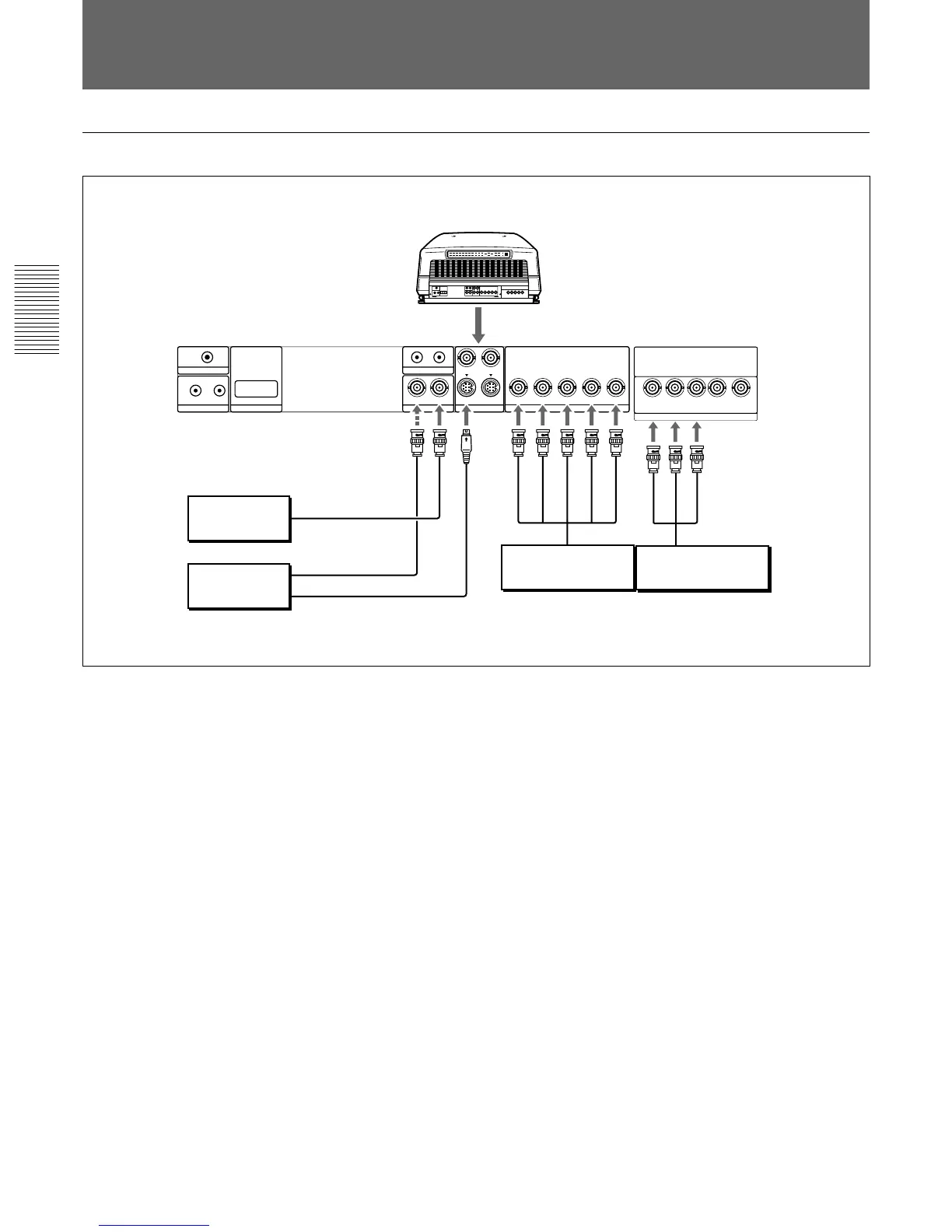
When multiple input sources are connected to the projector
Connecting Directly to the Projector
Setting up
• Set INPUT-A in the SET SETTING menu to RGB and INPUT-B to
COMPONENT.
For details, see “The SET SETTING Menu” on page 48 (GB).
• Select VIDEO or S VIDEO by pressing the INPUT SELECT keys on the
remote control or by setting VIDEO in the INPUT SELECT menu.
For details, see “The INPUT SELECT Menu” on page 42 (GB).
• Switch the 75-ohm terminate connectors according to the connections of
the computer and color monitor.
For details, see “Switching the Connectors” on page 27 (GB).
Rear
to S Video output
to video output
to video input
VIDEO IN
VIDEO OUT
S VIDEO IN
R
G
B
SYNC/HD
VD
to RGB output
Color monitor
Video equipment
Video equipmentVideo equipment
to component output
Y
R-Y
B-Y



 To Next Page