Before adjustment 35 (GB)
Before adjustment
All adjustments, except focusing the lens and adjusting flapping of the
lens, can be made with the supplied remote control RM-PJ1001.
Normally, the adjustment keys on the remote control are inoperable to
prevent accidental adjustments. Cancel the protection before adjusting.
Since the remote control uses infrared, you can use it without a wire.
However, in order to correctly control the projector, you should connect
the remote control to the projector with the supplied remote control cable.
Preparation
1 Insert three of the supplied AA size batteries (R6) with the polarities
lined up correctly.
For details, see “Battery installation” on page 36 (GB).
2 Connect the remote control to the projector.
See “Connecting the remote control to the projector” on page 37 (GB).
3 Make sure that the COMMAND ON/OFF switch on the remote control
is set to ON.
4 Turn on the MAIN POWER switch on the projector, and then press the
ON key on the remote control.
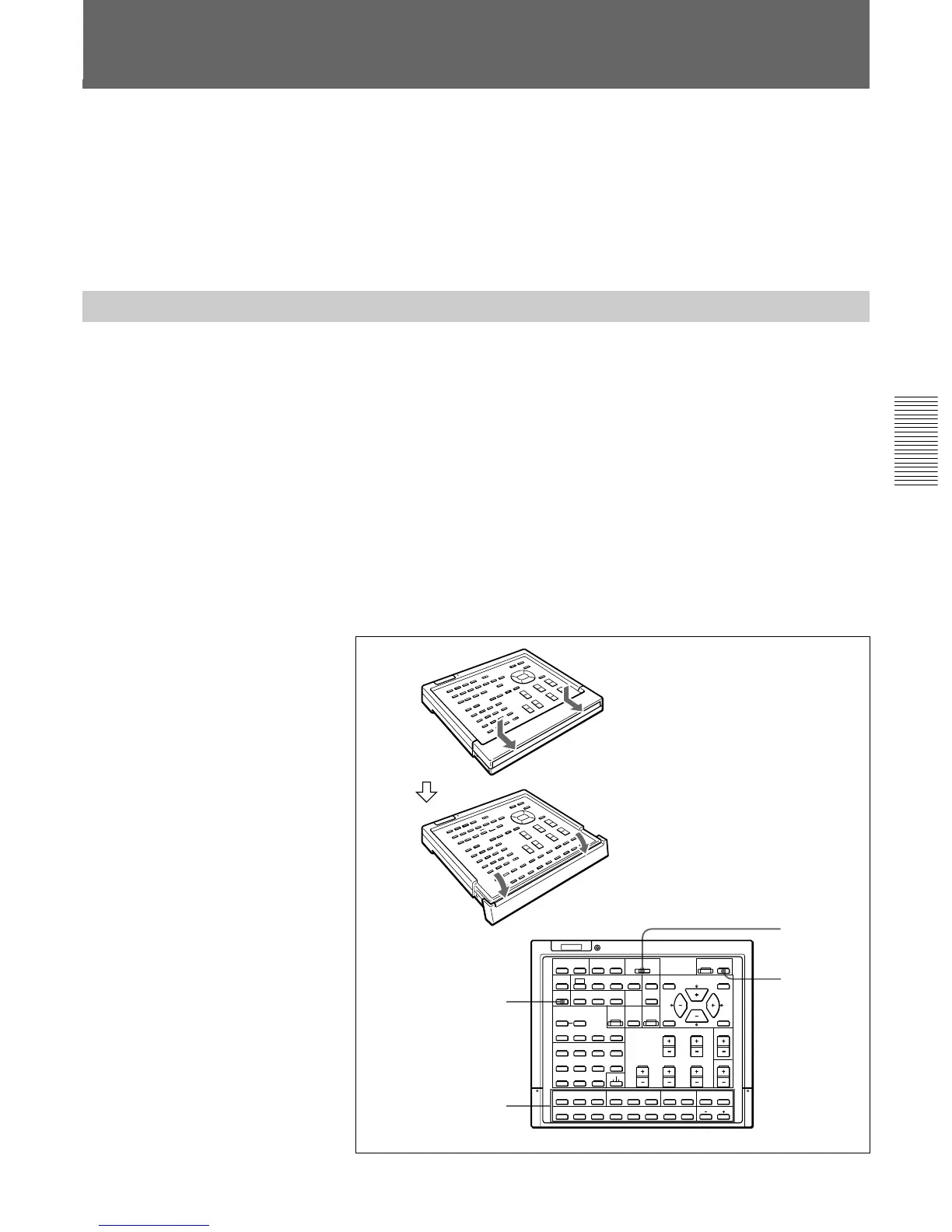
5 Open the panel cover of the adjustment keys.
For Remote Control RM-PJ1001
Slide the cover while pushing it.
Lift the cover slightly to open.
PATTERN
Adjustment keys
COMMAND
ON/OFF
switch
ON
SELECT
VIDEO MEMORY
SWITCHER
INDEX
PIC ONAUDIO OFF
PATTERN
FOCUS
ZOOM
SHIFT
NORMAL
MUTING
STATUS
LCD LENS CONTROL
ON
COMMAND
OFF
SIZE
DOT PHASE
APA
SHIFT
RGB
R
B
CENT
ONSTANDBY
MEMORY
MENU
VIDEO
INPUT SELECT
ADBC
BLKG
SYS SET
RESET
FUNCTION
1423
5867
9
10/0(ALL)
SW NO/
OFF/GROUP
SWITCHER/VIDEO MEMORY/INDEX
ENTER
POSITION
BRIGHT
CONTR
PICTURE CONTROL
HUE
COLOR
SHARP
VOL
VIDEO/S VIDEO
LIGHT
R
G
CENT SIZE
CUT OFF
B
LIN
RG
ADJ
B
BIAS GAIN
W/B
MG FOCUS
LENS
FOCUS
SKEW BOW
REGISTRATION
KEY PIN ZONE
POSITION



 To Next Page