72 (GB) Adjustments
Adjusting the Registration
Adjustments
3 Green SKEW and BOW adjustments
Adjust the bow-like or skew distortion of the horizontal and vertical center
lines to make them parallel to the screen edges.
A Horizontal line adjustment
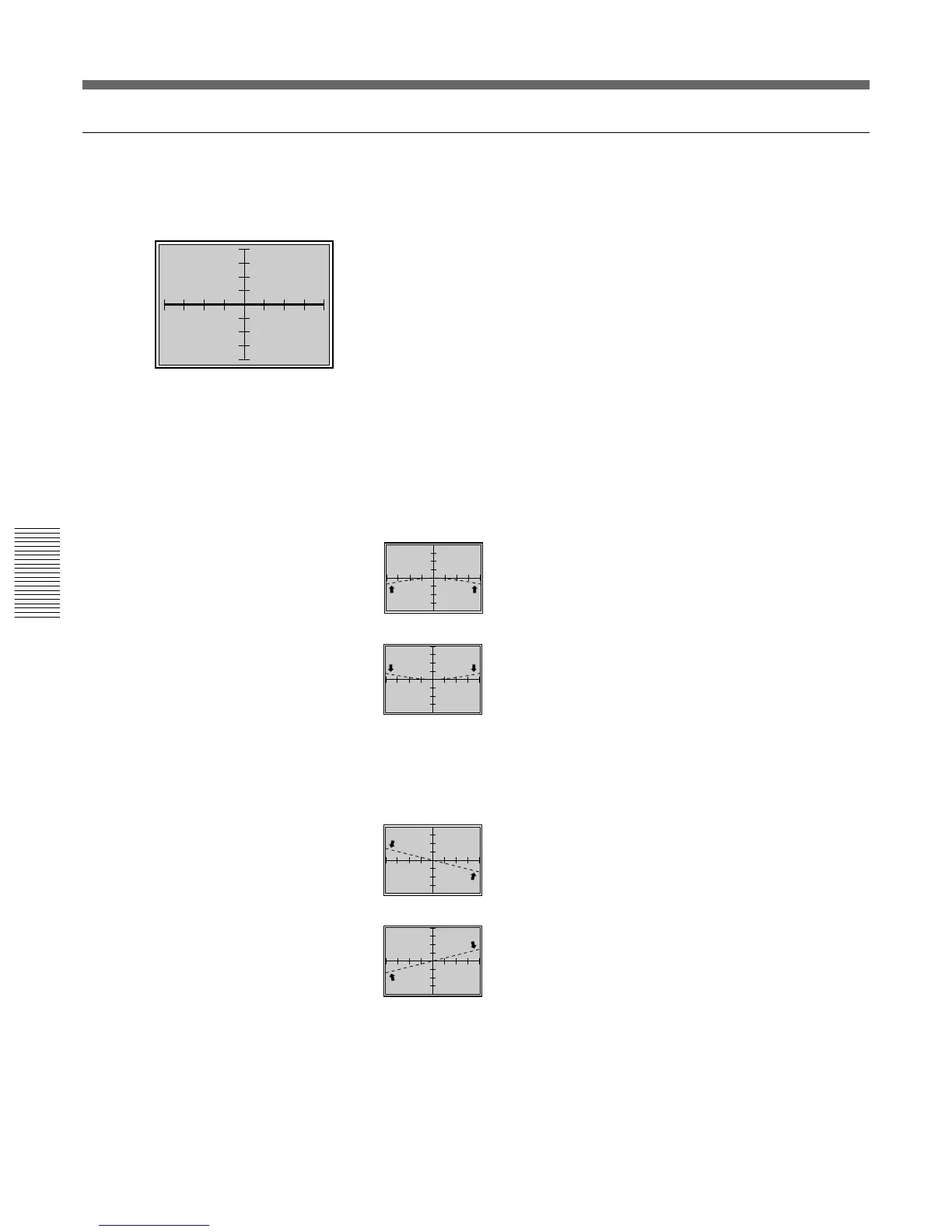
If the horizontal line of the picture is as shown by the dotted line in the
illustrations below, adjust it with the corresponding arrow key so that it is
perpendicular to the vertical line (bold line illustrated on the left).
1 Press the BOW key.
The CROSS HAIR pattern appears.
You can also change to the 9 × 9 HATCH pattern by pressing the
PATTERN key.
2 Adjust the distortion as illustrated below with the V and v keys.
V :The left and right ends of the horizontal line curve
upward while the center remains unchanged.
v : The left and right ends of the horizontal line curve
downward while the center remains unchanged.
3 Press the SKEW key.
4 Adjust the distortion as illustrated below with the V and v keys.
V : The horizontal line rotates counter-clockwise,
rotating around the center.
v : The horizontal line rotates clockwise, rotating
around the center.
5 Repeat steps 1 to 4 until the horizontal lines become parallel to the
screen edges.



 To Next Page