Adjustments 71 (GB)
Adjustments
8 Press the LIN key.
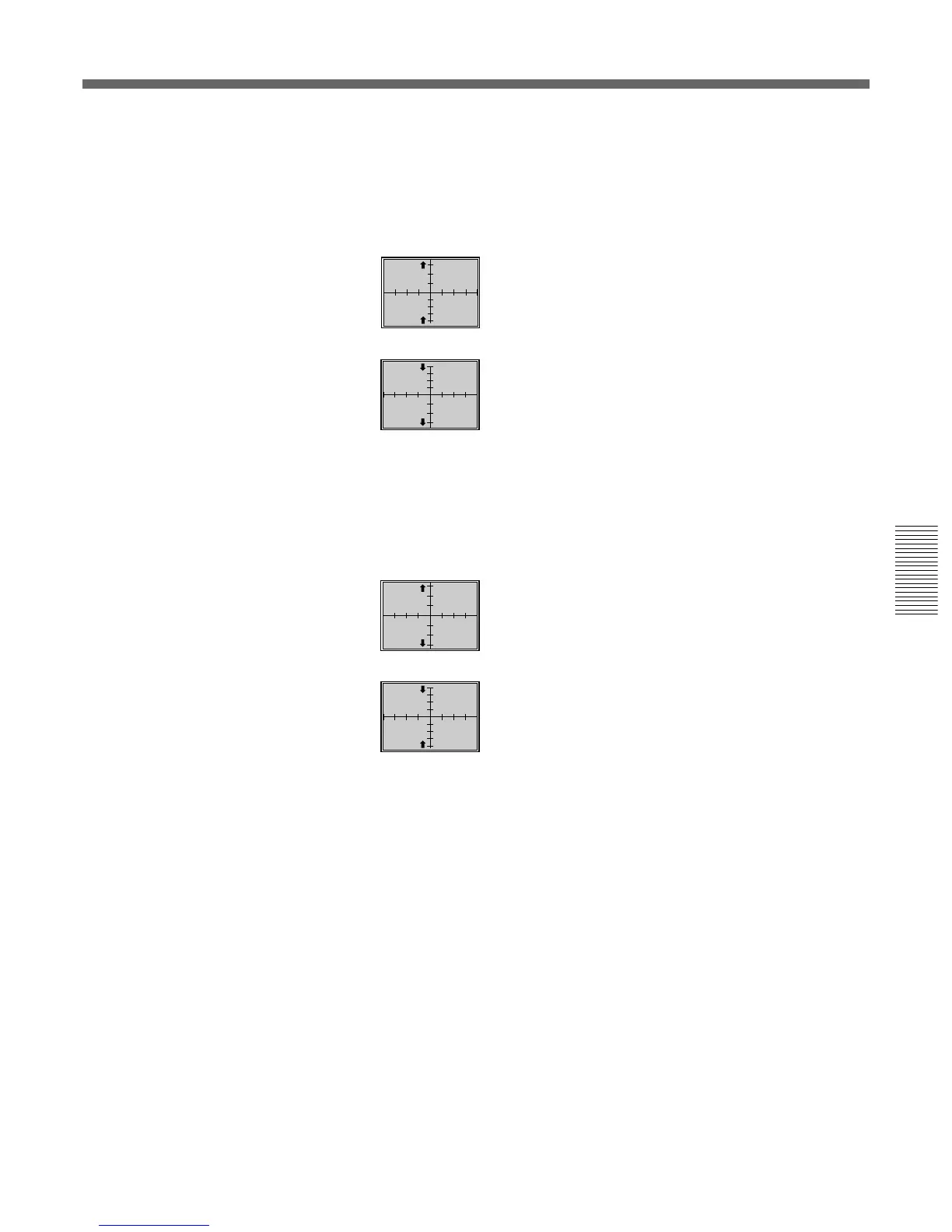
9 Adjust with the V and v keys until parts (b) (distances from the top
and bottom ends of the screen to the first horizontal lines) are of equal
length.
V : The upper and lower horizontal lines are shifted
upward while the horizontal center line remains
unmoved.
v : The upper and lower horizontal lines are shifted
downward while the horizontal center line remains
unmoved.
10 Press the SIZE key.
11 Adjust with the V and v keys until parts (b) at the top and bottom are
about 15 to 20 mm long.
V : The vertical scale is expanded.
v : The vertical scale is reduced.
12 If they are not aligned, repeat steps 8 to 11.
13 If the CROSS HAIR pattern is off-centered on the screen, adjust the
centering again and then repeat steps 8 to 12 for the vertical scale
adjustment.
For details of the centering adjustment, see “Green CENT (centering)
adjustment” on page 69 (GB).



 To Next Page