90 (GB) Adjustments
Fine Adjustment for Each Input Signal
Adjustments
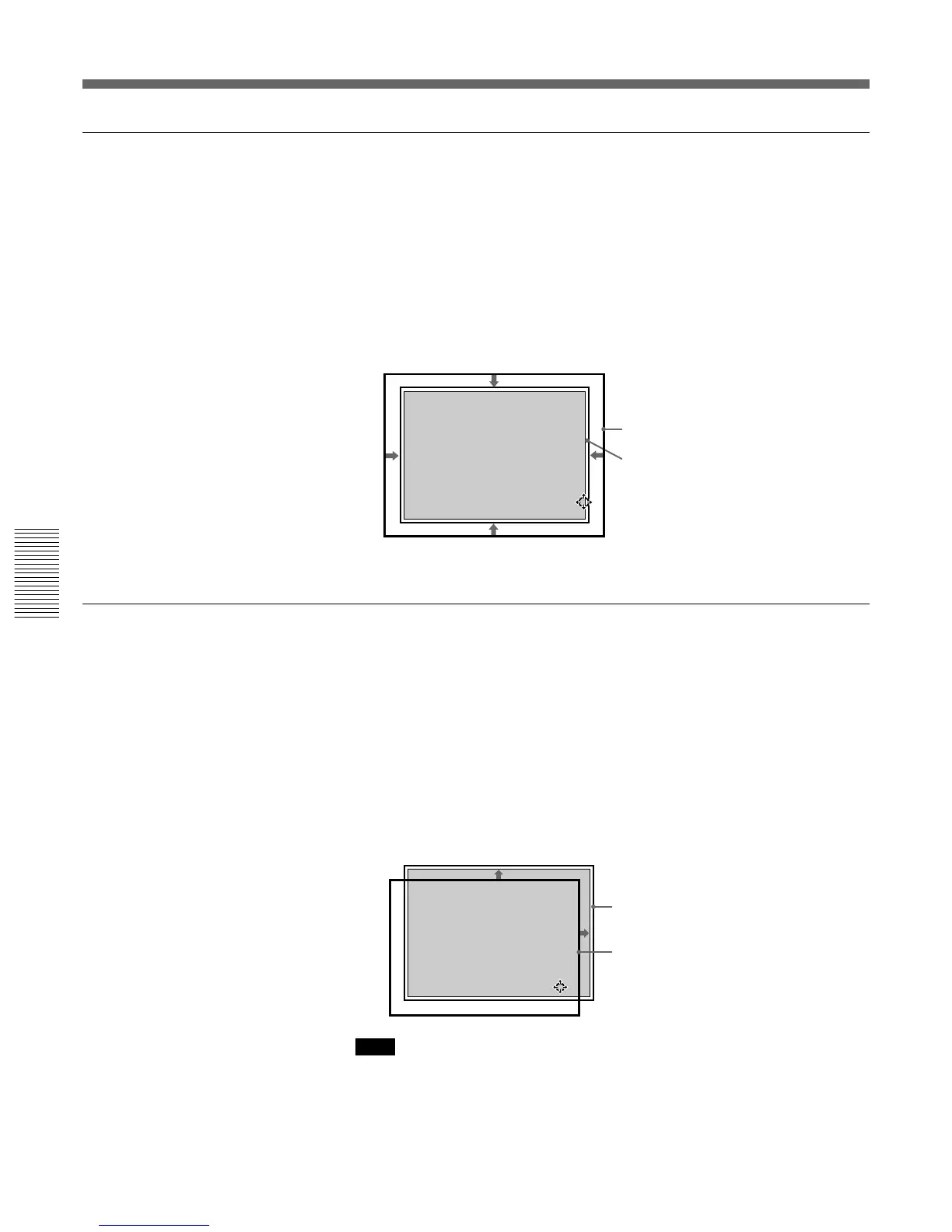
SIZE adjustment
Adjust the picture size if it does not fit the screen.
1 Press the RGB SIZE key.
(Use the RGB SIZE key even for the signal other than RGB.)
2 Adjust the picture size with the arrow keys.
V : The vertical size is expanded.
v :The vertical size is reduced.
b :The horizontal size is expanded.
B :The horizontal size is reduced.
3 Press the MEMORY key to save the adjustment data.
SHIFT adjustment
If the picture needs to be shifted to fit the screen, adjust the position of the
picture.
1 Press the RGB SHIFT key.
(Use the RGB SHIFT key even for the signal other than RGB.)
2 Adjust the shift with the arrow keys.
V : The picture is shifted upward.
v :The picture is shifted downward.
b :The picture is shifted rightward.
B :The picture is shifted leftward.
Note
When the video signal is input, V SHIFT is automatically fixed to NARROW and
the adjustable range of the horizontal shift will become narrower than that of the
RGB signal.
3 Press the MEMORY key to save the adjustment data.
RGB SIZE ADJ
Hc: 80
Hf: 80
Vc: 80
Vf: 80
ADJ:
Picture
Screen
RGB SHIFT ADJ
V SHIFT:
NARROW
Hc: 50
Hf: 50
V :MIN
ADJ:
Screen
Picture



 To Next Page