14 User manual 208898
3. Taking an Exposure CRANEX Novus e
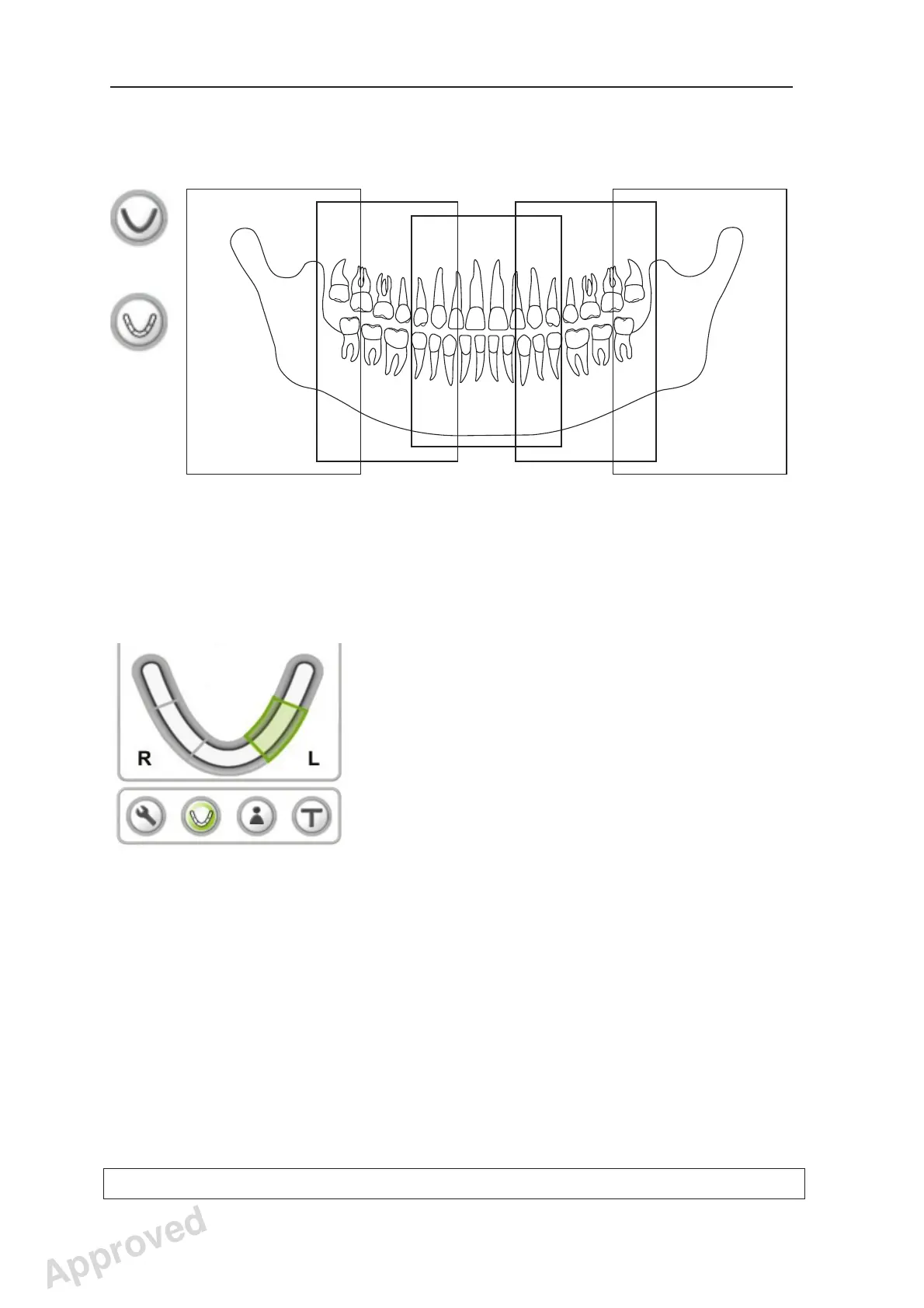
Exposed sections of Sectional Panoramic program (1...5) (optional)
2
1
3
5
4
L
+
NOTE:
Section heights are the same, the differences
shown are for illustrative purposes only.
Section selection keys in Sectional Panoramic
screen. Selected sections are highlighted in green.
1
2
3
4
5
Approved: Ukkonen Juha-Pekka 2015-03-13 13:08
Reviewed: Savinen Antti Juhani 2015-03-12 11:32
Approved
See PDM system to determine the status of this document. Printed out: 2016-01-27 12:19:26
D508980, 4
Copyright © 2015 by PaloDEx Group Oy. All rights reserved.



 To Next Page