CRANEX Novus e 7. Quality Assurance
User manual 208898 51
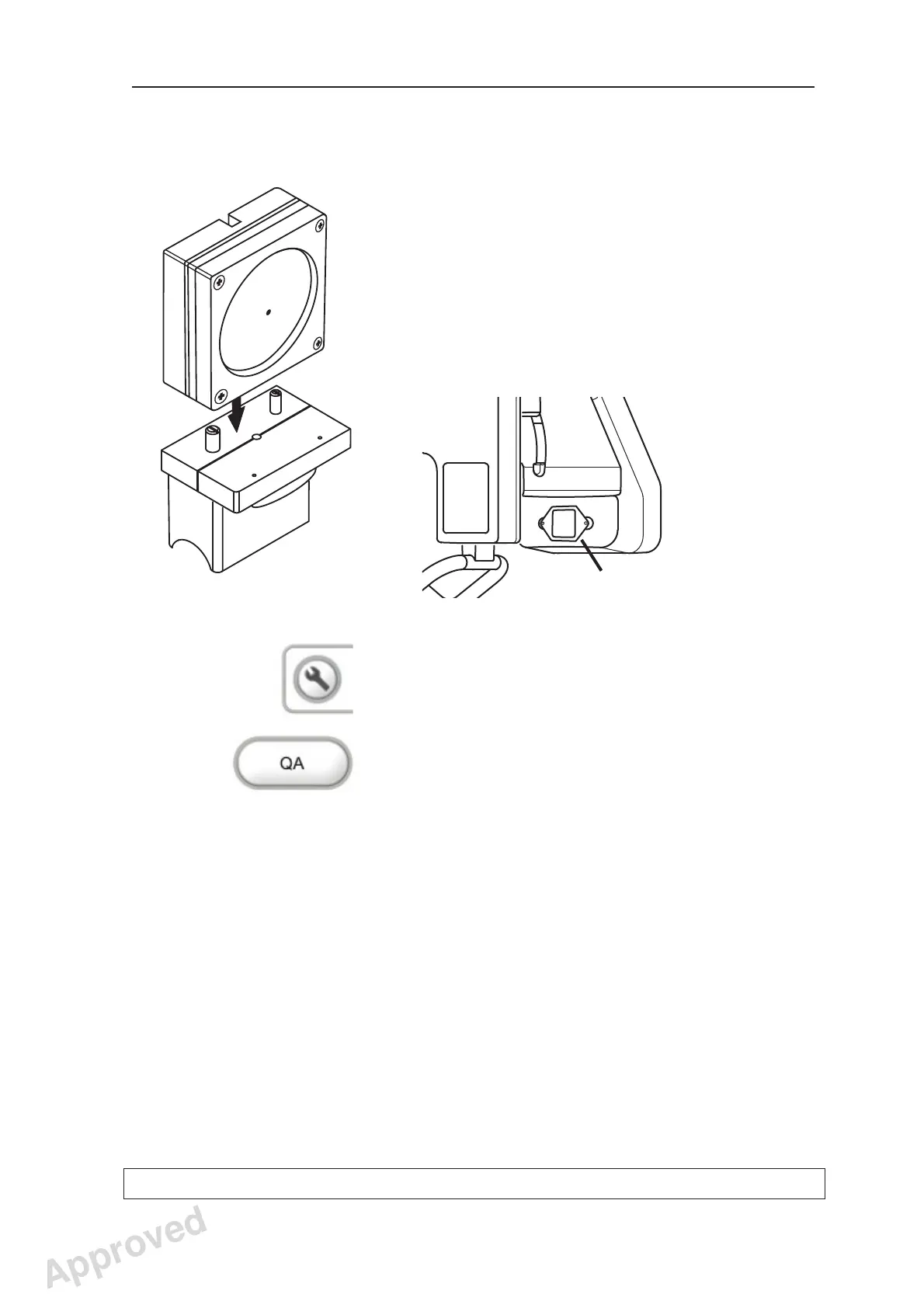
Taking a QA exposure:
1. PC: Prepare the unit for an exposure.
2. Attach the Ball and Pin Phantom to the chin
support.
3. Then attach the Digital Test Tool (Prüfkörper
test tool) to the Ball and Pin Phantom.
4. Attach the additional fi lter (Cu fi lter) to the
center of the tube head cover, so that it’s over
the fi ltration label. The fi lter has suction cups.
4. Touch the service key on the main control
panel of the unit to open the confi guration
screen.
5. Select QA.
Additional Filter
Approved: Ukkonen Juha-Pekka 2015-03-13 13:08
Reviewed: Savinen Antti Juhani 2015-03-12 11:32
Approved
See PDM system to determine the status of this document. Printed out: 2016-01-27 12:19:26
D508980, 4
Copyright © 2015 by PaloDEx Group Oy. All rights reserved.



 To Next Page