25/08/2004 ©
Söring
Service-Manual Arco- and RF-units
1
not valid for A-3000/ -2000
2
not valid for Arco-2000
-61-
3
not valid for MBC600
4
not valid for Arco-1000
12.4.3. Selecting service functions
It is possible to select a main function with included sub-functions. The procedure is
different for ARCO 1000 and the other types. In general it has to be distinguished
between a service function and the sub-functions belonging to this function. The sub-
function can only be selected after the main function is selected. The required
parameters for adjustment are set and must be stored. The stored parameters are placed
in a non-volatile memory and are effective after leaving the service mode.
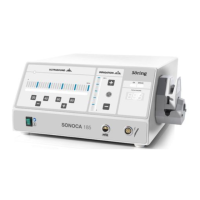
-ARCO 1000
--Select main function with the keys Argon 5 (increase function number) and Argon
4 (decrease function number).
--Select appropriate sub-function by means of power selector (up) or (down).
(indication: Main function.Sub-function in the power indicator)
--Increase or decrease parameters with the gas flow selector (up/down).The gas
flow indicator shows the actual parameter. (In service function "0" the software
version is displayed).
--Store the adjusted parameter by pressing the Argon 3 key. This is confirmed by a
confirmation tone.
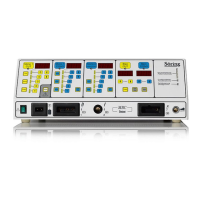
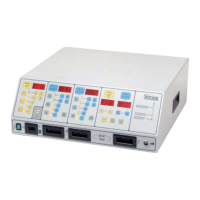
-other types
--Select main function with the keys Cut 5 (increase function number) or Cut 4
(decrease function number).
--Select appropriate sub-function by means of Cut power selector (up) or (down).
(indication: Main function.Sub-function in the Cut power indicator)
--Increase or decrease parameters with the Coag power selector(up/down).The
Coag power indicator shows the actual parameter. (In service function "0" the
software version is displayed.
--Store the adjusted parameter by pressing the Cut 3 key. This is confirmed by a
confirmation tone.
The parameters are displayed in hexadecimal.


 To Next Page