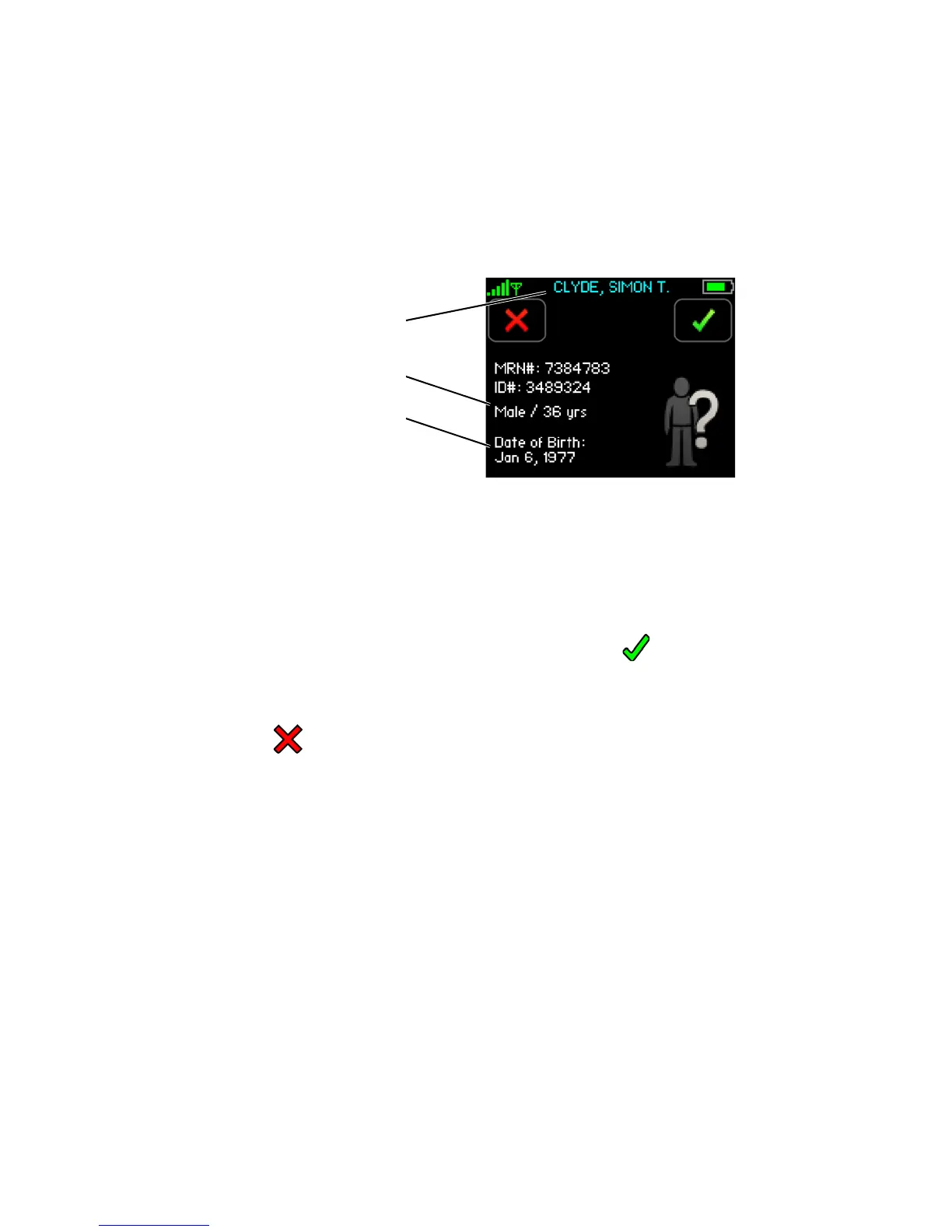
Viewing Patient’s Demographics
134
8.6 Viewing Patient’s Demographics
To Confirm Patient’s Demographics
When the patient’s demographics have been changed on the ViSi Mobile Remote Viewer or there is an
interruption of monitoring of more than 30 seconds, the demographics must be confirmed (or rejected)
directly on the ViSi Mobile Monitor.
Note: The patient’s primary ID will be displayed in blue to indicate the demographics have been
changed and require confirmation.
Note: The primary ID is configured to be the patient’s name. The secondary ID is configured to be
the patient’s MRN#. The tertiary ID is configured to be an alternative ID.
1. Touch
Confirm to confirm the patient’s demographics are correct.
- or -
Touch Cancel.
If cancelled, the patient’s demographics will be removed from the ViSi Mobile Monitor and an
alert will be annunciated on the ViSi Mobile Remote Viewer.
If confirmed, the patient’s demographics will be displayed in white to indicate they have now been
confirmed.
Patient’s Primary (displayed in blue)
Secondary and Tertiary IDs
Birth Gender / Age
Date of Birth



 To Next Page