System Components
38
3.3.6 ViSi Mobile Charger
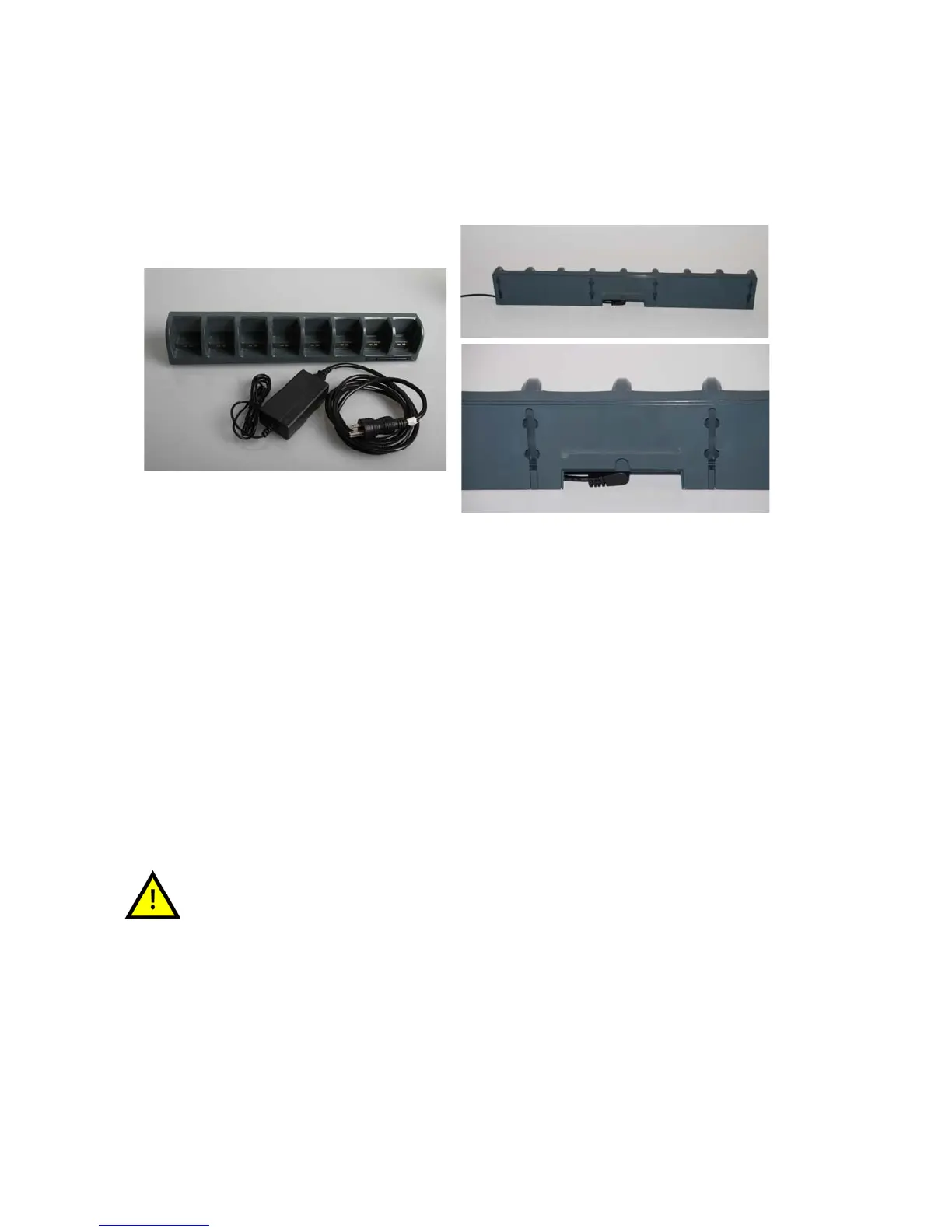
The Charger is used to charge ViSi Mobile Monitors, Cuff Modules, and ViSi Power Packs providing two
or eight charging docks for simultaneously charging multiple units.
The Charger consists of a desktop/wall mount charger, power supply and power cable.
Note: The ViSi Mobile Charger is available as a 2-bay charger or 8-bay charger (shown above).
To set up the Charger
1. Connect the power cable to the back side of the desktop/wall mount charger.
2. Plug into the AC power outlet.
The light on the front of the Charger will display green when the Charger is connected to the AC
power outlet.
The Charger will beep once when it is connected to the AC power outlet.
Note: When connected to the AC power outlet, if a fault with the ViSi Mobile Charger is detected,
the Charger will audibly beep every second.
Note: Do not position the ViSi Mobile Charger so that it is difficult to disconnect the power cable.
Explosion Hazard. Do not use in the presence of a flammable anesthetic
mixture with air, or with oxygen or nitrous oxide.


 To Next Page