Unpacking
30
3.2 Unpacking
Remove the Monitor and associated components from the shipping cartons and examine them for signs of
shipping damage. Save all packing materials, invoice, and bill of lading. These may be required to process
a claim with the carrier. Check all materials against the packing list. Contact the Sotera Wireless, Inc.
Customer Service Department or the Sotera Wireless, Inc. representative in your area for prompt assistance
in resolving shipping problems.
3.2.1 Removing and Inserting the Shipping Plug
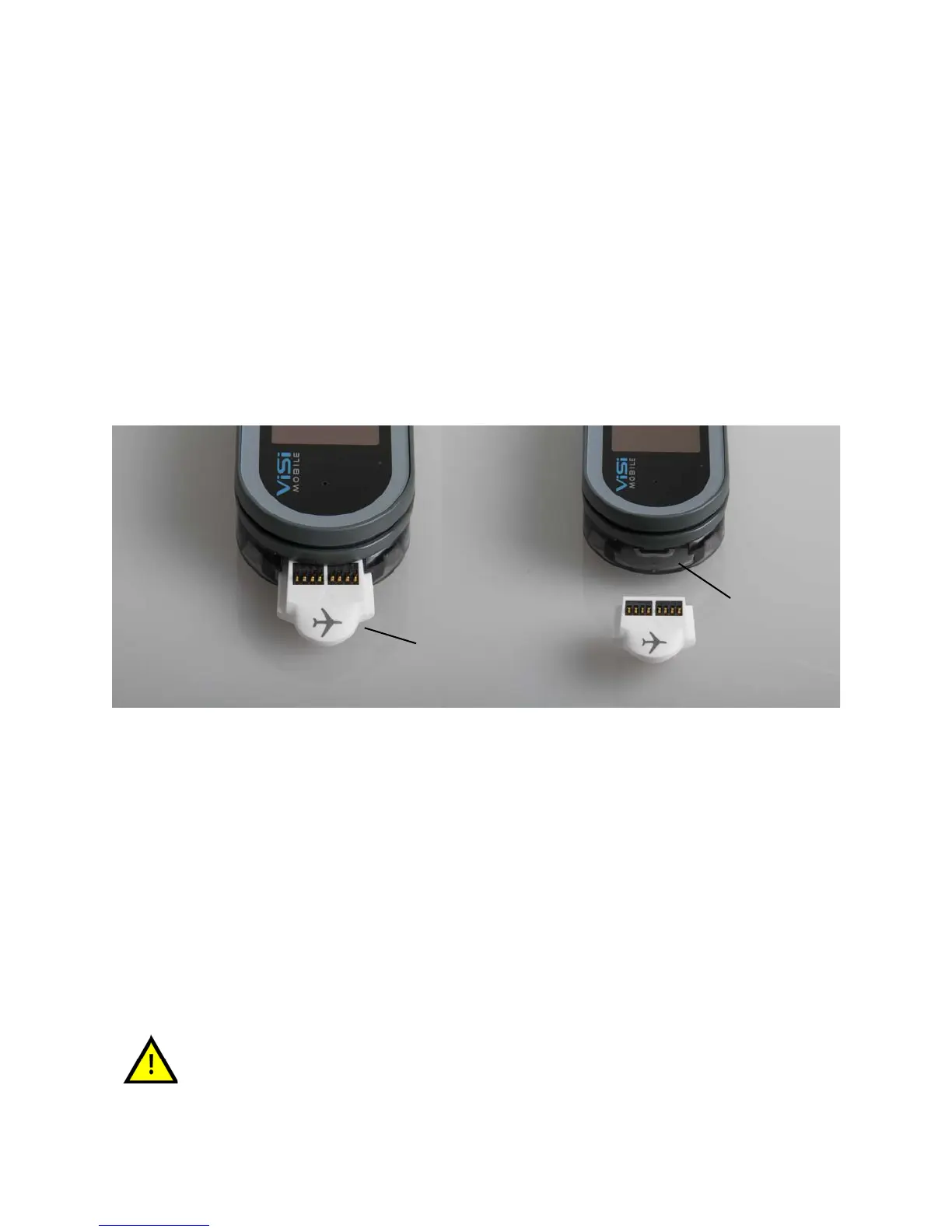
All Monitors are shipped in the Wrist Cradle with a Shipping Plug (airplane symbol) inserted. This Plug is
found in the Thumb Sensor connector (on the rounded end) of the Monitor. The Shipping Plug’s only
function is to completely power off the Monitor. Reinserting the Plug into a Monitor powers down the
Monitor in a controlled fashion, and allows internal operations to be completed before completely
powering off.
To remove the Shipping Plug
Grasp the tip of the Plug that extends out from the Wrist Cradle and pull firmly outward.
The contact points are disconnected. The Monitor begins a power up phase and the initial
information screen appears.
To insert the Shipping Plug
Ensure that the ViSi Mobile Monitor is properly seated in the Wrist Cradle, the Plug is oriented
with the connector contacts facing upwards, and push in firmly.
The power down process begins. The power down cycle is complete once the screen goes blank
and the green LED indicator has stopped blinking.
If the ViSi Mobile Monitor is to be stored for an extended period of time, it is
recommended the Monitor be stored with the Shipping Plug inserted to
reduce the battery discharge. The ViSi Mobile Monitor must always have the
Shipping Plug inserted when shipped by a common carrier to comply with
Federal Regulations regarding electromagnetic emissions.
Thumb Sensor
connector
Shipping Plug
(with airplane symbol)


 To Next Page