Managing Alarm Annunciations
93
6.5.2 Turn Alarm Annunciation On / Off
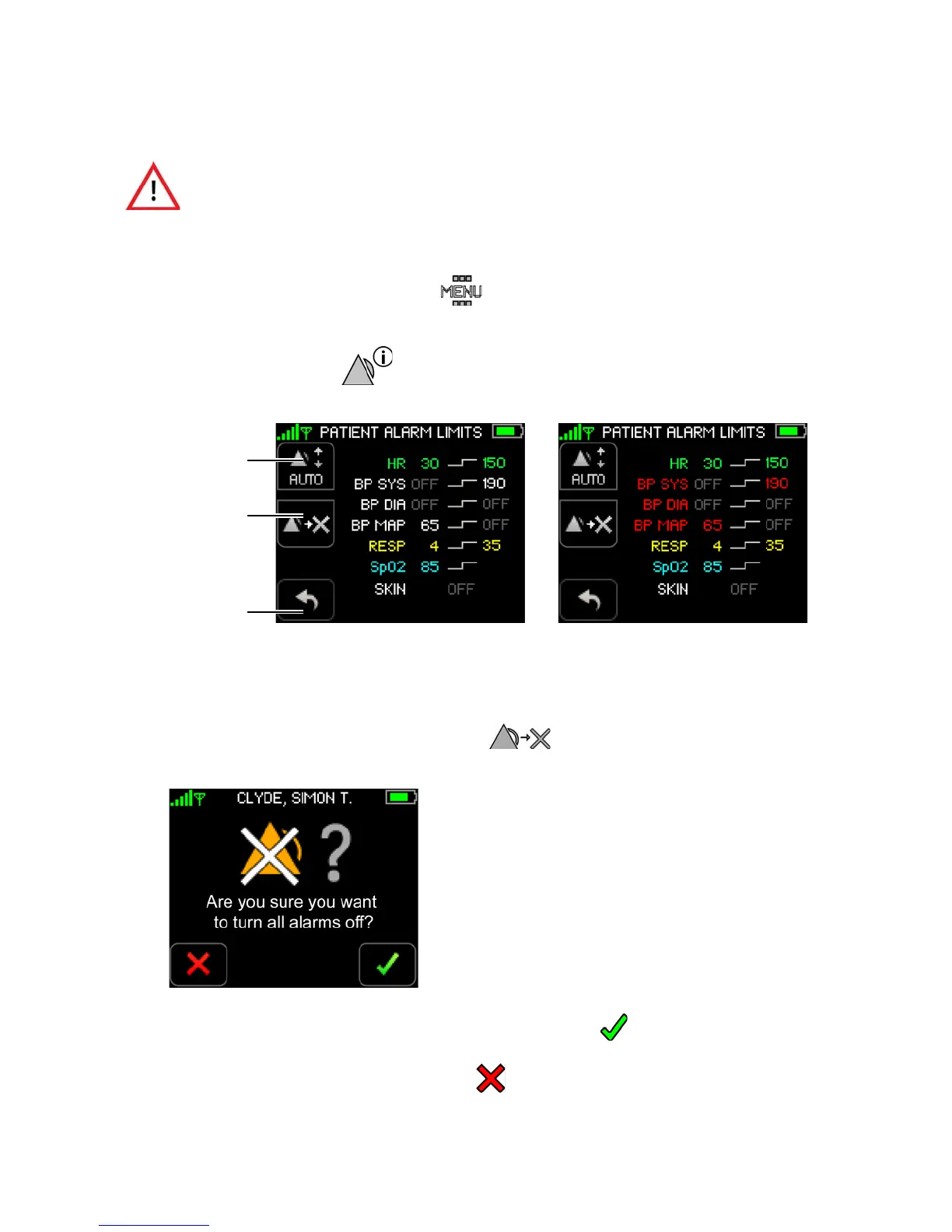
To turn all alarms off
1. Touch Menu on the Vital Signs screen.
The Menu screen appears.
2. Touch
Alarms Settings.
The Patient Alarm Limits screen appears. Alarm limit settings appear for the connected sensors.
Note: Systolic, diastolic and MAP alarm limits for cNIBP appear in red when measuring NIBP
continuously. Normal NIBP alarm limits appear in white.
3. To turn all alarms off, touch
Turn Alarms Off.
The Turn Alarms Off confirmation screen appears.
4. Touch
Confirm to confirm that you want to turn all alarms off.
-or-
Touch
Cancel to leave the alarms turned on.
When alarms are turned OFF, there is no notification of a potentially
clinically significant change in the patient's vital signs. Observe the patient
by other means when alarm limits are set to OFF.
Turn Alarms Off
Auto Set
Return to
Previous Screen
NIBP Alarm Limits cNIBP Alarm Limits
(Alarm limits in white) (Alarm limits in red)


 To Next Page