Manage Alarm Limits
97
3. Touch Auto Set.
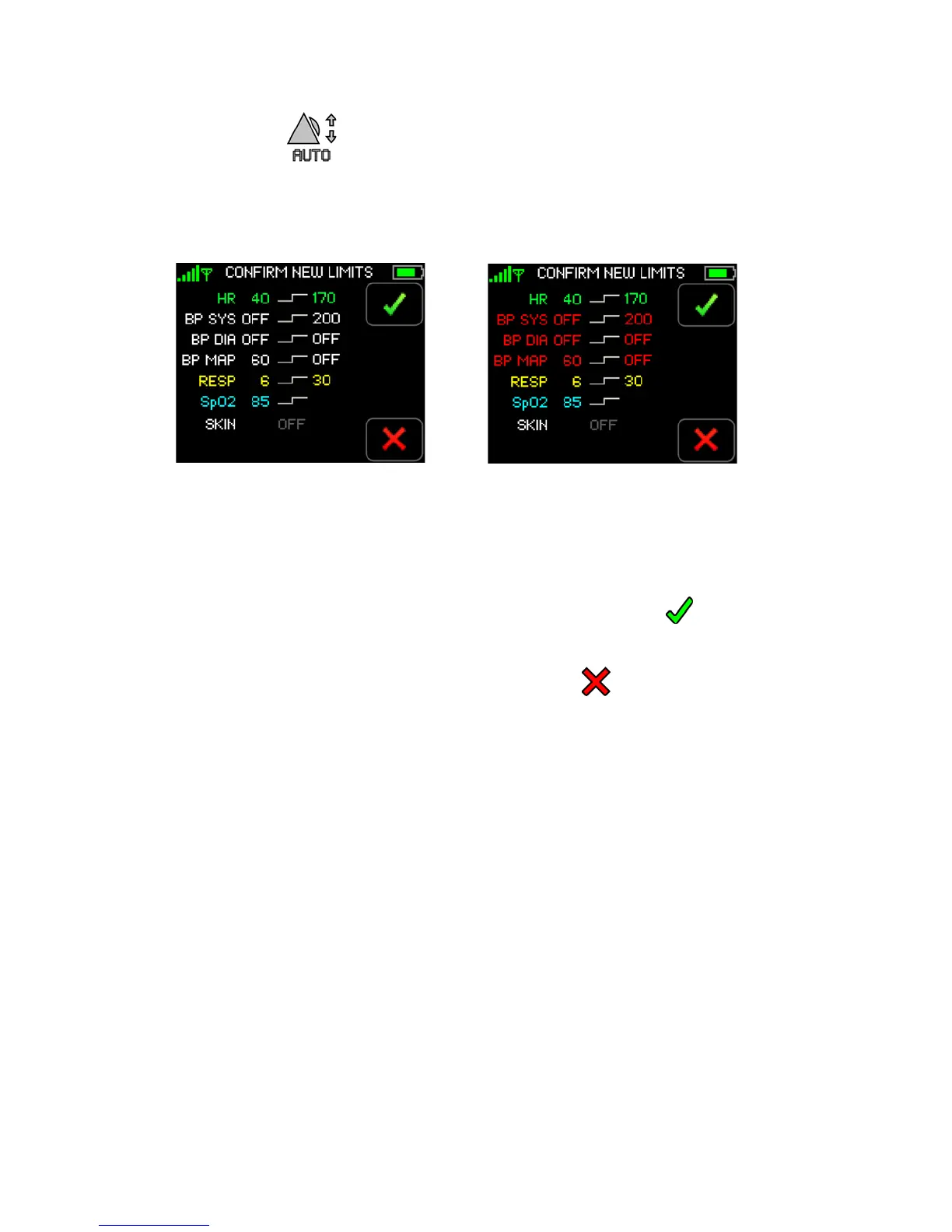
The Confirm New Alarm Limits screen appears.
Alarm limits for all vital sign measurements currently in alarm are recalculated based on the
current vital signs measurements.
Note: Systolic, diastolic and MAP alarm limits for cNIBP appear in red when measuring NIBP
continuously. Normal NIBP alarm limits appear in white.
Note: Upper and lower alarm limits cannot be set for TEMP.
4. Touch
Confirm to confirm that you want to accept the new alarm limits.
-or-
Touch
Cancel to return to the Patient Alarm Limits screen.
The previous alarm limits are retained.
Once confirmed, the system returns to the Vital Signs screen.
5. Navigate to the
Patient Alarm Limits screen to review the current alarm limits.
NIBP Alarm Limits cNIBP Alarm Limits
(Alarm limits in white) (Alarm limits in red)


 To Next Page