INSTRUCTION MANUAL
SPACE s.r.l.
ER 200 - ER 220
ER150 - ER160 - ER165
Code M0076 - rev.1.6
(04/2005)
SPACE s.r.l. – 10090 Trana (TO) Via Sangano, 48 Page 11/ 40
Tel. (+39) 011/ 933.88.65 – Fax (+39) 011/ 933.88.64
e-mail: info@spacetest.com
4.2.3 Brightness and contrast adjustment
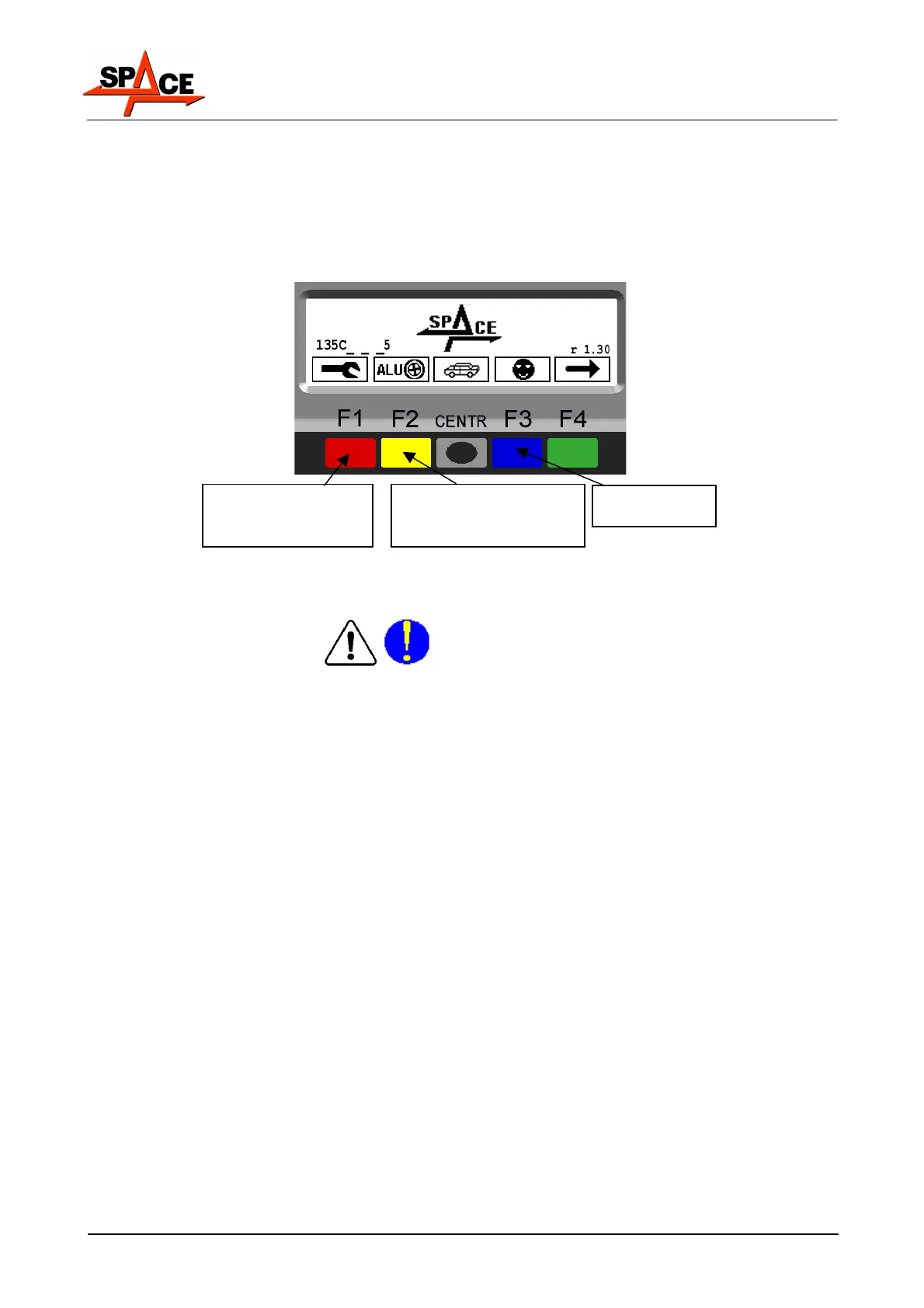
In the first page of the program press the below indicated keys to adjust brightness and
contrast. Such adjustment is identical for all display. See Figure 4. Try to find the best
settings, going across the all steps, because the settings can pass through clear, dark and
again clear.
NOTE: The settings done remains also after a shut-down.
Figure 4
4.2.4 Power connections
Before connecting up the machine, carefully check:
• power line specifications correspond to machine requirements as shown on the machine
plate;
• there is an earth lead and this is of suitable size (section greater or same as max section of
the power cables).
•
that all the component parts of the power line are in good condition;
•
that a wall switch exists solely for starting and stopping the machine. This must feature a
residual current and thermal magnetic circuit breaker, taking into account the electrical
power indicated on the wheel balancer.
Connect the machine up to the mains by means of the 3-pole plug provided (230 V single-
phase) through the wall socket.
If the plug provided is not suitable for the wall socket, fit a plug that complies with local and
applicable regulations. This operation must be performed by expert and professional
personnel.
Press repeatedly to
obtain more
brightness/contrast
Press repeatedly to
obtain less
brightness/contrast
Keep it pressed



 To Next Page