INSTRUCTION MANUAL
SPACE s.r.l.
ER 200 - ER 220
ER150 - ER160 - ER165
Code M0076 - rev.1.6
(04/2005)
Page 18/ 40 SPACE s.r.l. – 10090 Trana (TO) Via Sangano, 48
Tel. (+39) 011/ 933.88.65 – Fax (+39) 011/ 933.88.64
e-mail: info@spacetest.com
Enter the wheel width diameter (Figure 15), always selecting the “PLUS” or “MINUS”
key until the desired value is achieved.
Press the “CENTRE key” to confirm.
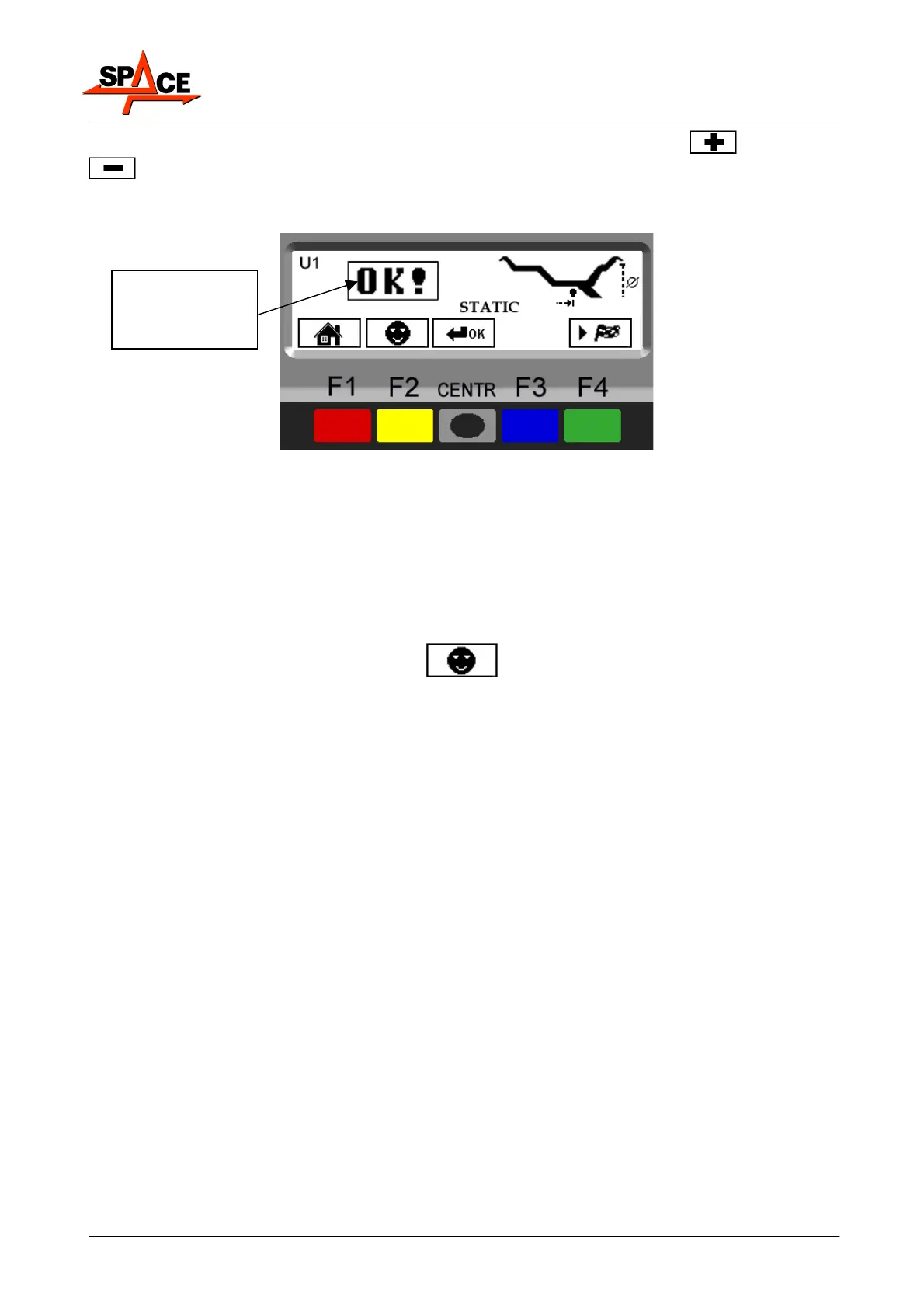
The display screen will show Figure 16.
Figure 16
To display all the entered measurements, press the "CENTRE key" several times.
Press the “F4 key” to start the spin.
7.2 User management
To select user management, select the following key on the presentation page (para. 6 on
page 13).
SPACE wheel balancers can be used by 4 different users at the same time, by selecting the
above indicated key several times, until the desired user is reached.
When the user key is pressed, the current user number appears on the display screen (U1,
U2, U3 and U4 in car mode or M1, M2, M3 and M4 in motorcycle mode).
The system stores the data relating to the last performed spin according to the different
operators. The desired user can be called every time the program displays the specific key.
The measurements stored for each user are lost when the machine is switched off.
User management is valid for any wheel balancer function.
IMPORTANT: To enable or disable the "User Control" function, see para. 11(Figure 44 on page
35). Once this function has been disengaged by pressing the "User key F3" on the
presentation page (para. 6 on page 13) on the top left of the monitor, the only used user
appears “U” in car mode or “M” in motorcycle mode.
Dimensions
entered and
confirmed



 To Next Page