INSTRUCTION MANUAL
SPACE s.r.l.
ER 200 - ER 220
ER150 - ER160 - ER165
Code M0076 - rev.1.6
(04/2005)
SPACE s.r.l. – 10090 Trana (TO) Via Sangano, 48 Page 19/ 40
Tel. (+39) 011/ 933.88.65 – Fax (+39) 011/ 933.88.64
e-mail: info@spacetest.com
7.3 Unbalance measurement
7.3.1 Dynamic balancing
Dynamic balancing is a procedure that offsets the wheel vibrations using 2 weights on
different planes.
To perform a dynamic measurement spin:
Make sure the wheel is clean of any stones and/or mud.
Remove any counterweights.
Fit the wheel and make sure it is fastened properly.
Press the “F4 key”
from the initial program page (see para. 6 page 13).
Enter the wheel measurements (para.7.1 page 14).
In the case of SPACE models ER220/ER160/ER165 press the “F4 key”
to perform a
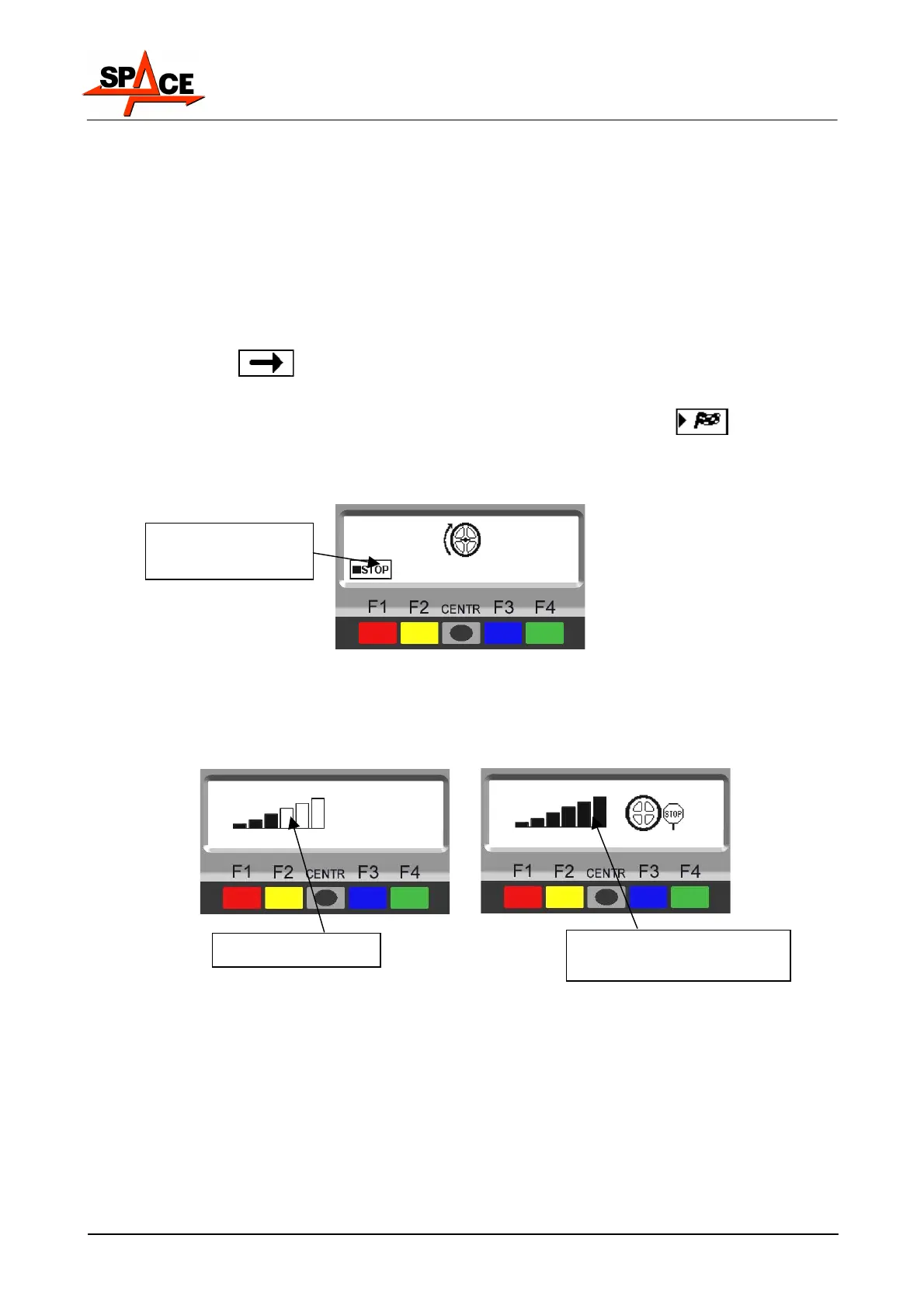
spin. In just a few seconds, the wheel will run at full speed. The wheel balancer display
screen shows wheel rotation (Figure 17). At the end of the spin, the wheel will stop
automatically, also taking into account the unbalance measured so the external weight fitting
position is approx. at 12 'o' clock.
Figure 17
In the case of models ER200 / ER150, spin the wheel manually until full running speed is
achieved. This is shown by the filling up of all the notches on the display screen and by the
STOP icon which appears on the screen. When the figures appear (see Figure 19) brake the
wheel by means of the pedal brake.
Figure 18
The display unit indicates the direction in which to move the wheel to fit the weights and how
much weight is needed to correct the unbalance (Figure 19).
Weight can be determined in "grams" or "ounces"; in this manual examples are shown in grams.
To change the unit of measurement from "grams" to "ounces", see chap. 11 on page 34.
Once the unbalance of the inside and outside of the wheel is known, it is possible to proceed with
positioning for correction of unbalance (para. 7.3.2 on page 21).
Press in case of
emergency
Low speed
Full speed
Spin terminated.



 To Next Page