INSTRUCTION MANUAL
SPACE s.r.l.
ER 200 - ER 220
ER150 - ER160 - ER165
Code M0076 - rev.1.6
(04/2005)
SPACE s.r.l. – 10090 Trana (TO) Via Sangano, 48 Page 25/ 40
Tel. (+39) 011/ 933.88.65 – Fax (+39) 011/ 933.88.64
e-mail: info@spacetest.com
7.4.2 ALU-S procedure
Make sure the wheel is devoid of any stones and/or mud.
Remove any counterweights.
Fit the wheel and make sure this is fastened properly.
From the initial display page press the “F2 key”
to select the type of desired correction.
Using the "F3 key"
display the ALU-S function and confirm with the "CENTRE key"
.
Enter the measurements as indicated in para. 7.1.3 on page 17.
After the measurements have been entered, perform a wheel spin.
In the models
ER220 /ER160 /ER165
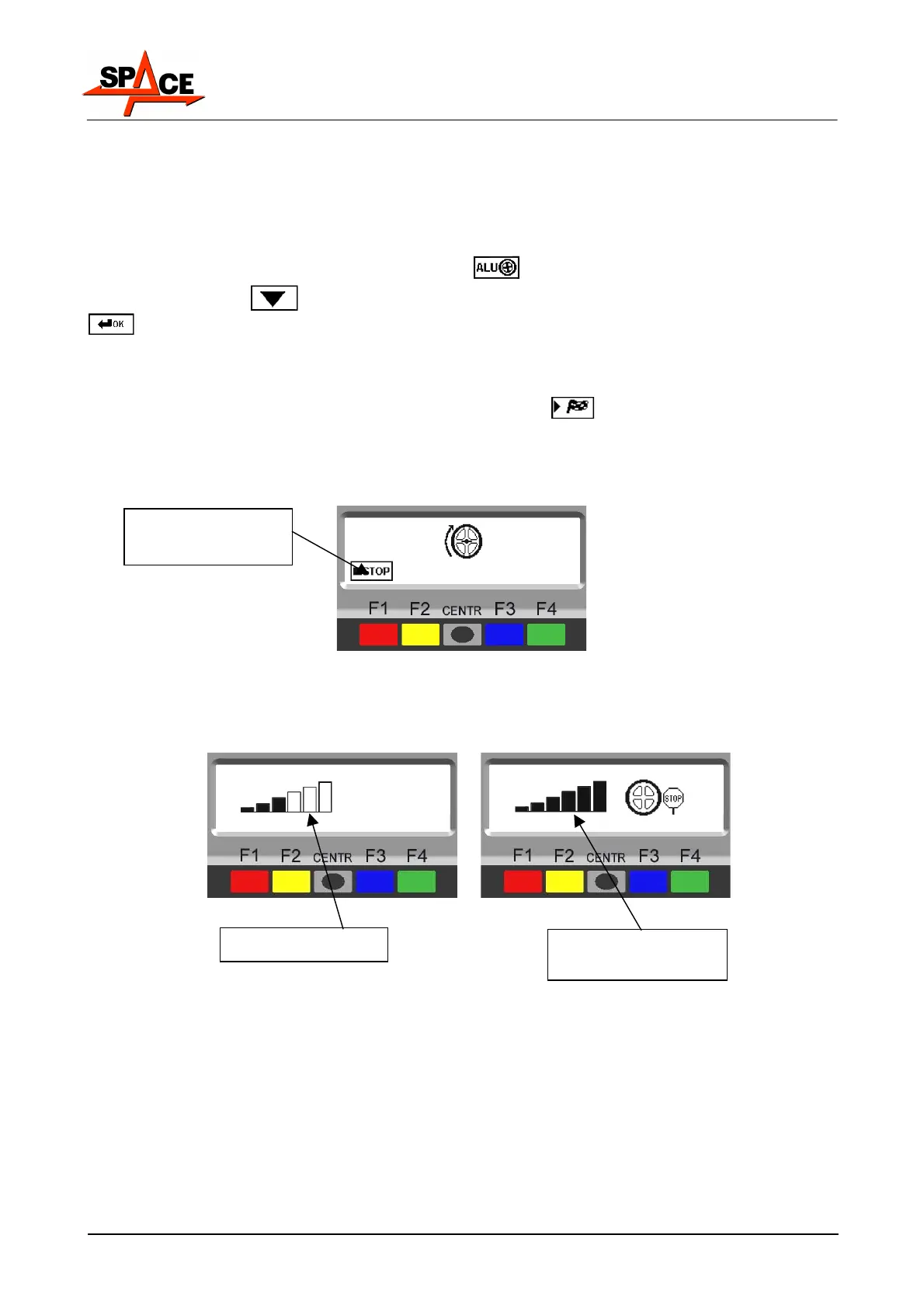
, press the "F4 key" to perform the spin. In just a
few seconds, the wheel will be spinning at operating speed. The display screen shows wheel
rotation (Figure 26). Do not touch the wheel while taking measurements. At the end of the
spin the wheel will stop automatically, also taking into account the measured unbalance so
the external weight fitting point is around 12 'o' clock.
Figure 26
In the models ER200 / ER150 spin the wheel manually until normal speed is achieved. This
is shown by the filling up of all the notches on the display screen and by the STOP icon
appearing on the screen. When the values appear, brake the wheel by means of the pedal
brake.
Figure 27
The display screen shows the direction in which to move the wheel to fit the weight and total
weight needed to remedy unbalance.
When the wheel has reached weight fitting point (about 12 'o' clock), the display screen
shows the distance for correcting unbalance on a black background. When the wheel is far
from the weight fitting point, the display screen shows the total weight to be fitted (Figure
28). When the external and internal unbalance values are known, proceed with positioning
for unbalance correction.
Press in case of an
emergency
Low speed
Full speed,
Spin terminated



 To Next Page