INSTRUCTION MANUAL
SPACE s.r.l.
ER 200 - ER 220
ER150 - ER160 - ER165
Code M0076 - rev.1.6
(04/2005)
SPACE s.r.l. – 10090 Trana (TO) Via Sangano, 48 Page 13/ 40
Tel. (+39) 011/ 933.88.65 – Fax (+39) 011/ 933.88.64
e-mail: info@spacetest.com
6 SWITCHING THE MACHINE ON AND OFF
The ON/OFF master switch is located on the rear of the machine.
To start the machine and access the program, switch on the system by turning the master
switch to ON (I).
Wait a few seconds for the operating program to load and for the first program page to appear
on the display screen.
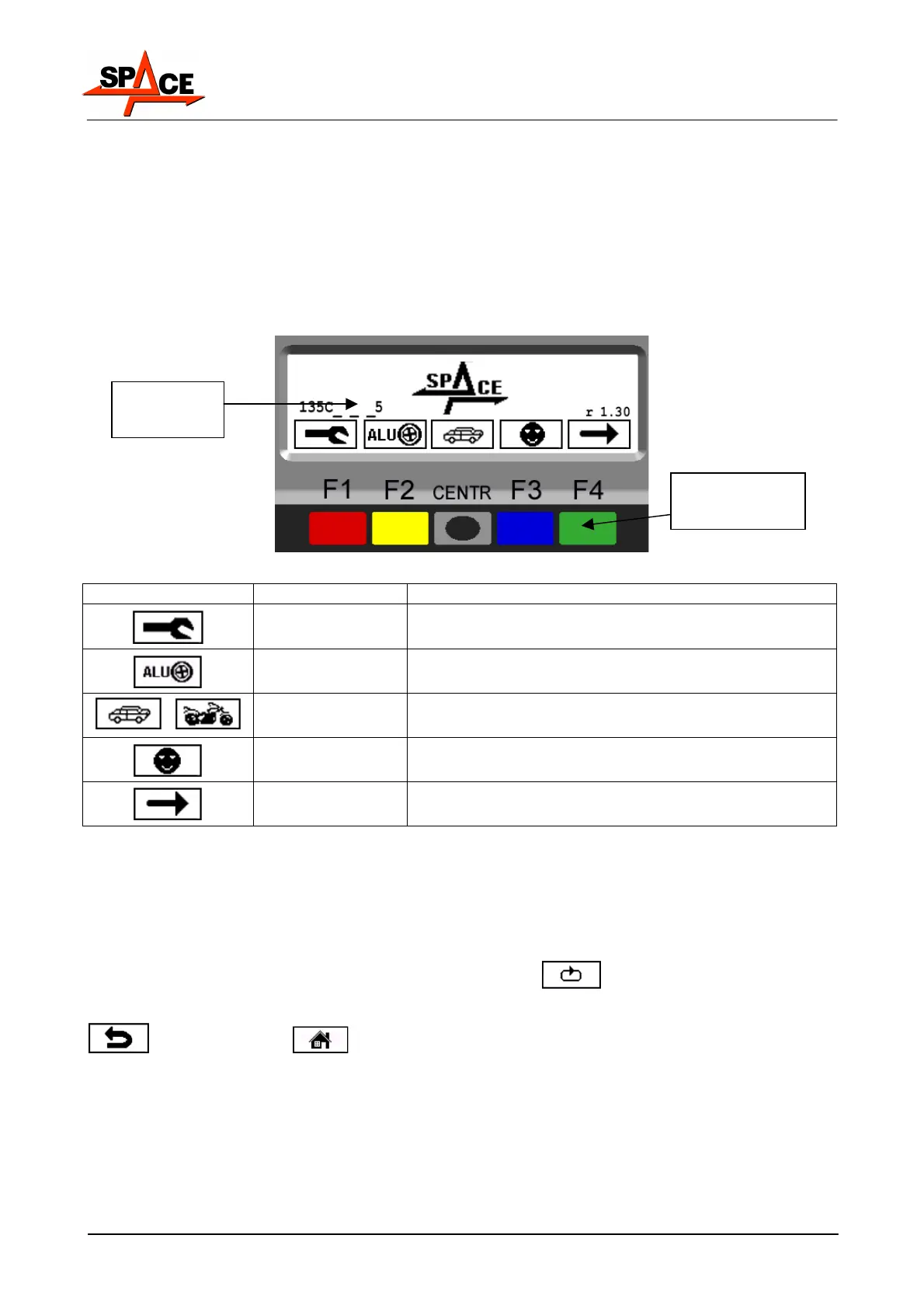
The monitor shows various types of information and presents the user with numerous
operation options.
Figure 5
ICON KEY DESCRIPTION
RED (F1)
Displays the program configuration panel
YELLOW (F2)
Displays the alu correction procedures.
/
CENTRE Displays car or motorcycle mode
BLUE (F3)
Displays the tests of the different services (4 different
services are managed) para. 7.2 on page 18
GREEN (F4) The dynamic balancing test starts
By means of the 5 keys located on the display mask (F1-F2-CENTRE-F3-F4) all the machine
functions can be used.
During program running, the various display pages show the different keys by means of
which the corresponding function can be immediately selected.
Many display pages contain several rows of keys. In this case, the next row of keys can be
displayed by means of the key corresponding to the icon
.
To go back and display the previous row of keys, press the key corresponding to the icon
or in some cases .
Program
operation key
FIRST
PAGE



 To Next Page