INSTRUCTION MANUAL
SPACE s.r.l.
ER 200 - ER 220
ER150 - ER160 - ER165
Code M0076 - rev.1.6
(04/2005)
Page 16/ 40 SPACE s.r.l. – 10090 Trana (TO) Via Sangano, 48
Tel. (+39) 011/ 933.88.65 – Fax (+39) 011/ 933.88.64
e-mail: info@spacetest.com
7.1.2 Wheel dimension manual setting for ALU-S type correction
Select the ALU-S function as described in para. 7.4 on page 22 and press the “CENTRE key”
to confirm and enter the measurements.
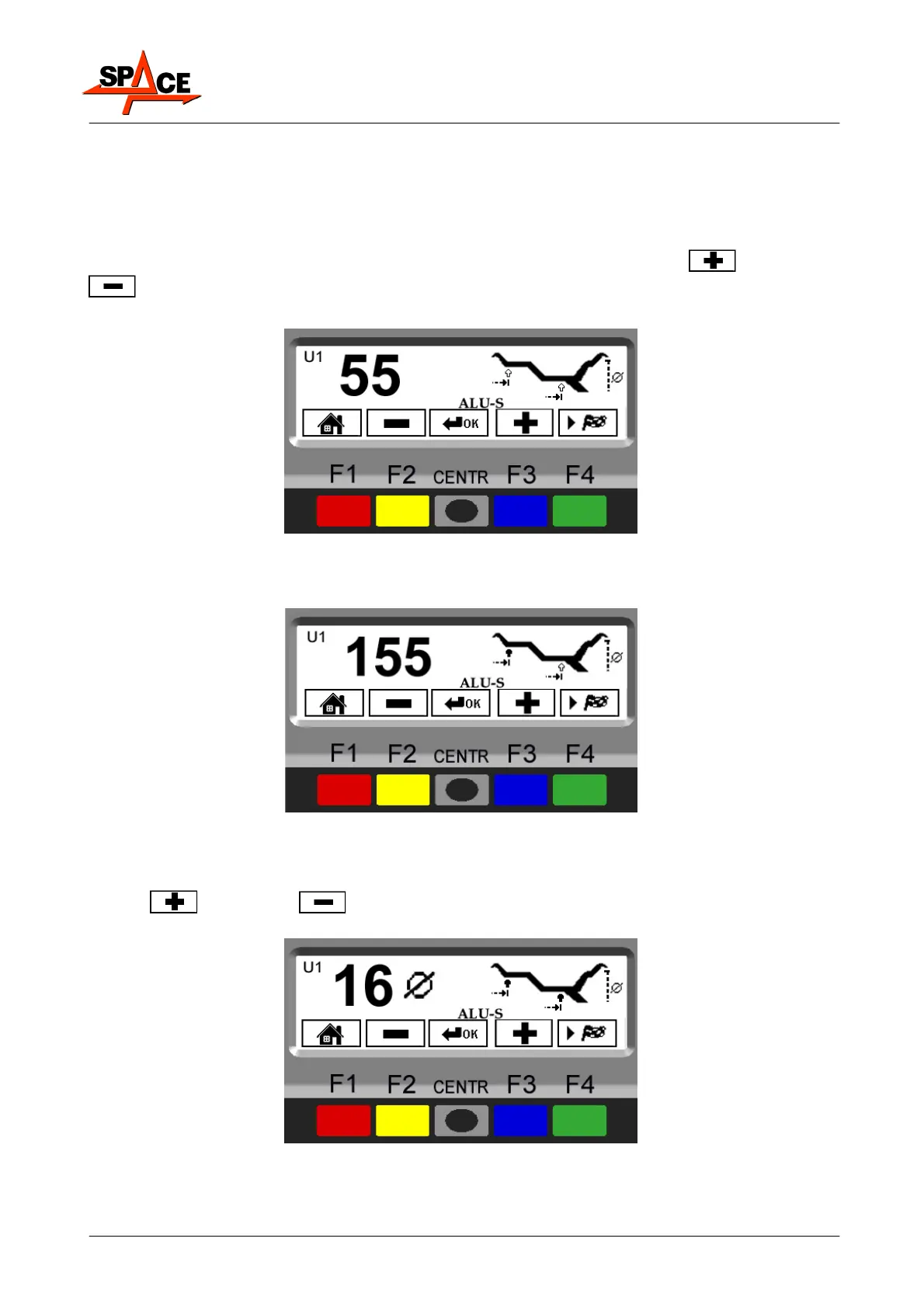
The display screen will show the page in Figure 10.
Move the graduated scale to the position where the inner weight is to be fitted. Read the
value to be set on the scale. Enter the distance by selecting the “PLUS”
or “MINUS”
key until the desired value is achieved.
Press the “CENTRE key” to confirm.
Figure 10
The "acquired dimension" indication is given by the first measurement point indication arrow,
which goes from white to black.
Figure 11
Move the graduated scale to the position where the outer weight is to be fitted (always hidden
inside the rim). Read the value to be set on the scale. Enter the distance by selecting the
“PLUS” or “MINUS” key until the desired value is achieved.
Press the “CENTRE key” to confirm.
Figure 12



 To Next Page