INSTRUCTION MANUAL
SPACE s.r.l.
ER 200 - ER 220
ER150 - ER160 - ER165
Code M0076 - rev.1.6
(04/2005)
SPACE s.r.l. – 10090 Trana (TO) Via Sangano, 48 Page 15/ 40
Tel. (+39) 011/ 933.88.65 – Fax (+39) 011/ 933.88.64
e-mail: info@spacetest.com
Press the centre key ( ) to select the rim diameter dimension.
Enter the rim diameter by selecting the “PLUS”
or “MINUS” key until the desired
value is achieved.
Press the centre key (
) to select the rim distance dimension
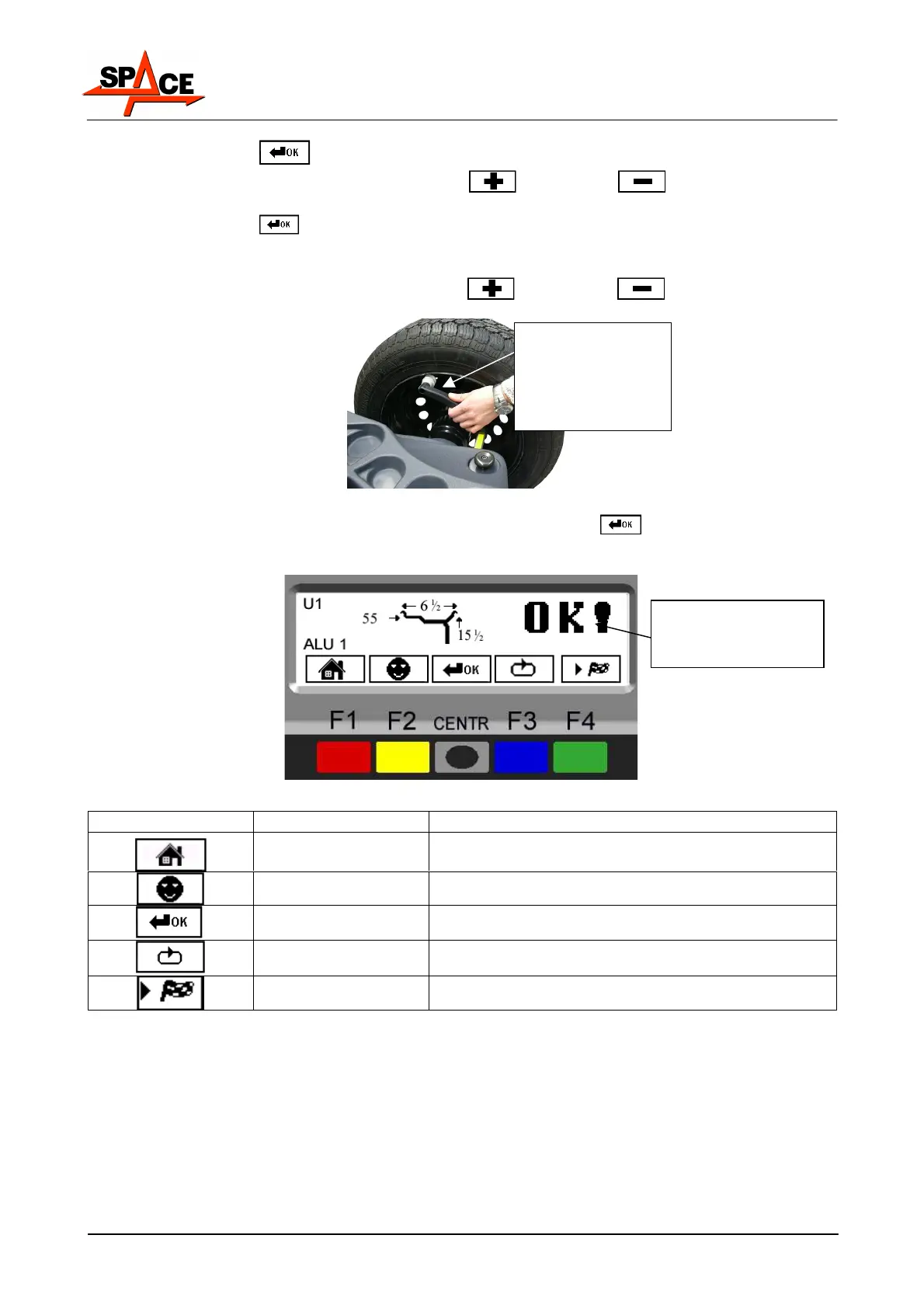
Move the graduated scale from the initial position against the inner edge to measurement
position (see Figure 8). Read the value to be set on the rule.
Enter the rim distance by selecting the “PLUS”
or “MINUS” key until the desired
value is achieved.
Figure 8
After setting all the wheel dimensions, press the centre key ( ) again to confirm. The
program will show the page in Figure 9.
Figure 9
ICON KEY DESCRIPTION
RED (F1) Return to display previous page
YELLOW (F2) User management (para. 7.2 on page 18)
CENTRE Select and confirm the value to be set
BLUE (F3) Display the next row of keys
GREEN (F4) Perform spin
MANUAL
GRADUATED
SCALE IN
MEASUREMENT
POSITION
Dimensions entered
and confirmed



 To Next Page