Spectralink 84-Series Series Wireless Telephones Administration Guide
1725-86984-000_P.docx
September 2016 170
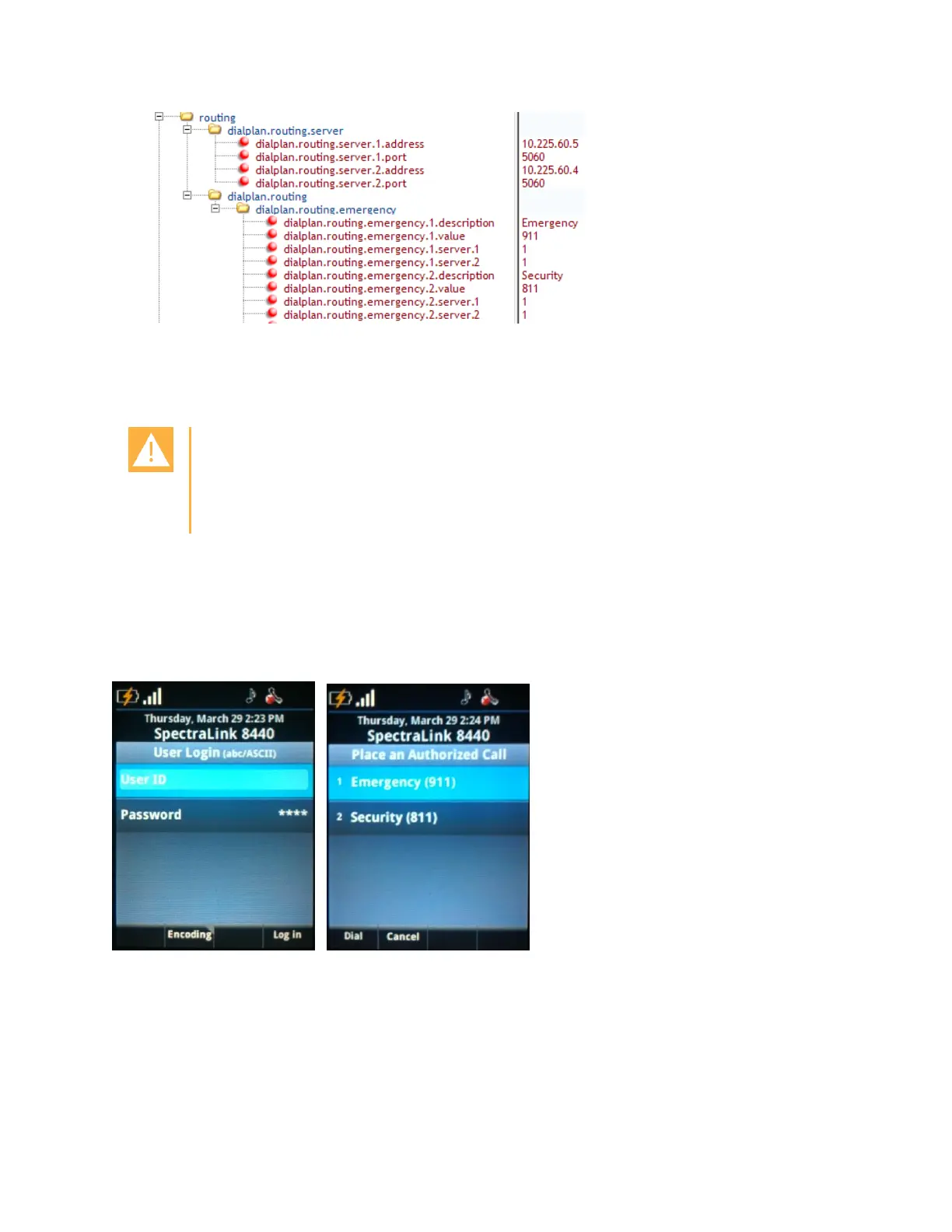
Parameters for enabling the emergency dialing feature should be implemented in a
global/site configuration file so that all handsets have the emergency dialing feature
enabled.
Caution: Emergency server must allow anonymous inbound SIP calls
A logged-out handset is not registered to the SIP call server. Therefore, the
emergency SIP call server must be configured to allow anonymous inbound SIP
calls. Otherwise the emergency calls will not be recognized.
User experience
The handset will display the login screen. When the off-hook START key is pressed, the user
will be presented with the Place an Authorized Call screen enabling the user to place
emergency calls.
Voicemail Integration
The Spectralink 84-Series handset is compatible with voicemail servers. You can configure
each handset or line registration per handset to subscribe with a SIP URL to a voicemail server
contact. You can also configure the handset to access voicemail with a single key, for example,



 To Next Page