Spectralink 84-Series Series Wireless Telephones Administration Guide
1725-86984-000_P.docx
September 2016 282
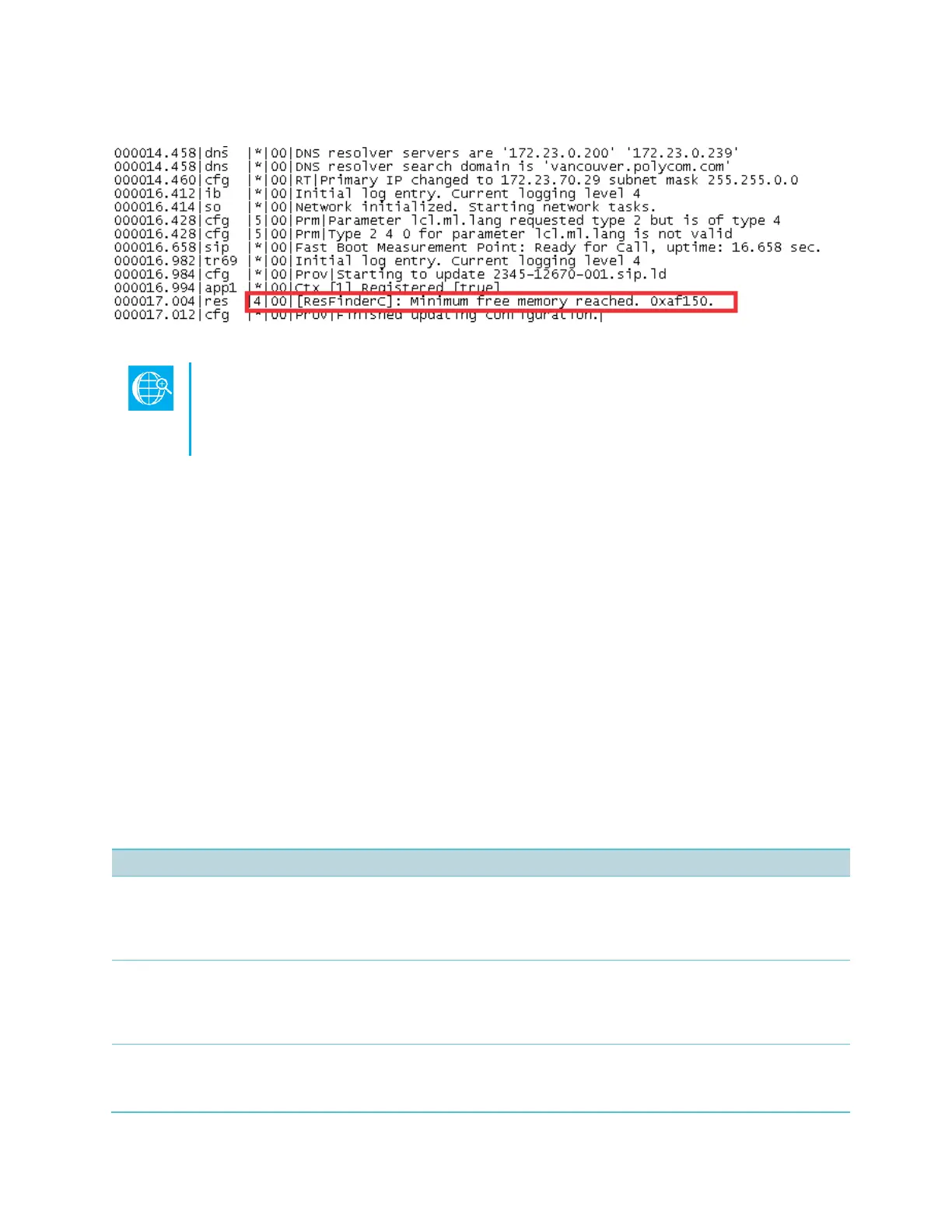
Figure 11-6: Application Log Error Message
Web Info: Reading the App Log Files
For more information on reading the log files see Technical Bulletin CS-14-20:
Syslog on Spectralink Handsets.
Managing the Phone Features
This section provides tips for managing the handset features to conserve handset memory
resources. This section is especially useful if you are customizing features or using several
advanced features.
If you are using a mixed deployment, such as a combination of Spectralink 84-Series handsets
and Polycom desksets, see Interoperability Guide: Spectralink 84-Series Wireless Telephones
and Polycom Desksets.
All handset features are designed to operate optimally on Spectralink handsets. The features
listed in Table 11-2: Managing the Phone Features are all customizable, advanced features that
can take up significant memory. Use the following table as a reference guide to the amount of
memory a feature can use and for tips on balancing features so that you can optimize the
handset features you want for your deployment.
Table 11-2: Managing the Phone Features
Variable. Optimized to display three or four elements.
The browser is optimized to display three or four application elements. If you display complex pages that include
large table or images, try to display a simplified page. If the page cannot be simplified, try reducing the number of
available ringtones or display backgrounds.
The average size of Spectralink display images is 15KB. If you are using custom images, Spectralink recommends
limiting the file size to 15KB for images on the display. If your handset does not display your custom image and the
file size is less than 15KB, try reducing the number of available ringtones or display and image backgrounds.
Spectralink handsets are optimized to display four contact attributes to a maximum of 250 contact entries. Each
entry averages about 170 bytes of memory.



 To Next Page