Spectralink 84-Series Series Wireless Telephones Administration Guide
1725-86984-000_P.docx
September 2016 93
Missed Call Notification
By default, the missed call notification displays on the 84-Series handset’s status bar. A counter
shows the number of missed calls. The counter is reset by viewing the Missed Calls list on the
handset.
The Missed Call Notification can be disabled for each registered line on a handset.
Table 8-9: Disabling Missed Call Notification
call.missedCallTracking.x.enabled
1
If set to 1, missed call tracking is enabled.
If call.missedCallTracking.x.enabled is set to 0, then missedCall counter is not updated regardless of
what call.serverMissedCalls.x.enabled is set to (and regardless of how the server is configured). There is
no Missed Call List provided under Menu> Features of the handset.
If call.missedCallTracking.x.enabled is set to 1 and call.serverMissedCalls.x.enabled is set to 0, then the
number of missedCall counter is incremented regardless of how the server is configured.
If call.missedCallTracking.x.enabled is set to 1 and call.serverMissedCalls.x.enabled is set to
1, then the handling of missedCalls depends on how the server is configured.
1
Change causes handset to restart or reboot.
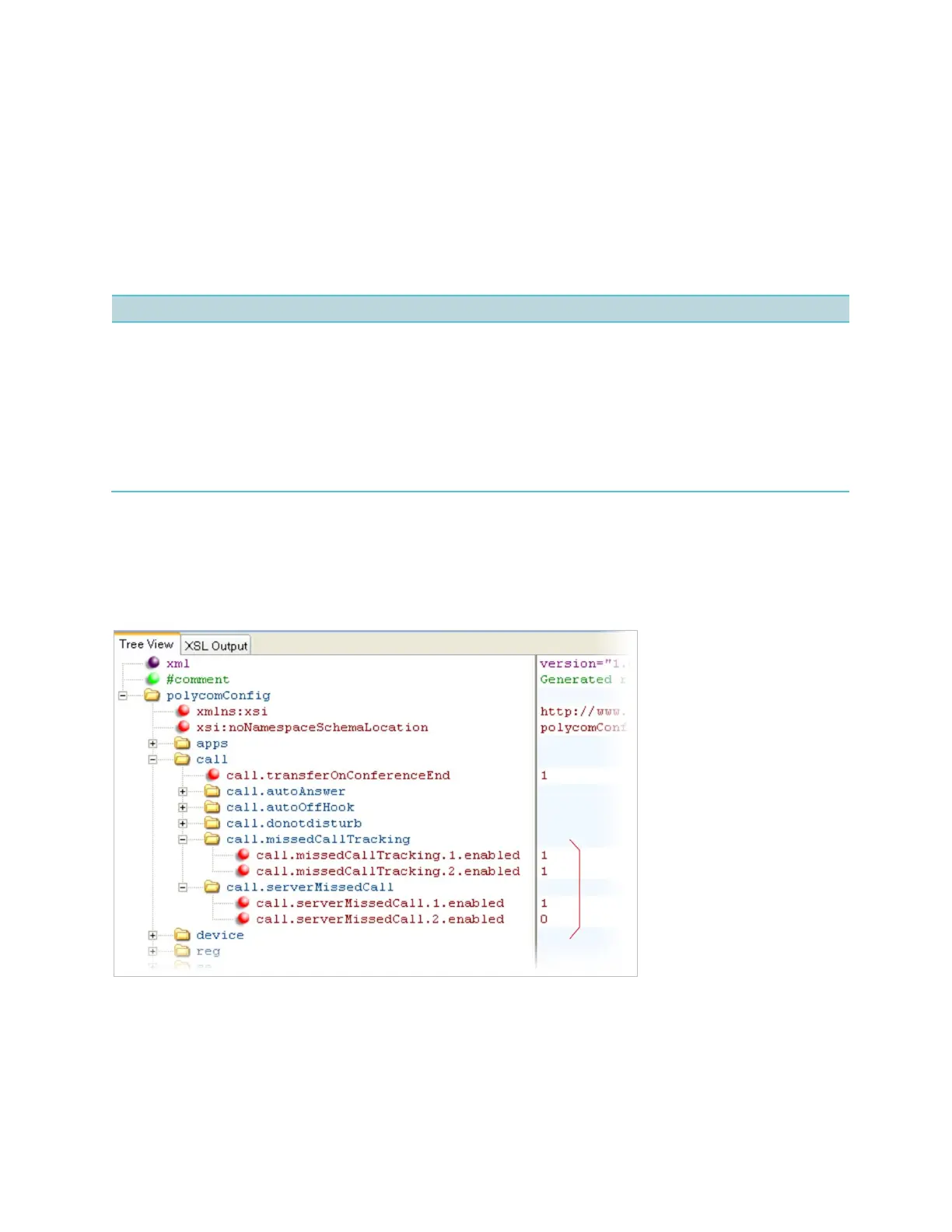
Example Missed Call Notification Configuration
In the following example, the missed call counter is enabled by default for registered lines 1 and
2, and only server-generated missed calls will be displayed on line 1.
Call Transfer
Two types of call transfer behavior is available on the 84-Series handsets. When Party A is
talking to Party B and wishes to transfer the call to Party C:



 To Next Page