Spectralink 84-Series Series Wireless Telephones Administration Guide
1725-86984-000_P.docx
September 2016 94
Blind Transfer Party A calls Party C and presses the Transfer softkey while the call is
ringing. The call between Party A and Party B is ended when the Transfer softkey is
pressed.
Consultative Transfer Party A calls Party C while Party B is on hold. The call between
Party A and Party B is ended when Party A presses the Transfer softkey.
By default, the Transfer softkey uses the consultative transfer functionality and the blind transfer
is available on the Features softkey menu. This parameter allows you to change the Transfer
softkey to use the blind transfer functionality.
Table 8-10: Using Call Transfer
call.transfer.blindPreferred
If set to 1, the default softkey will be for blind transfer.
If set to 0, the default softkey will be for consultative transfer.
The other method is always available on the Features softkey menu when the handset is in call.
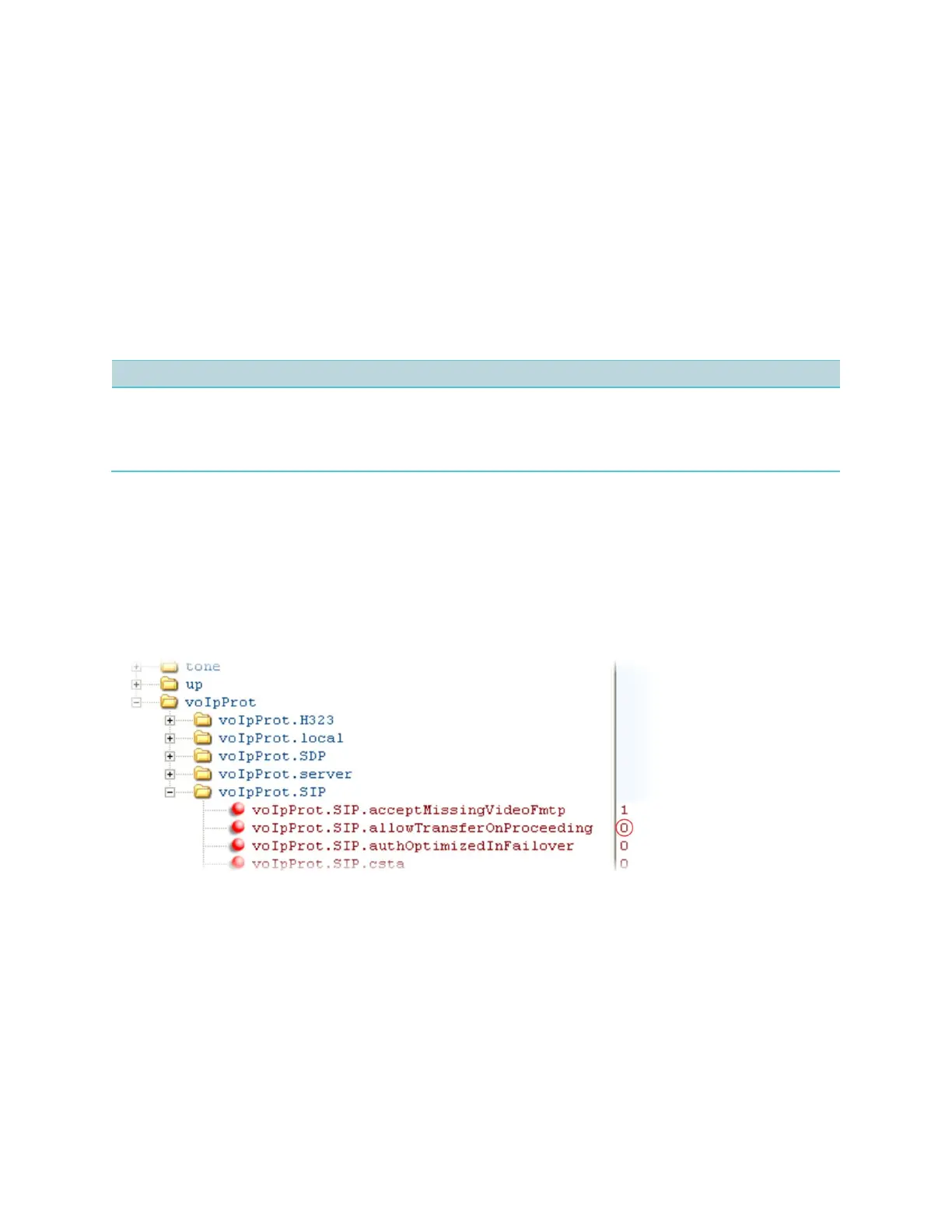
Example Call Transfer Configuration
In the following example configuration, the parameter allowTransferOnProceeding has
been disabled so that the Transfer softkey will not display while the third-party handset is
ringing, the proceeding state. Once you have connected to the third-party, the Transfer softkey
will display. If the third-party does not answer, you can press the Cancel softkey to return to the
active call.



 To Next Page