— 05.09.2014 —
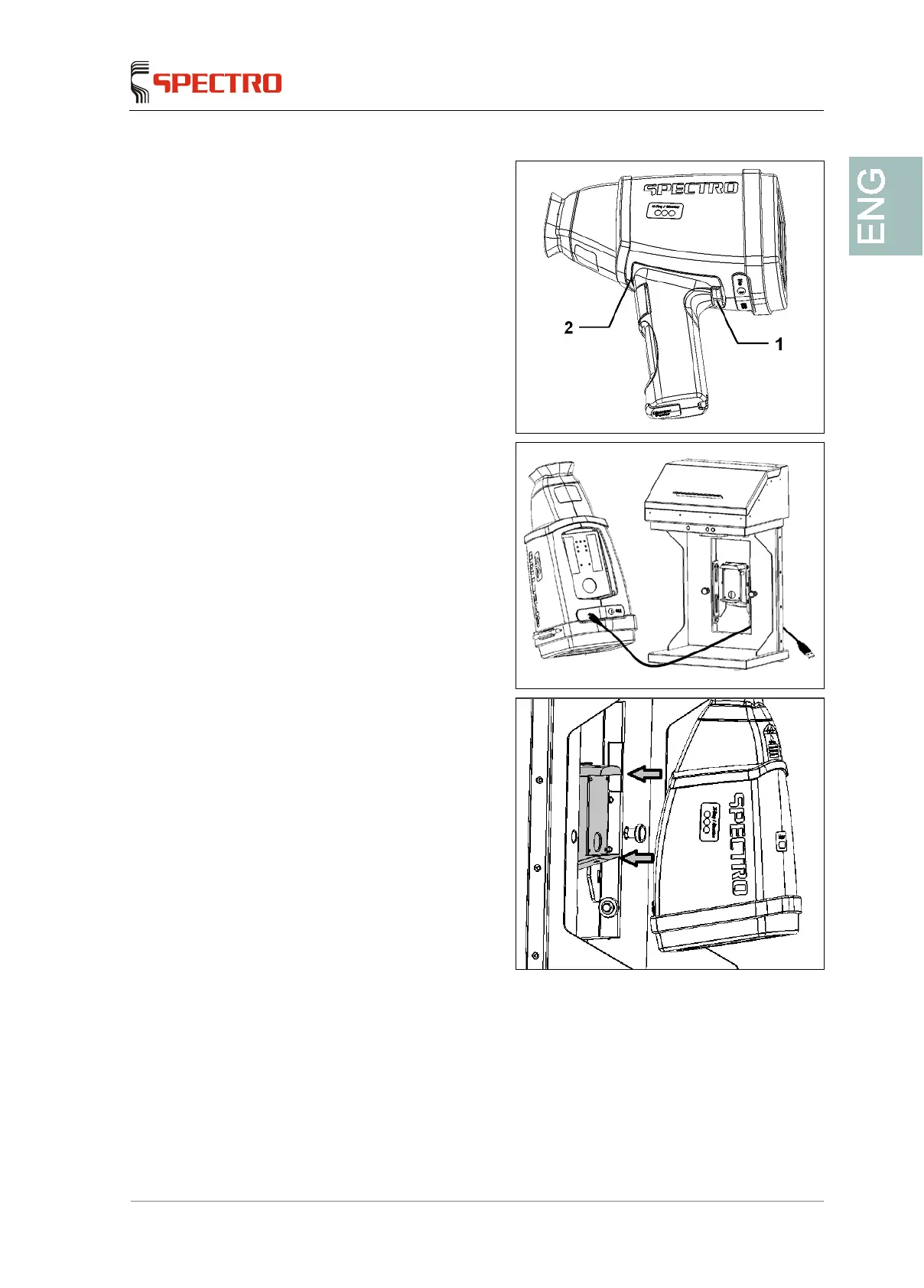
4. Unlock the handle (1) and
remove it by tilting it around the
holding point (2).
5. Open the USB cover and attach
the USB cable to the equipment.
Ensure to guide the cable
through the opening in the
docking station.
6. Ensure the equipment is sitting
straight on the support of the
docking station.
This way, the bushing on the
under side of the equipment
will fit into the plug.
The protective sleeve
remains on the equipment.



 To Next Page