— 05.09.2014 —
8 Troubleshooting
The unit may be damaged if repairs are not carried out properly.
Do not attempt to
repair the unit yourself. Always inform your supervisor.
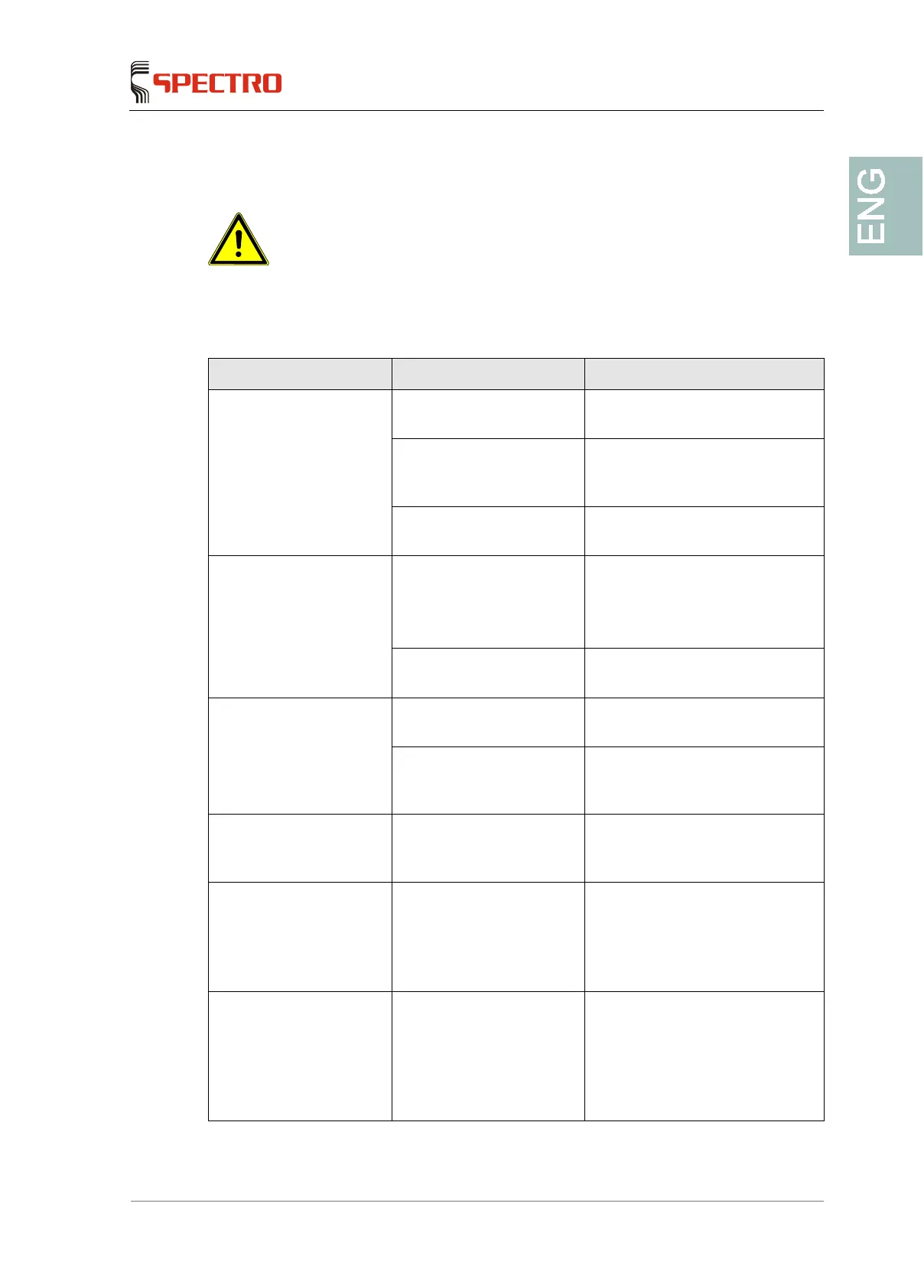
Fault Possible cause Remedy
The inst
switched on
The handle/battery is not
firmly locked in the holder.
Let the handle properly snap into
place.
The storage battery is not
charged.
Charge the storage battery as
describe in the separate
instructions.
One of the spectrometer
components is defective.
Please contact your service
centre.
The instrument can be
switched on, but no data
are displayed on the
screen.
The battery of the ePC is
empty.
Activate the Reset button
The internal battery will be
recharged via the storage battery
of the device.
The ePC is defective. Please contact your service
centre.
The screen does not
respond to any entries.
The screen is defective. Please contact your service
centre.
The screen is not properly
adjusted.
Press the reset button and
recalibrate the screen via the
software.
When the measurement
starts, the high voltage is
shut down again.
Defective safety switches
or defective tube.
Please contact your service
center.
Error message: Cool-
down time exceeded!
The detector cannot be
cooled.
Very high ambient
temperature.
Initially activate the instrument in
cooler ambient conditions.
Error message: Cool-
down time exceeded!
The detector cannot be
cooled.
Defective detector window.
Seal the opening of the
measuring window with some
adhesive tape and place unit in
the transport case.
Please contact your service
centre.



 To Next Page