Maintenance by the operator
50 SPECTRO xSORT — 05.09.2014
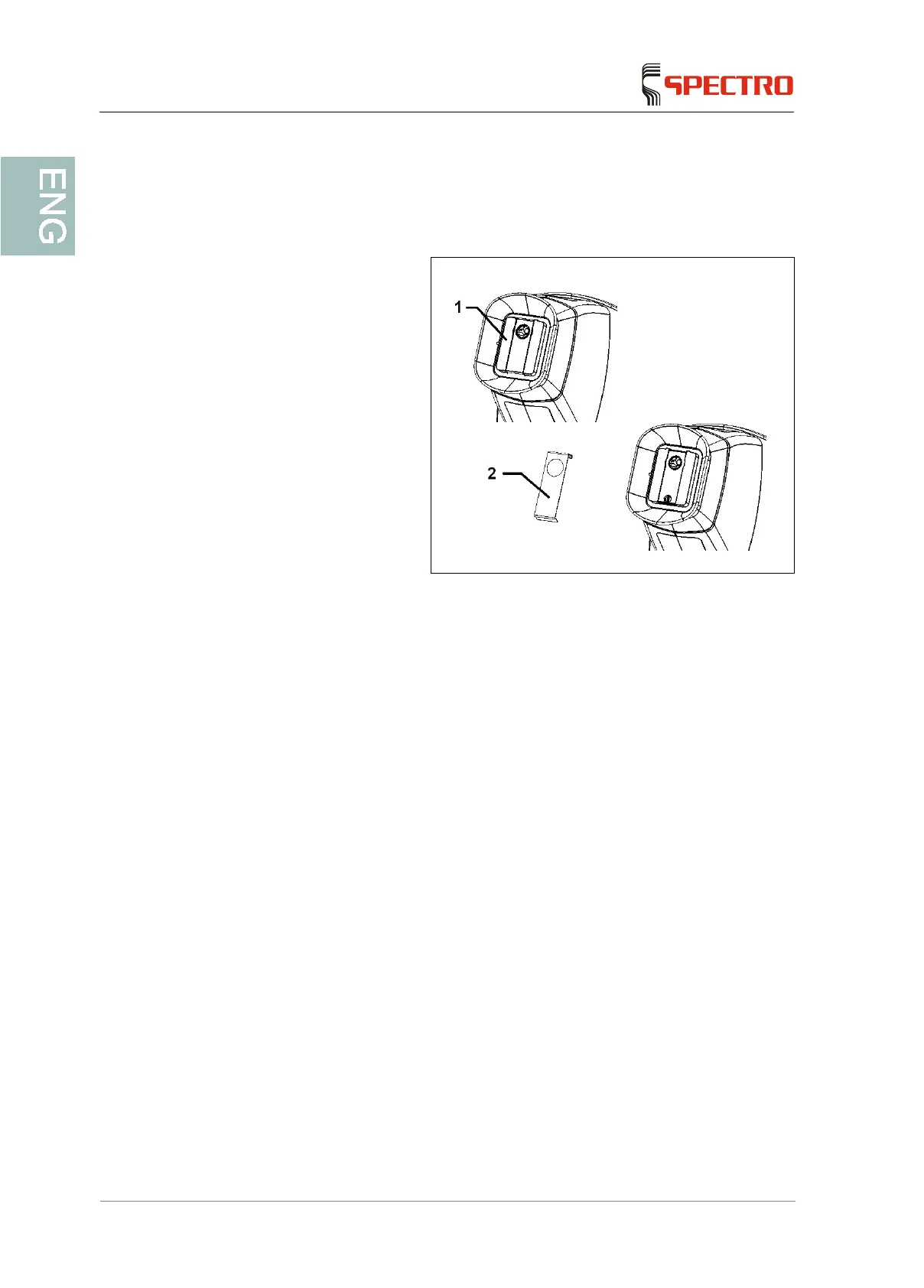
7.4 Replacing the thin protective film
To replace the protective film, proceed as follows:
1. Loosen the film holder (2)
by lifting off the lower end
of the cover plate (1).
2. Remove the old film.
3. Place a new film over the
cover plate (1).
4. Attach the film holder by
letting it snap into place at
the upper end of the cover
plate and by pressing it
downwards into the
fastening element.
The replacement of the thin protective is now complete.



 To Next Page