— 05.09.2014 —
6 Operation
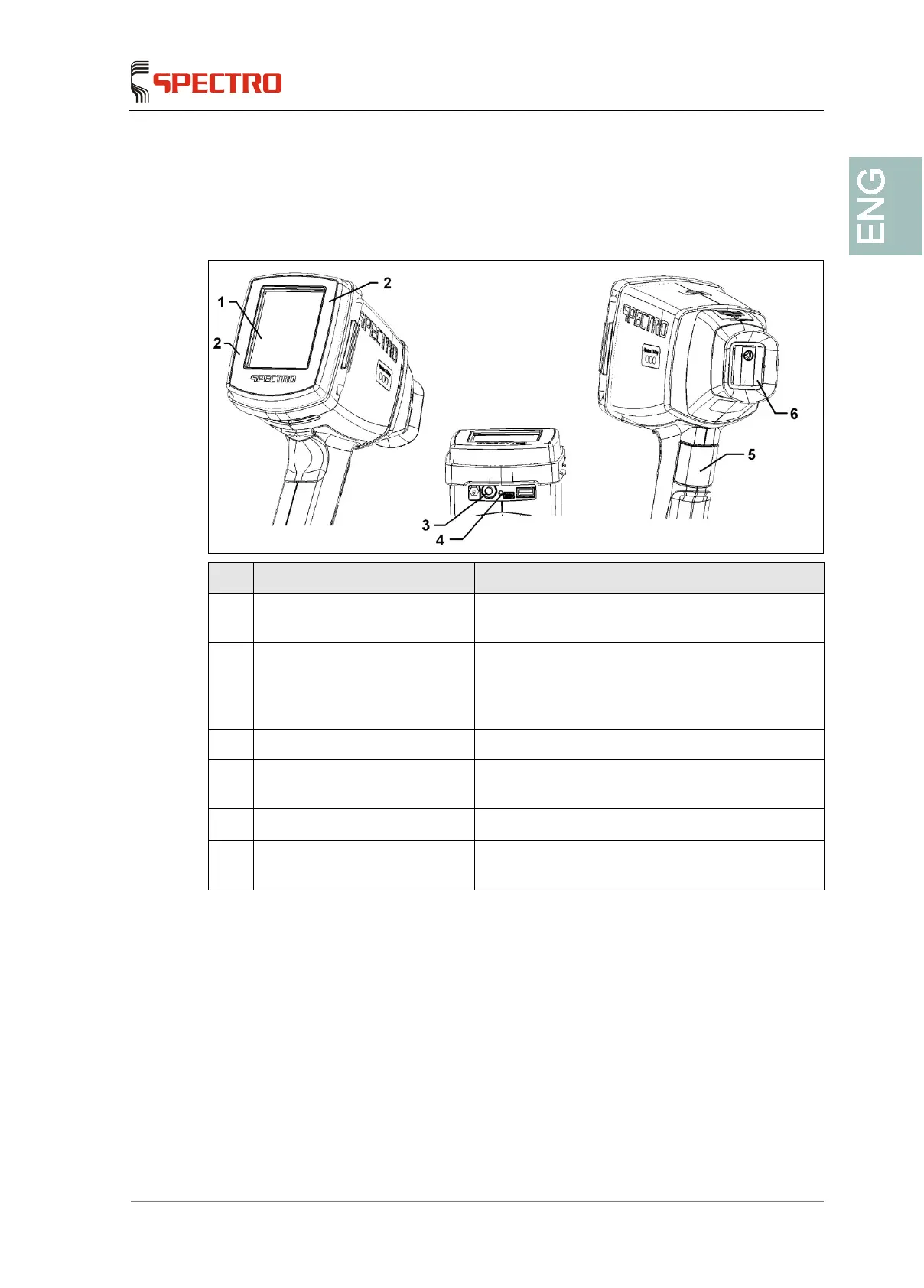
6.1 Overview of controls
No. Control element Function
1 Touchscreen The unit software is controlled with the help of
buttons on the screen
2 Pressure-sensitive display
frame (the corner areas can
accommodate additional
functions)
Measurement release and quick commands
3 ON/OFF (power) Switches the spectrometer on or off
4 ePC reset button (integrated
computer)
ePC restart (integrated computer)
5 “Start measurement” button Performs the measurement
6 Cover plate as a pressure-
sensitive sample sensor
Detect that there is a sample at the measuring
window



 To Next Page