52 SPECTRO xSORT — 05.09.2014
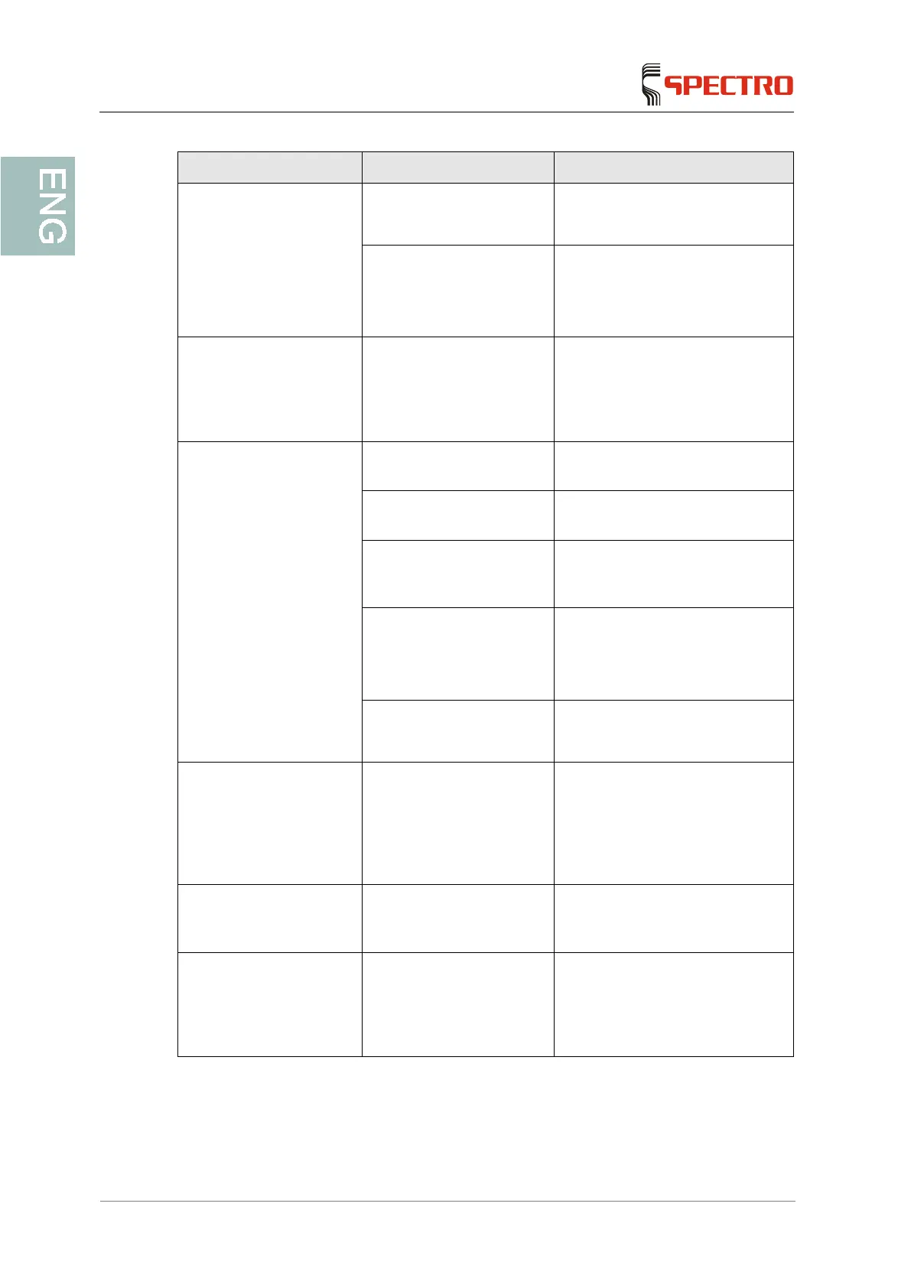
Fault Possible cause Remedy
"Shutter/X-ray" LED:
Flashing red/off: shutter
error, measurement not
possible
Defective safety switches
or defective tube/generator
Please contact your service
center.
Defective shutter
(the shutter is blocked or
the safety switches are
defective)
Please contact your service
center.
Error messages are
indicated during the
standardization
procedure (ICAL)
Defective shutter,
excitation or detection
system. For further
information, check the
software error message.
Please contact your service
center.
The analysis results of a
reference sample show
great deviations
The protective film is
contaminated
Replace the film
The protective film is
ripped
Replace the film
The standardization
procedure (ICAL) was
unsuccessful
Repeat the standardization
procedure (ICAL)
Defective shutter
(the shutter is blocked
(e.g.) and will not open the
optical path)
Please contact your service
center.
Other malfunctions in the
system
Please contact your service
center.
Missing elements on the
measurement screen
A measurement with two
measurement conditions
(for light-metal samples)
has been aborted before
the start of the second
measurement.
Repeat the measurement in strict
accordance with the preset total
measuring time.
Error message: The
stored data are invalid.
The results or analyses in
the results database are
defective.
Transfer all of the analyses to the
PC and then delete all of the
analyses.
After the installation into
the docking station, the
docking station is not
recognized by the
software.
The safety circuit is not
closed.
Please push the fastening latch to
its end position.



 To Next Page